
MOSS-Image as an All-Round Generator: LoRA Combo + Prompt Template Workflow
MOSS-Image is an open-weight text-to-image model released on October 16, 2026. Its backbone is a 5B-parameter single-stream diffusion transformer paired with a Qwen3.5-9B text encoder, and its headline feature is not “yet another SD reskin” but complex Chinese and English text rendering plus layout control — posters, infographics and type-heavy illustrations, exactly the categories where most models fall apart, are the ones it handles best.
For the first few days after the weights dropped, community reaction was muted: mediocre portraits, waxy skin, poses that broke down. What turned it around was a LoRA released later.
This piece tears down the whole stack — Kohaku’s MOSS-SFT LoRA, the 100KB-scale prompt-expansion template, and the ComfyUI all-round generation workflow: what the LoRA actually fixes, how the nodes connect, why 25 steps at CFG 3.0 is enough, and where a local install most often breaks.
Direct link · No extraction code required
1. The short version: is it worth adopting?
MOSS-Image on its own is one of the strongest open backbones for text and layout; add Kohaku’s LoRA and it closes the two real gaps — portraits and poses — making it a genuine all-round generator. The one hard limitation is that it does no local editing, so inpainting has to come from another tool.
Three things drive that verdict:
- The base model is strong on text, not on aesthetics. MOSS-Image-Base is a pure base model with no post-training and no CFG distillation. The official recommendation is steps ≥ 50, CFG 3.0–6.0, Shift 5.0, Euler sampling, plus a purpose-built Skip Layer Guidance implementation that skips the negative branch at layer 22. Its strengths are long prompts (up to 4K tokens) and typography; in the official evaluation the average text coverage on LLTB reaches 96.3%.
- The LoRA adds humanity. A community MOSS-SFT LoRA fixes the two most visible problems: broken poses/anatomy and oily skin and materials. Portraits improve dramatically once it is loaded.
- The prompt, not the model, is the deciding factor. The real core of this stack is a 100KB-plus prompt-expansion template. MOSS-Image demands far more from its prompt than most backbones do — the more precisely you write, the closer the output lands to what you imagined.
2. What the LoRA actually changes
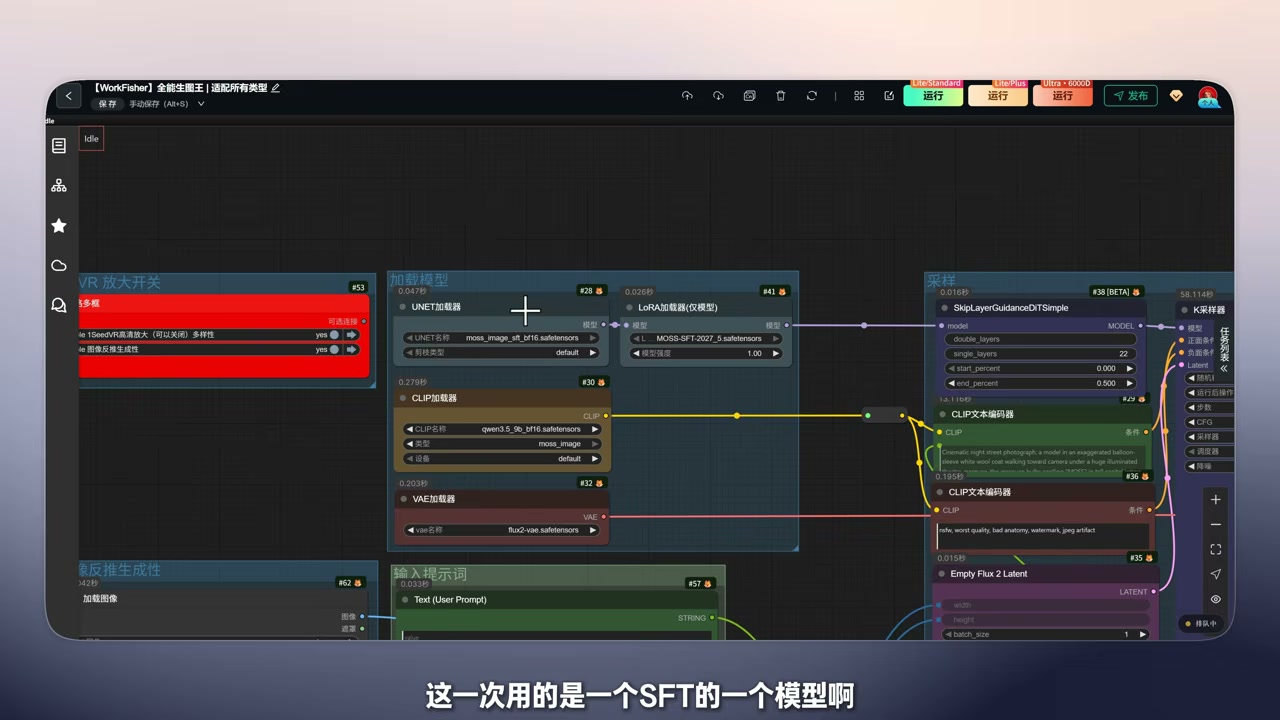
The LoRA loader in the workflow is configured like this:
| Node | Parameter | Value |
|---|---|---|
| LoRA Loader (Model Only) | LORA name | MOSS-SFT-2027_5.safetensors |
| Model | MOSS-SFT-2027_5 |
|
| Strength | 1.00 |
The base model here is the SFT variant (moss_image_sft_bf16.safetensors). Worth stressing: the current community consensus is that the SFT build is the better daily driver, while the base build leans toward being the starting point for further training.
The LoRA’s effect comes down to two things:
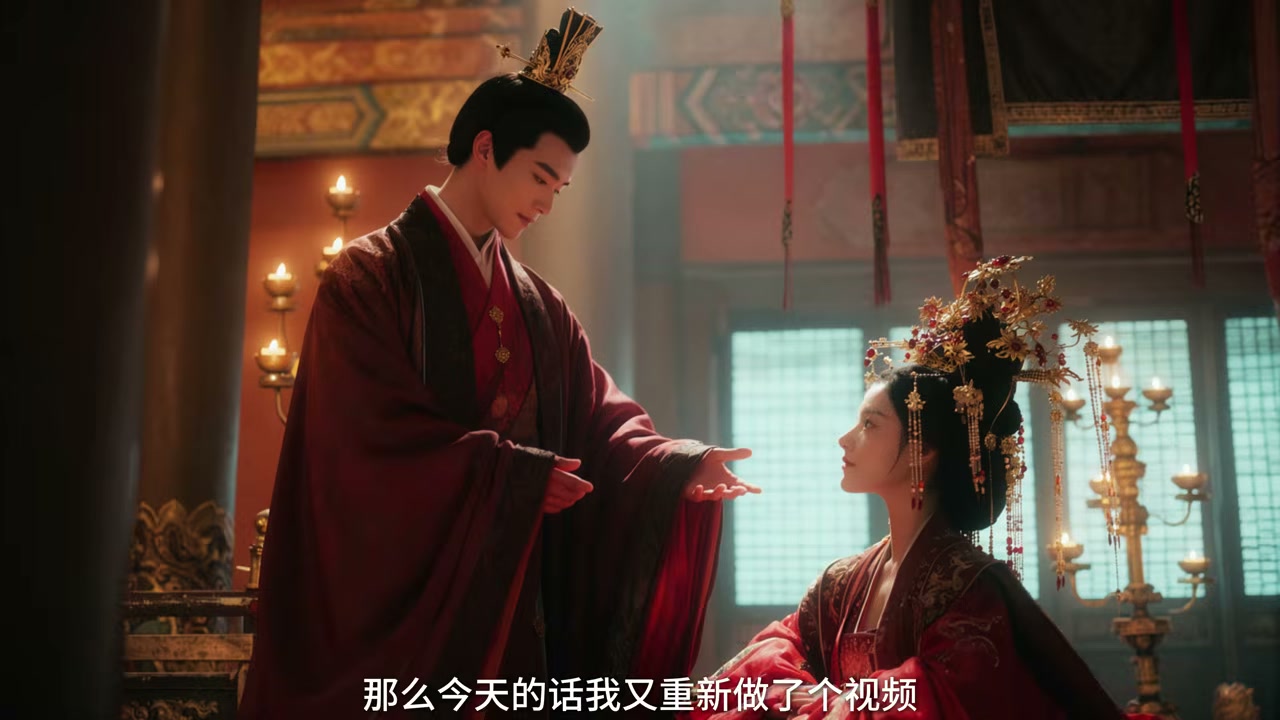
- Pose control. Group shots and two-person scenes used to produce malformed hands, twisted joints and characters clipping into each other. With the LoRA those cases largely disappear.
- De-greasing. The original renders skin and plastic-like materials as noticeably oily. The LoRA pulls skin texture, fabric folds and hair strands back toward real photography.
Do not swap in random LoRAs. Generic LoRAs targeting MOSS-Image perform poorly at this point. The practical rule is simple: use Kohaku’s set or use nothing — do not stack a pile of adapters of unclear provenance.
3. Capability map: what holds up, what does not
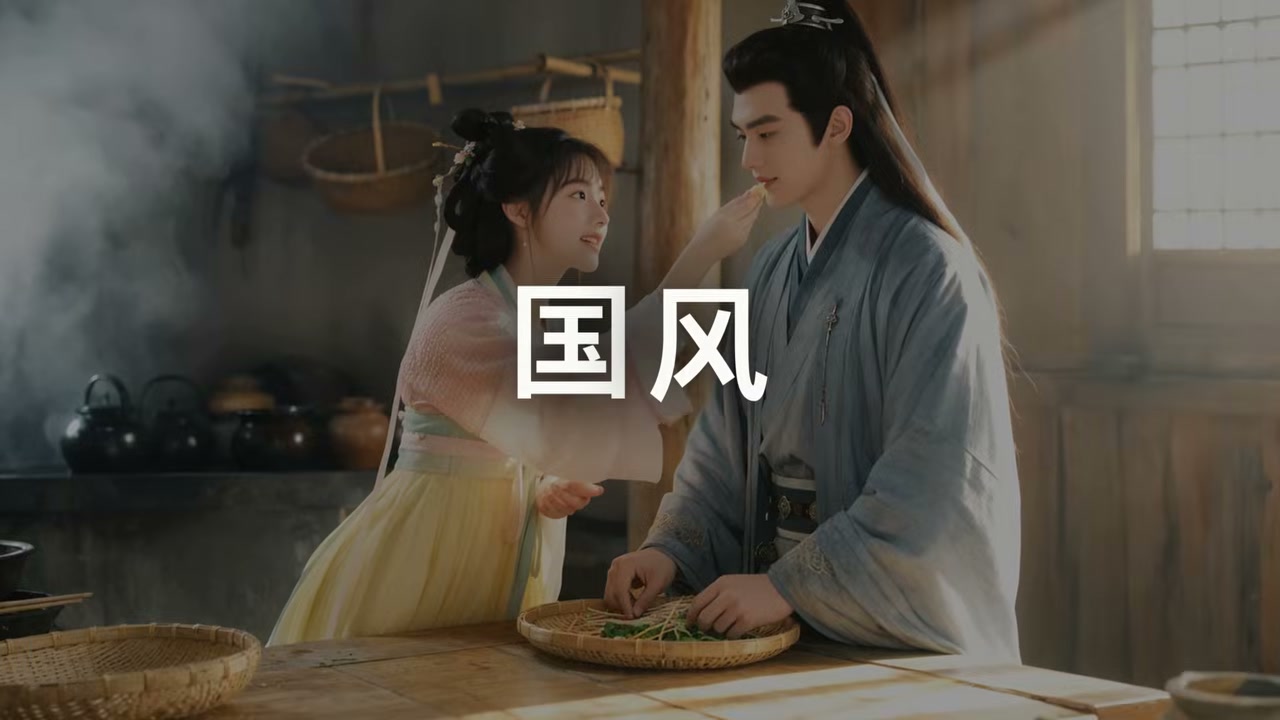
After a full round of testing the coverage is genuinely broad:
| Category | Rating | Notes |
|---|---|---|
| Portraits / single-person shots | ★★★★★ | Biggest quality jump once the LoRA is in |
| Group portraits | ★★★★☆ | Multiple people no longer collapse, but stability drops as the count rises |
| Cinematic scenes | ★★★★★ | Lighting, atmosphere and lens language all come through |
| Giant creatures / scale spectacle | ★★★★★ | Stable as long as the prompt states proportion and occlusion |
| Anime / 2D styles | ★★★★☆ | Knowledge base is fresh enough to cover recent series |
| Posters / text-heavy layouts | ★★★★★ | MOSS-Image’s home turf — text rendering is the core feature |
| Local editing / inpainting | ★☆☆☆☆ | The one hard flaw — it is fundamentally a pure text-to-image model |
Group scenes not breaking deserves its own note. MOSS-Image’s layout control (JSON bbox input) combined with long-prompt support means “two specific people + an explicit action relationship + an explicit spatial relationship” can hold simultaneously — something many backbones simply cannot do.
Posters work because of the text rendering itself: it can produce legible English and Chinese and auto-wrap lines. When you need exact line breaks, the official guidance is to insert \n manually in the prompt.
4. Prompt expansion: the most underrated piece of the stack
This is the part most people skip, and the part that actually decides whether the output is usable.
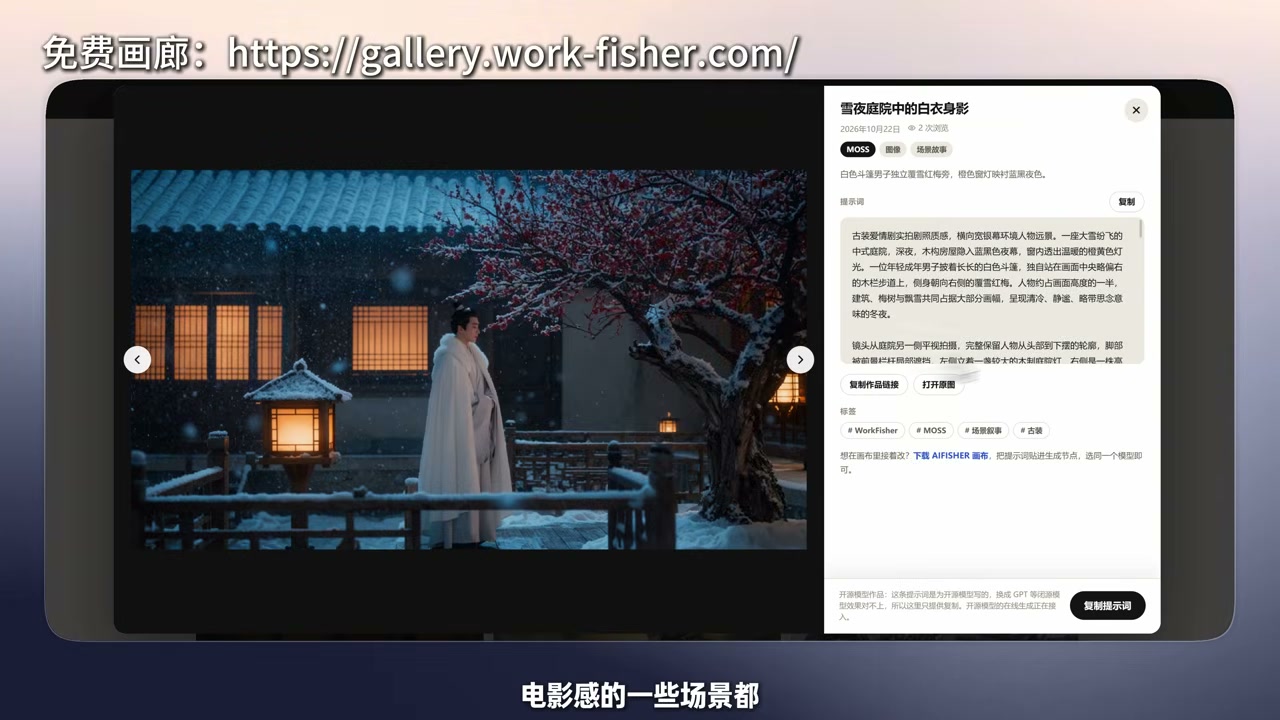
MOSS-Image leans heavily on prompt quality. Feeding it “two girls drinking coffee in a cafe” produces something hollow. Expand that into 1500–2500 characters that spell out camera framing, character styling, fabric material, traces of the environment and the key-to-fill light relationship, and the result finally looks like something you can use.
4.1 The prompt-expansion skill
The open-source project behind it is fisher-moss-prompt-expander. It takes a single sentence, a reference image or an edit request and expands it into a detailed Chinese prompt you can paste straight into the model:
- Free creation ships a full long-form draft of roughly 1500–2500 Chinese characters, split across 10–15 paragraphs where each paragraph carries different visual information (framing and crop → character styling → hands and contact → spatial layers → light and material).
- Internally it routes across four composition skeletons — single subject, two-person interaction, group portrait, environment-led — and then layers optional modules for giant scale, action and VFX, poster layout, and character design sheets.
- In reference-image mode it reconstructs from what is actually visible and does not invent occluded detail.
Installation is a matter of copying the skills/fisher-moss-prompt-expander directory into your agent’s skills folder (Codex usually uses ~/.codex/skills/) and invoking it as $fisher-moss-prompt-expander:.
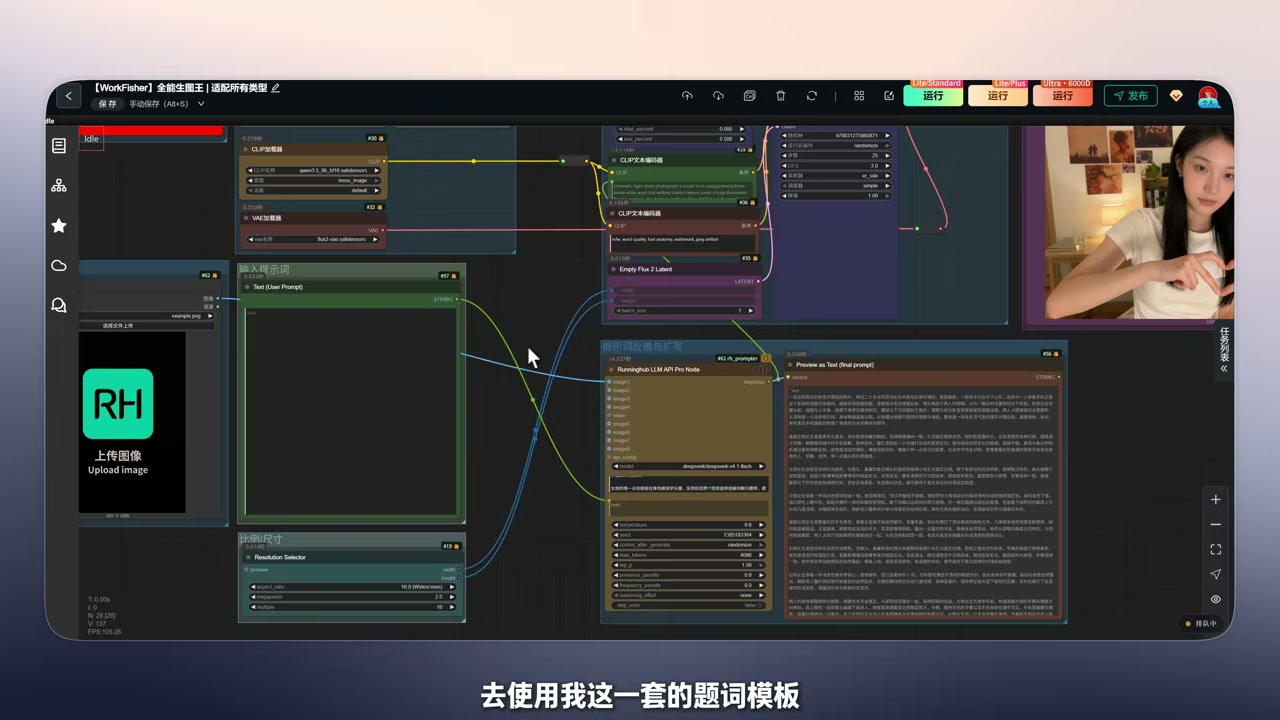
The project also ships a trimmed ComfyUI execution template: paste it into the system_prompt field of a text-expansion node, get English captions back, and feed them straight into the positive prompt. That path is for people who would rather stay inside ComfyUI than install a skill.
4.2 Why small local models cannot keep up
This is the single most important practical finding: the template itself is over 100KB — the fisher-moss-prompt-expander-完整版.md file in the netdisk bundle shows 104.3 KB. Forcing that into a small local LLM for rewriting means a heavy context load and visibly worse generations.
The recommended split is therefore: give the expansion step to a cloud LLM, and keep the local machine responsible only for loading MOSS-Image and rendering.
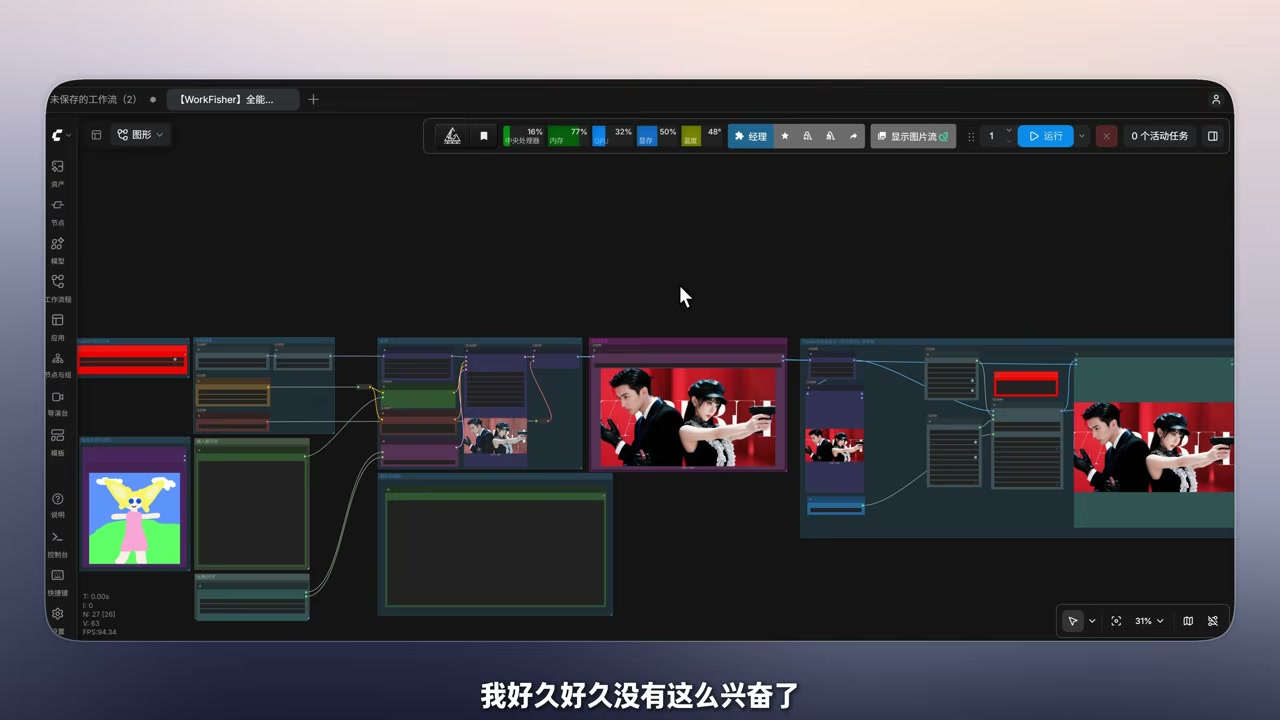
5. The full workflow, node by node
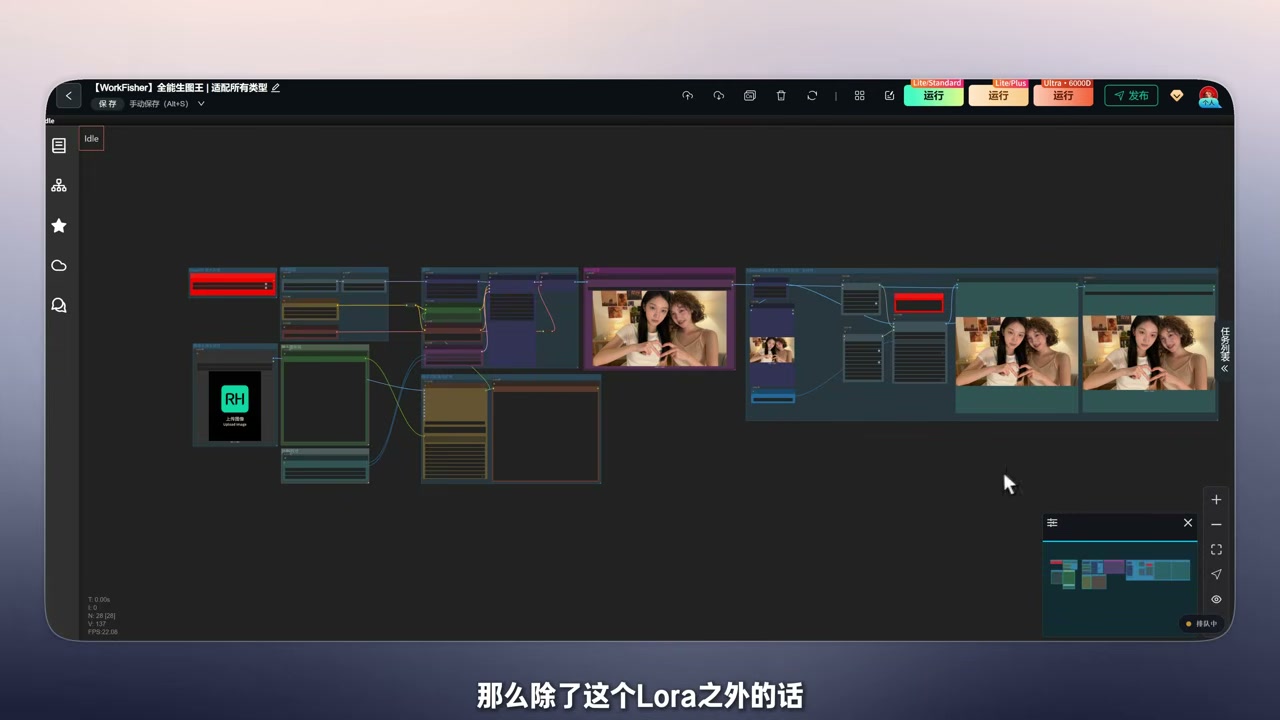
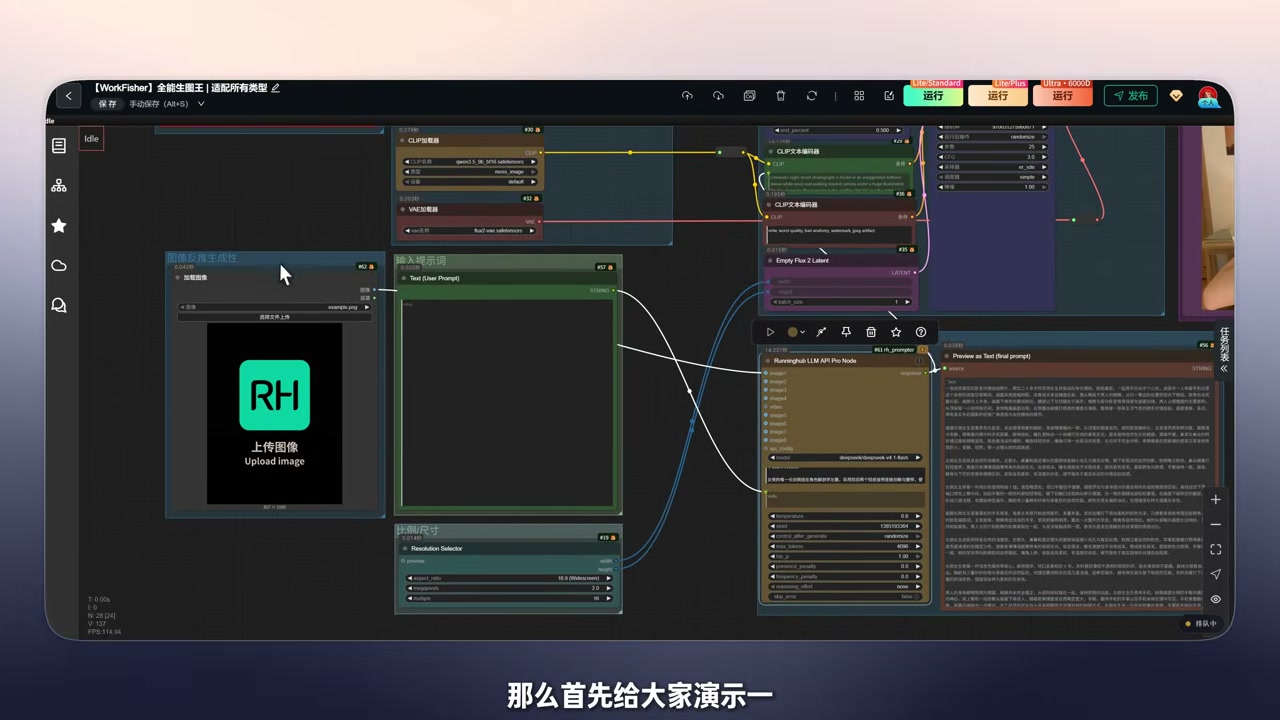
The cloud version (“全能生图王” / All-Round Image King on RunningHub) has 25 nodes in total, but the structure is very readable.
5.1 The four model loaders
| Node | Parameter | Value |
|---|---|---|
| UNETLoader | UNET name | moss_image_sft_bf16.safetensors |
| LoraLoaderModelOnly | LORA name | MOSS-SFT-2027_5.safetensors (strength 1.00) |
| CLIPLoader | CLIP name | qwen3_5_9b_sft16.safetensors |
| type | moss_image |
|
| VAELoader | VAE name | flux2-vae.safetensors |
Note that the CLIP type must be moss_image — picking the wrong type fails to load outright.
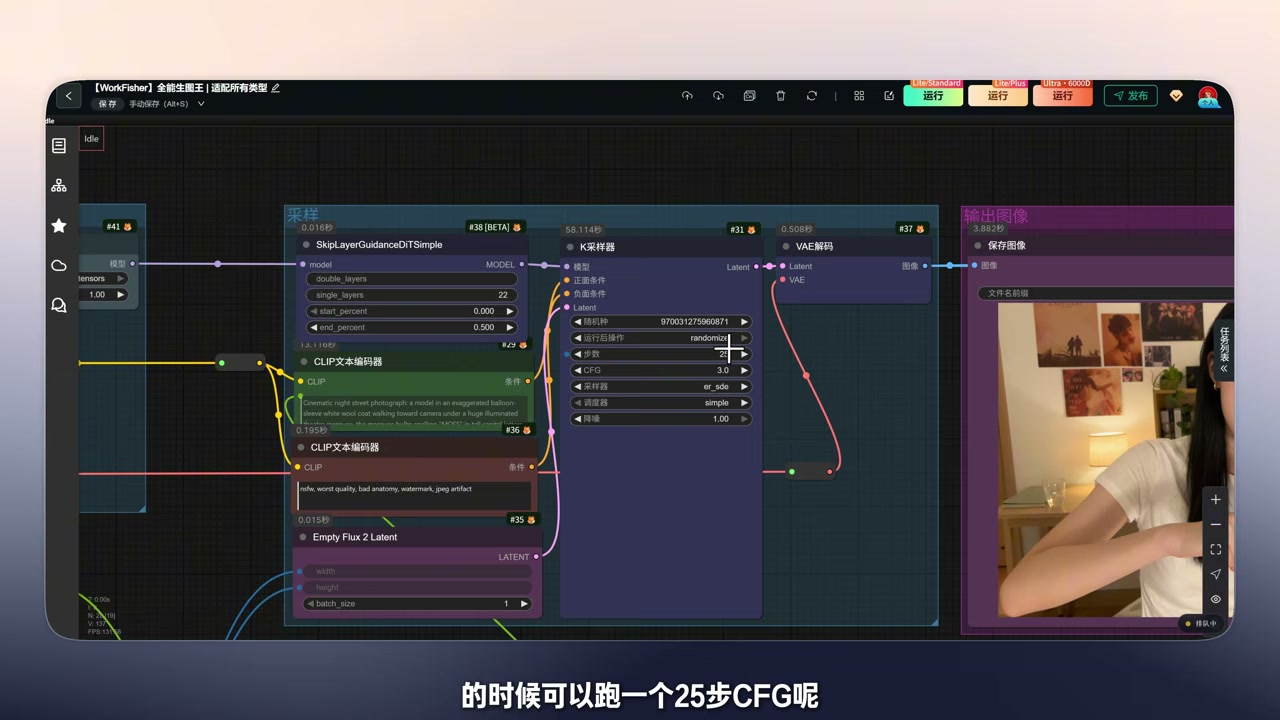
5.2 Sampler and SLG
| Node | Parameter | Value |
|---|---|---|
| KSampler | steps | 25 |
| cfg | 3.0 |
|
| sampler | euler |
|
| scheduler | simple |
|
| denoise | 1.0 |
|
| SkipLayerGuidanceDiTSimple | single_layers | 22 |
| start_percent | 0.000 |
|
| end_percent | 0.500 |
|
| CLIP Text Encode (negative) | Negative prompt | oil, worst quality, bad anatomy, watermark, jpeg artifact |
The single_layers = 22 value matches the official recommendation (layers 22 / 24 / 26 all help). The official guide also warns that turning SLG off makes the image unnaturally photorealistic and can break fine detail — so do not disable it casually.
5.3 Choosing the step count
- 25 steps is the default sweet spot, balancing speed against quality and covering most scenarios.
- If characters render thin or limbs start to break down, raise the step count — 50 steps is theoretically the best.
- Tune CFG between 3.0 and 3.5; long prompts with complex subjects can go higher, but anything above 3.5 tends to oversaturate.
5.4 Resolution
The official guidance is to think in total pixel count rather than width and height: 1M / 1.5M / 2M pixels is the sweet spot, with extrapolation from 0.25M (512×512) up to 4M (2K). In the workflow, ImageScaleToTotalPixels aligns the resolution to a target pixel count while Resolution Selector picks the aspect ratio.
Width and height must be positive multiples of 16, otherwise you get an outright error.
5.5 Upscaling and the LLM node
1SeedVR2 高清放大(SeedVR2 HD upscale, can be disabled): runs after generation for upscaling and re-sampling, and is one of the main sources of fine detail.RunningHub LLM API Pro Node: calls a cloud LLM for prompt expansion and image reverse engineering. The panel exposes the model choice (a DeepSeek-family model by default), with temperature 0.6, top_p 1.0, max_tokens 4096 and a 114048-token context window.
6. Four ways to actually use it
6.1 Image reverse engineering: upload a picture, get a reproduction prompt
Upload a reference image → adjust the aspect ratio → hit generate → the LLM node writes a long detailed prompt on its own → feed it straight into MOSS-Image.
The value here is simple: you do not need to know how to write prompts. If you have one reference image you like, the workflow can decompose it into structured description and reproduce it.

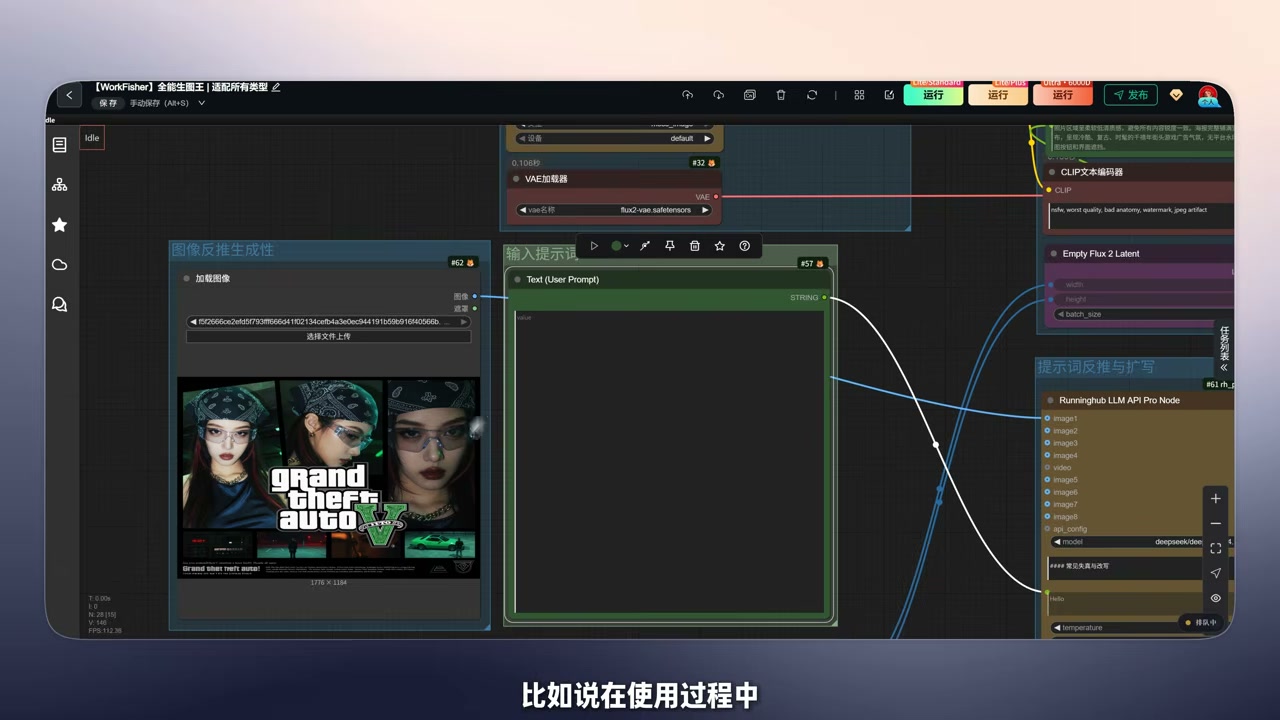
6.2 Reverse engineering plus targeted edits
You just keep editing the prompt it produced. If the reference contains a GTA-style logo, write “no GTA logo, use a different symbol” in the prompt and the expansion pass folds that constraint into the final output.
The text itself can be changed too — for poster work, swapping the headline means editing the prompt.
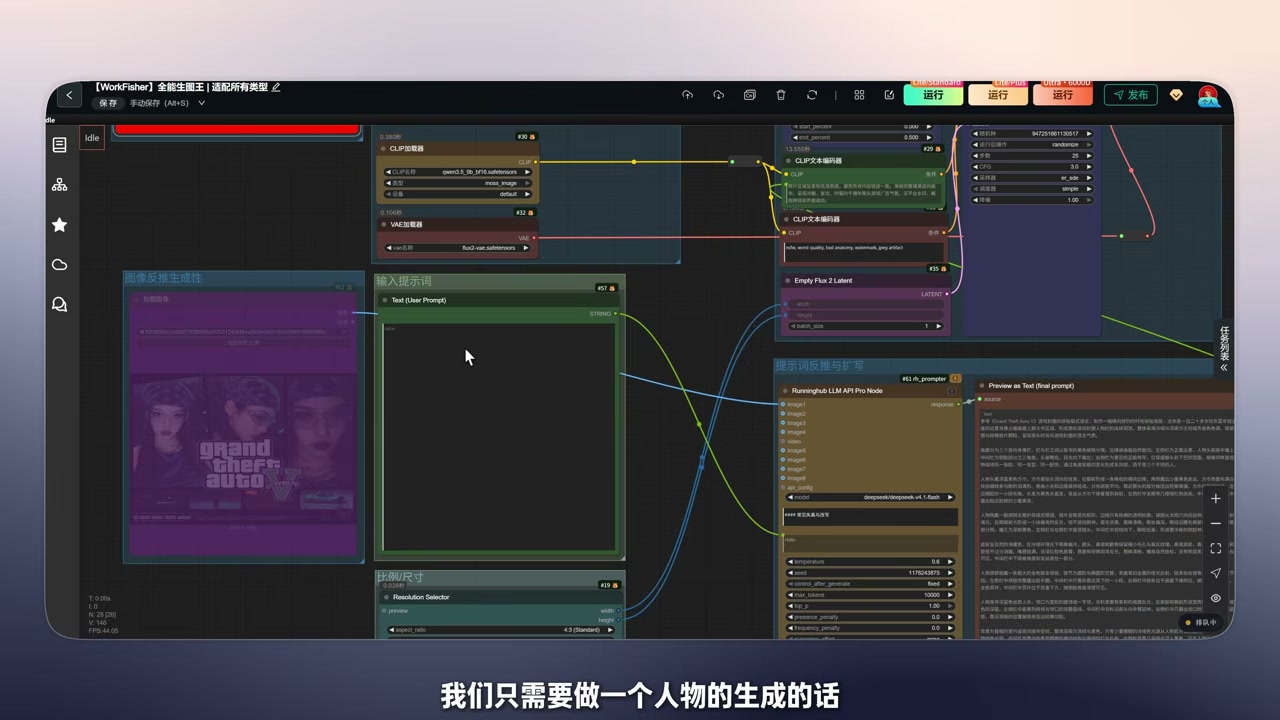
6.3 Portrait generation: one sentence expanded into a full scene
Write a short description (“a girl taking a selfie in a cafe”), let the expansion node turn it into a 1500+ character scene description, then render. The practical difference is obvious: skin texture and facial detail look noticeably cleaner than the pre-LoRA output.
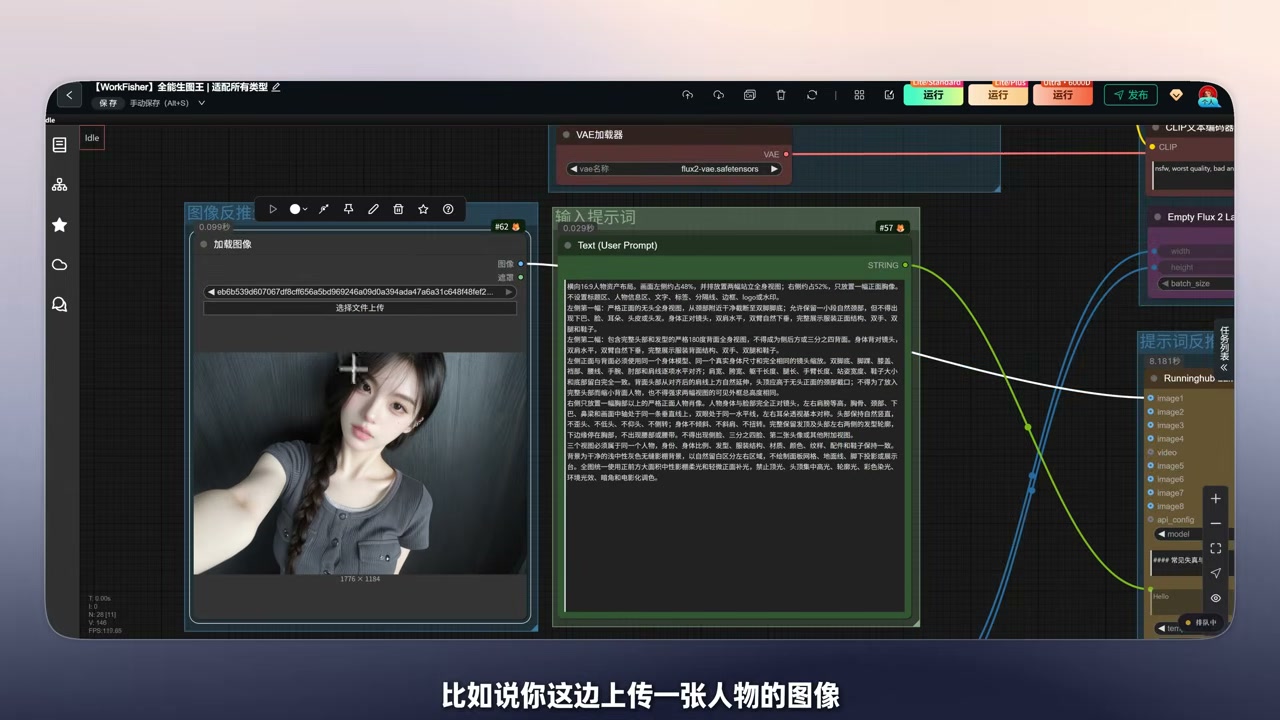
6.4 Character sheets: character image + turnaround board
Upload a character image and layer in a matching multi-view “grid sheet” for that character; combining the two yields a consistent character design image. For character cards and early-stage manhua storyboarding, this is far more reliable than describing a character in pure text.
This combination is still at demo stage — a more complete guide to building grid sheets is on the way.
7. Local deployment pitfalls
This is where most failures cluster. Work through the list in order:
- Update ComfyUI to a build that supports MOSS-Image. Native support landed in ComfyUI master on October 16, 2026 (commit
e087d8f6and later), and thev0.41.3release does not include it. Without the update, the CLIP model fails to load outright — this is by far the most common failure mode. - Remove Mixlab-style third-party plugins. Reports of a broken or disconnected UI right after updating ComfyUI trace back to a Mixlab plugin; deleting it restores normal behavior.
- Do not mix native and legacy plugin workflows. When moving from an older plugin workflow to native support, swapping only the model loader is not enough — the native model uses a different timestep multiplier, so the old workflow’s
ModelSamplingSD3node must becomeModelSamplingAuraFlowwith multiplier 1. - Do not delete the negative prompt.
oilexists to counter the original greasy look; keeping it is harmless even with the LoRA loaded. - If VRAM runs short, lower the resolution or disable upscaling. The official tooling offers three memory modes (GPU resident, component scheduling, sequential fallback); the last one uses the least VRAM but runs slower.
The netdisk bundle already contains the plugin, the models (LoRA, CLIP, VAE), the prompt template and the workflow JSON:
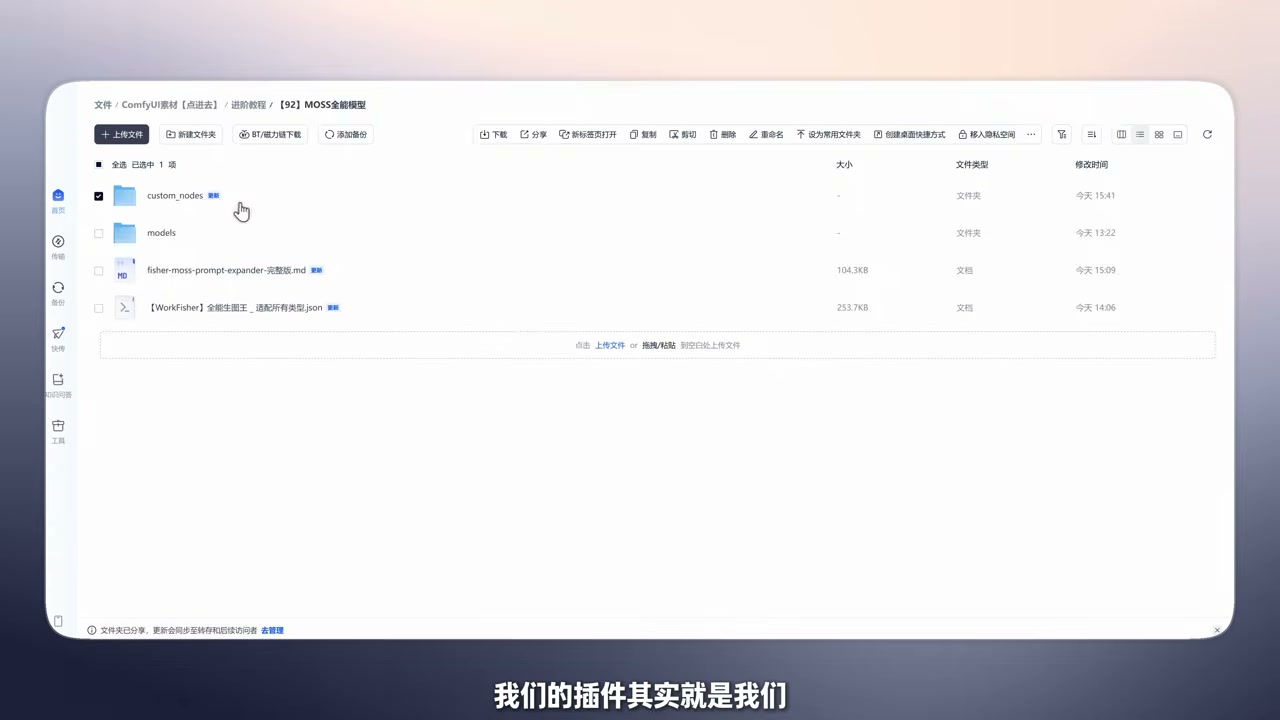
8. My assessment
Worth adopting if you build posters, infographics or type-heavy images; if you do character cards or manhua storyboarding and need long prompts for precise control; or if you are a ComfyUI regular who enjoys working with LoRAs and workflow graphs.
Hold off if you just want to type a few words and get a picture — MOSS-Image’s prompt dependency makes that path painful; if you need local editing or inpainting, it will not help; or if you are on 8GB of VRAM and would rather not fiddle — start on the cloud instead.
Why it is worth the effort: it gets long text, layout and typography right at the same time, which is a rare combination in a landscape where most open-weight backbones keep chasing raw image quality while collapsing the moment text appears. With the LoRA closing the portrait and pose gaps, the core toolkit is basically complete.
Two things worth watching: the DMD few-step distillation the team is pushing toward (aiming for 8 steps or fewer, which would directly fix the speed problem), and the community’s existing 8-step DMD distillation plus a fine-tuning framework that trains adapters on 6GB of VRAM — both push the barrier down.
9. Getting-started checklist
- Update ComfyUI to a master/nightly build with native MOSS-Image support
- Delete conflicting Mixlab-style plugins
- Models: UNET
moss_image_sft_bf16+ LoRAMOSS-SFT-2027_5(strength 1.0) + CLIPqwen3_5_9b_sft16(typemoss_image) + VAEflux2-vae - KSampler: euler / simple / 25 steps / CFG 3.0 / denoise 1.0
- SLG: single_layers 22, start 0.000, end 0.500 (do not disable)
- Keep the negative prompt
oil, worst quality, bad anatomy, watermark, jpeg artifact - Pick resolution by total pixels (1M–2M), with width and height as multiples of 16
- Run prompt expansion on a cloud LLM — do not expect a small local model to carry a 100KB template
- Raise the step count toward 30 / 50 if limbs break down
Conclusion
MOSS-Image’s positioning is clear: a 5B open-weight backbone that pushes text and layout to the limit. It was underrated right after release because its portraits were mediocre — until Kohaku’s SFT LoRA fixed the pose and oily-skin problems and turned it into a model you can actually use as a primary generator.
What turns “impressive” into “usable” is that 100KB-scale prompt-expansion template: the model sets the ceiling, the prompt decides whether you reach it. The 25-step, CFG 3.0 preset is not mysticism — it is the compromise that routes around the original model’s failure modes while keeping throughput reasonable.
If you want to go deeper, these two pieces on the site connect directly:
- Fisher Pose Ultimate: Hands-On With the Qwen2.1 Pose & Camera Editor on 8GB VRAM — if you need finer control over character pose and camera angle, a dedicated editor is more reliable than writing it into the prompt.
- MiniMax H3 Ultimate Workflow: DMAD-Accelerated LoRA + Single-Node Two-Pass Sampling — 12 Steps for Both Dialogue and Action Scenes — MOSS-Image for stills feeding into a video model is currently the smoothest production line.
- MiniMax H3 Martial-Arts Video Generation Workflow: An Engineering Breakdown on 12GB VRAM — the engineering details on the video side, if your final output needs motion continuity.
Any pitfalls you hit with MOSS-Image? Or want to see full prompt-to-image comparisons for a specific category (poster / character sheet / giant creature)? Drop them in the comments and let’s tune it together.
Resources
- OpenMOSS/MOSS-Image (GitHub) — official repo with Base/SFT weights, user guide and ComfyUI notes.
- MOSS-Image Technical Report (arXiv:2610.23374) — the 5B single-stream DiT, the PE module, and the LLTB/RLA evaluation details.
- Work-Fisher/fisher-moss-prompt-expander (GitHub) — prompt-expansion skill, ComfyUI template and curated examples.
- KohakuMossTrainer (GitHub) — LoRA / LyCORIS training framework for MOSS-Image, adapters trainable on 6GB of VRAM.
- WorkFisher All-Round Image King (RunningHub) — the cloud workflow, no local GPU required.
- Inspiration gallery · Resource site — full prompts and every workflow link.
Licensing note: the MOSS-Image weights are Apache-2.0, and the prompt skill and workflow are released under Apache-2.0 as well — but the third-party LoRAs, characters and assets referenced inside carry their own terms, so confirm those separately before commercial use.