
MiniMax H3 Hands-On Test: Generating Synchronized Audio and Video Locally on Mac and iPad with Draw Things
MiniMax H3 is currently one of the most capable audio-visual generation models in the open-source community: it generates visuals and synchronized stereo audio in a single pass, with support for text-to-video, first-and-last-frame generation, and reference-image generation. After the official open-source release on August 3, 2026, Draw Things quickly added support for Mac and iPad. This is a complete hands-on test covering which model to choose, how much storage to reserve, which acceleration LoRA to use, how long generation takes on your device, and the prompt workflow that is easiest to overlook.
Click the button to continue · Direct link · Extraction code: xDDf
1. Why H3: How Big Is the Difference Between Generating “Visuals + Sound” in One Pass?
Open-source video models have largely hit the same wall over the past two years: they generate visuals only, leaving you to add the sound yourself. H3 takes a different approach with joint audio-visual generation. A single sampling pass produces both video frames and a 32 kHz stereo audio track, with dialogue, ambient sound, and action SFX synchronized during generation rather than added in post.
The official model card lists some impressive specifications:
| Specification | MiniMax H3 |
|---|---|
| Output duration | 4–15 seconds |
| Output frame rate | 24 FPS |
| Audio | 32 kHz stereo, generated natively in sync |
| Output resolution | 768 px on the short side by default; 2K requires H3-Regenerate-2K |
| Aspect ratios | 21:9, 16:9, 4:3, 1:1, 3:4, 9:16, and more |
| Dialogue languages | Stable support for 11 languages: Chinese, English, Japanese, Korean, French, German, Spanish, Russian, Portuguese, Italian, and Arabic |
| Model size | H3-Omni-Transformer is a 33B single-stream dense Transformer |
The underlying architecture is also somewhat unusual. The text encoder directly reuses the complete pretrained weights of Qwen3-VL-32B, taking the hidden states from layer 50 and feeding them into the Omni Transformer. The visual branch uses the f16t4d24 temporal causal video VAE, while the audio branch uses the standalone H3-AudioVAE, which shares a codec between the left and right channels and operates at a 40 Hz latent rate. Positional encoding uses three-dimensional MM-RoPE for (t, h, w).
One point needs to be clarified up front: only the H3-Base tier was open-sourced. H3-Context-IR, which handles interpreting complex instructions, remains hosted on official servers and has not been released. H3-Regenerate-2K, which handles 2K regeneration, is also unavailable. The local ceiling is therefore 768 px on the short side with native stereo audio. You will need the official API for 2K output.
2. One Model, Two Workflows: FL2VA and Ref2VA
H3 ships with two task-specific checkpoints, and the right choice depends entirely on what you want to create:
| Checkpoint | Abbreviation | Input | Best for |
|---|---|---|---|
| MiniMax-H3 Base FL2VA | First and last frames → audio and video | Text + 0/1/2 images | Text-to-video, image-to-video, first-frame + last-frame control |
| MiniMax-H3 Base Ref2VA | Reference assets → audio and video | Text + multiple image/video/audio references | Character consistency, multi-asset fusion, short dialogue scenes |
FL2VA supports three input modes. With no images, it performs pure text-to-video generation. With one image, that image can serve as either the first or last frame. With two images, it locks down both endpoints. The official documentation notes that FL2VA generally delivers better native quality, while Ref2VA accepts more reference material at the cost of slightly lower baseline image quality.
Ref2VA accepts up to 9 images, 3 video clips of 2–15 seconds each with a combined duration of no more than 15 seconds, and 3 audio clips, for a maximum of 12 files in total. In practice, the most convenient workflow is to place two character reference images on the Creative Board, use subject_definitions to describe each subject, and have the model generate a two-person conversation.
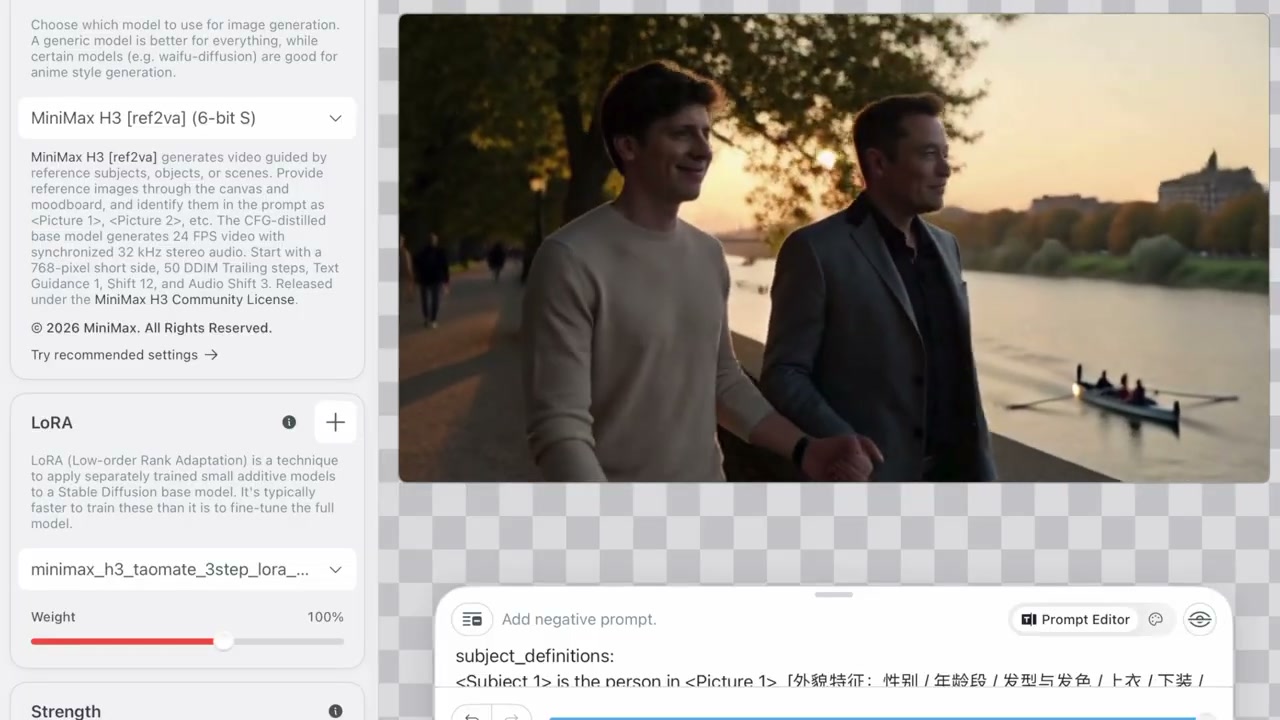
This combination of reference images and subject definitions is where H3 creates separation from other open-source models: a character can remain consistent across different clips instead of looking completely different every time.
3. Getting Started with Draw Things: Model List and Storage Requirements
Draw Things is an offline AI image-generation app available on Mac, iPad, and iPhone. Search for minimax in its model list, and you will find eight community-maintained model entries, along with two remote API options for MiniMax Hailuo 02 through WaveSpeedAI:
MiniMax H3/MiniMax H3 (6-bit)/MiniMax H3 (8-bit S)/MiniMax H3 (6-bit S)MiniMax H3 [ref2va]/[ref2va] (6-bit)/[ref2va] (8-bit S)/[ref2va] (6-bit S)
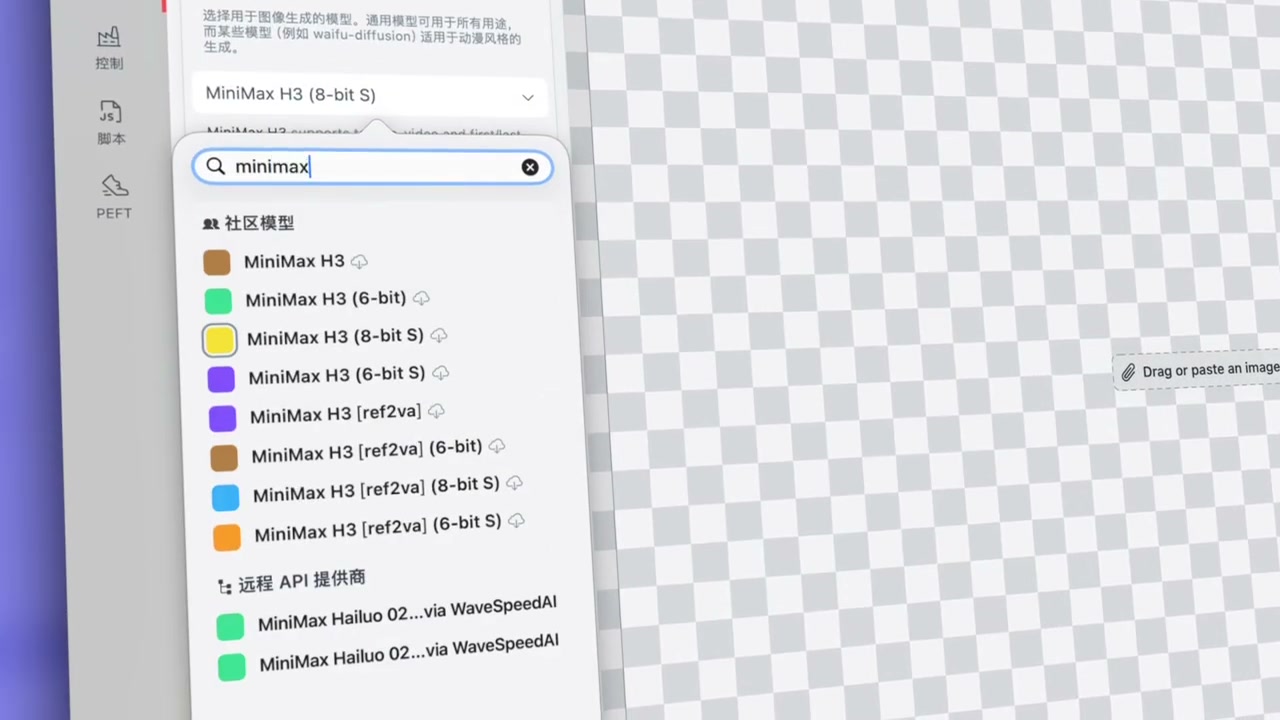
The real cost is the model file size. The full setup breaks down as follows:
| File | Size | Description |
|---|---|---|
minimax_h3_fl2va_i8x.ckpt |
34.37 GB | Main 8-bit S first-and-last-frame model |
minimax_h3_ref2va_i6.ckpt |
30.36 GB | Main 6-bit S reference-generation model |
qwen_3_vl_32b_50_i8x.ckpt |
26.55 GB | Text encoder (Qwen3-VL-32B) |
minimax_h3_vae_f16.ckpt |
5.51 GB | Video VAE |
minimax_h3_fl2v_turbo_4step_v1.2_768p_comfyui_bf16_lora_f16.ckpt |
1.46 GB | Base 4-step acceleration LoRA for FL2VA |
minimax_h3_ref2v_turbo_4step_v0.1_comfyui_bf16_lora_f16.ckpt |
1.46 GB | Base 4-step acceleration LoRA for Ref2VA |
minimax_h3_turbo_v4_step600_ema_lora_f16.ckpt |
935.4 MB | Turbo weights |
minimax_h3_taomate_3step_lora_avg_rank_19_bf16_lora_f16.ckpt |
205.4 MB | TaoMate 3-step acceleration LoRA |
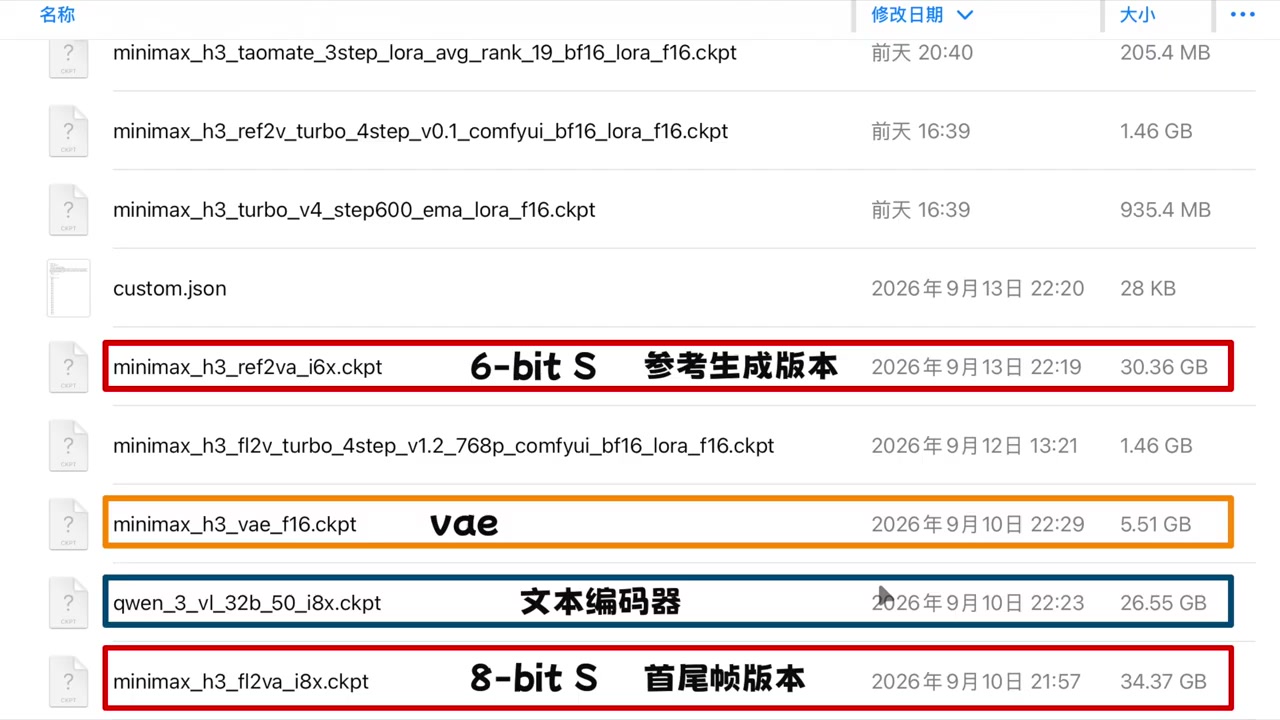
The conclusion is straightforward: reserve at least 60–70 GB of storage to run H3 locally. The main model and text encoder alone total around 60 GB. Once you add the VAE and the various acceleration LoRAs, you will want at least 100 GB for comfortable headroom.
There is also some good news: FL2VA is the first model in Draw Things to support simultaneous control of both the first and last frames. The end frame is not embedded in the prompt; instead, you place it under Control → Creative Board, where it takes effect alongside the first frame.
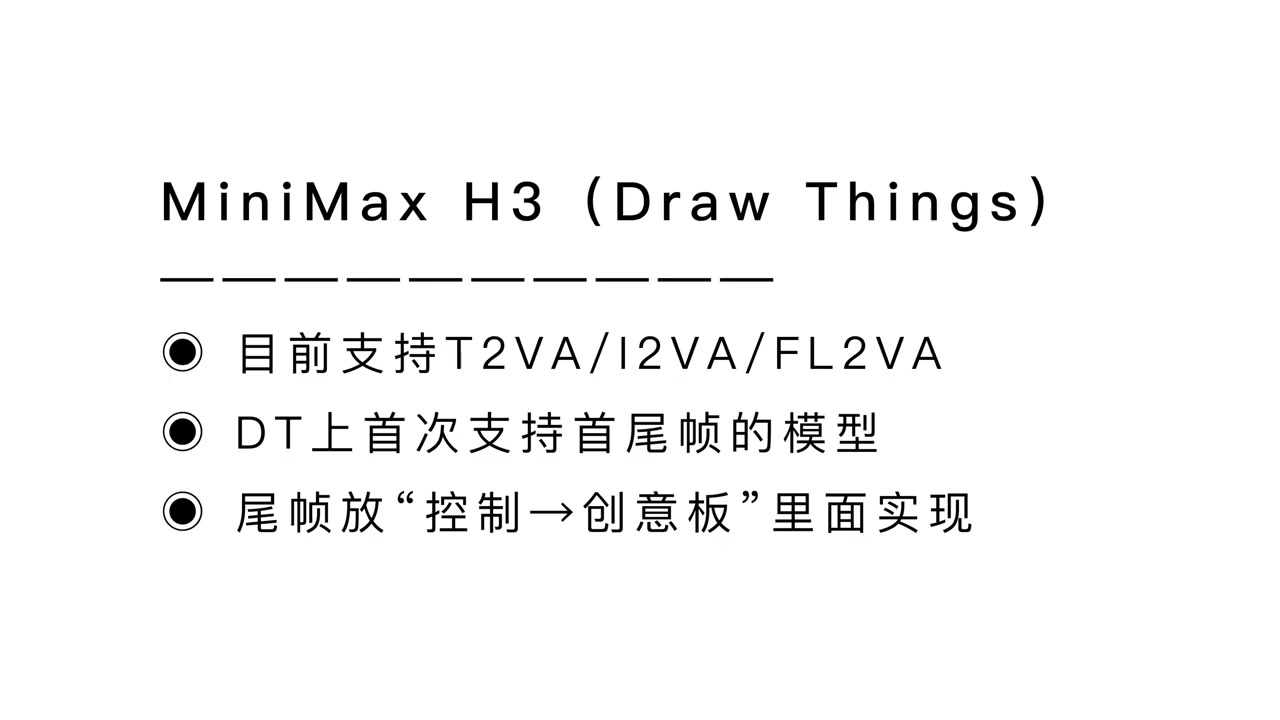
The default parameters also largely follow the official model card: a 768 px short edge, 50-step DDIM, text guidance of 1.0, Shift 12, Audio Shift 3, and output at 24 FPS with 32 kHz stereo audio.
4. Acceleration LoRA Test: Why the TaoMate 3-Step Version Wins
A native 50-step run is too slow to wait for locally, so an acceleration LoRA is effectively mandatory. The current ecosystem offers three main options:
| Acceleration LoRA | Steps | Source |
|---|---|---|
| LightX2V 4-step | 4 steps | lightx2v/Minimax-h3-Turbo |
| LarryVRH 4-step | 4 steps | larryvrh/MiniMax-H3-Turbo-Lora |
| TaoMate 3-step | 3 steps | Kijai-optimized minimax_h3_taomate_3step_lora |

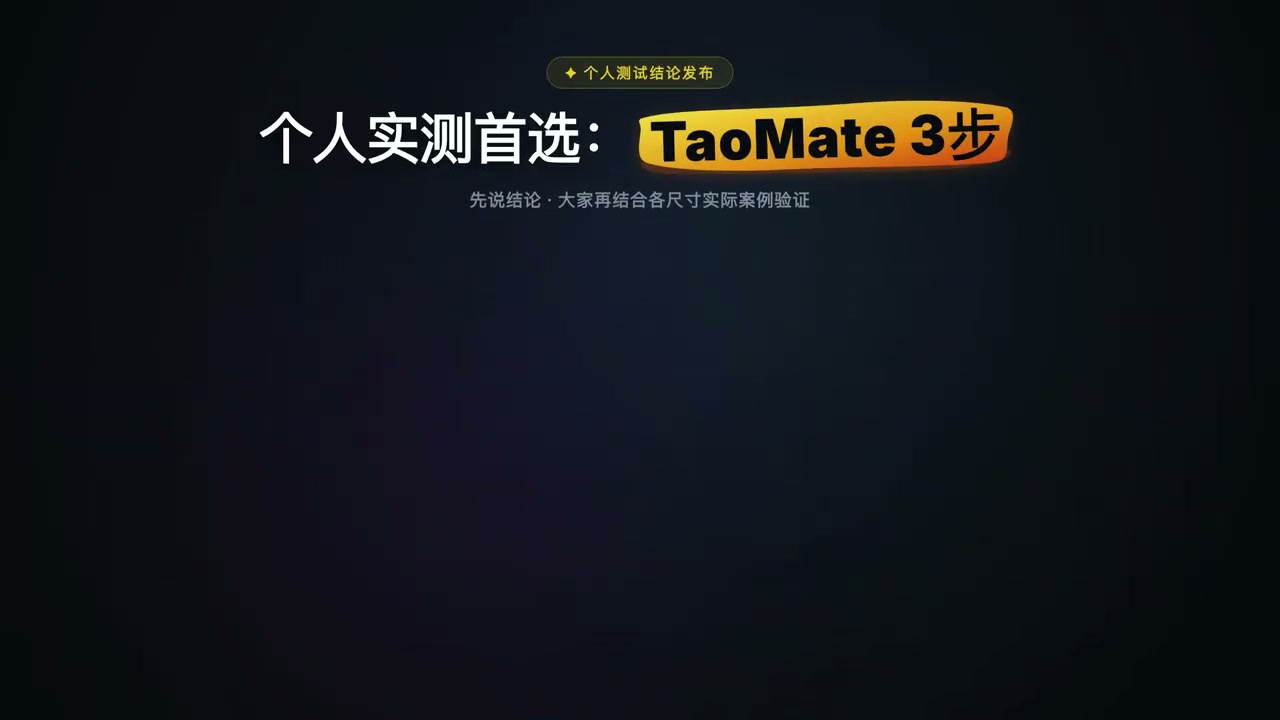
After testing all three, the conclusion is clear: the TaoMate 3-step version is the first choice. It delivers better visuals with fewer steps, making it the best combination of “fewest steps + best results.” Kijai’s optimized build is only 182 MB, so importing it into Draw Things adds virtually no overhead. Compared with a 30 GB main model, the size of the acceleration LoRA is effectively negligible.
The source files for all three LoRAs are available directly:
https://huggingface.co/Kijai/MiniMax-H3_comfy/tree/main/lorashttps://huggingface.co/lightx2v/Minimax-h3-Turbo/tree/mainhttps://huggingface.co/larryvrh/MiniMax-H3-Turbo-Lora/tree/main
5. Four Examples: One Model, Four Workflows
After running the model, the differences between H3’s four modes are immediately apparent.
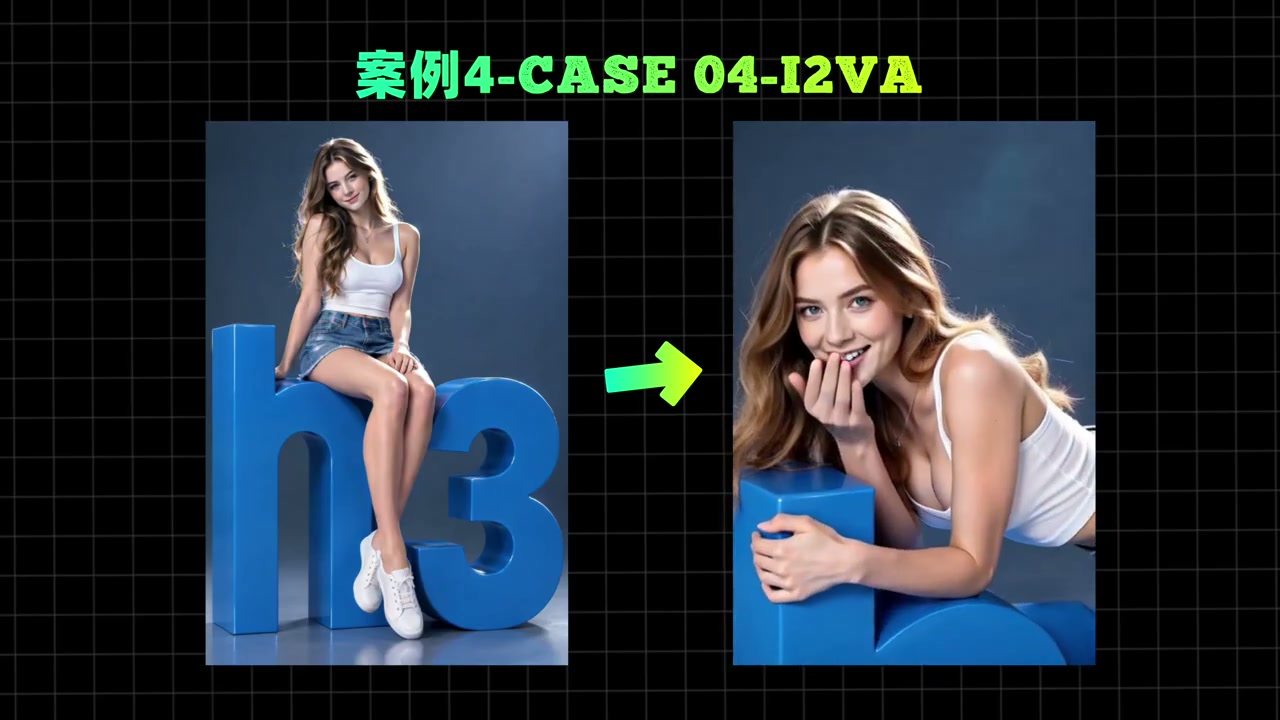
Image-to-video (I2VA): Provide an image as the first frame, and the model animates it. A character sitting on a letter sculpture naturally leans into a chin-in-hand pose and looks back as the camera pushes in. The first frame’s composition, character identity, and lighting are preserved; only the motion and camera position change.
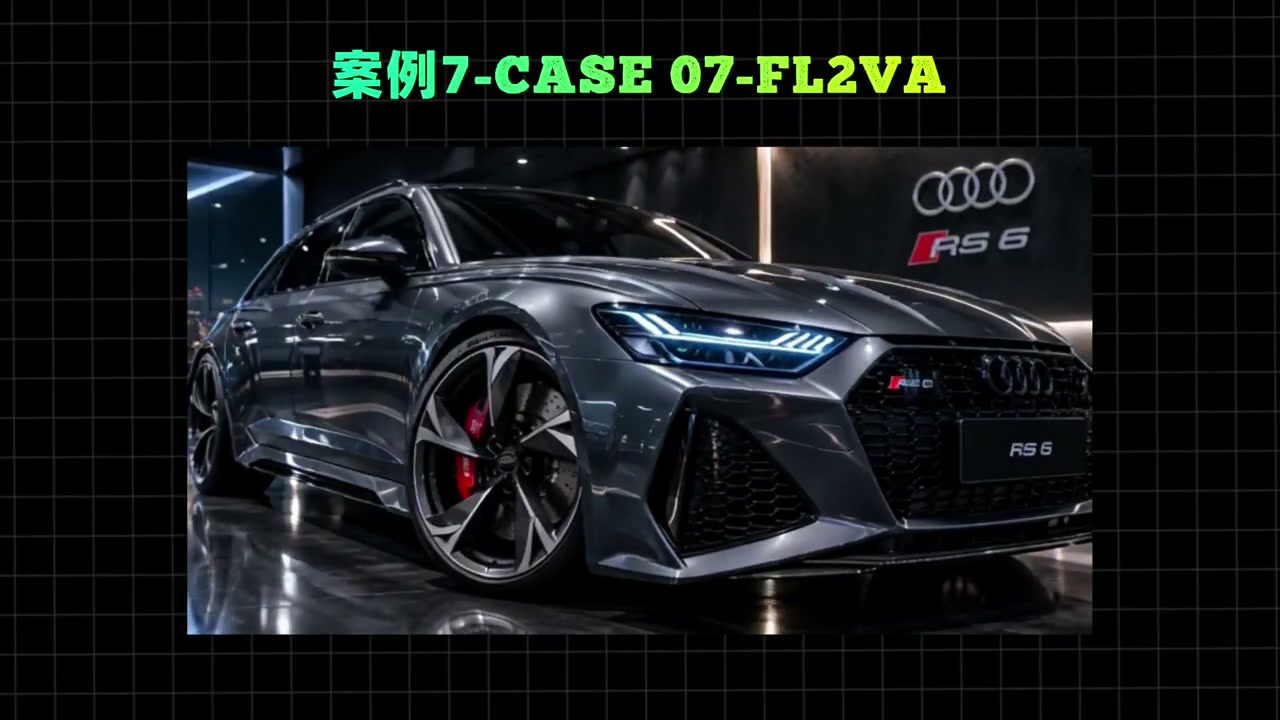
First and last frames (FL2VA): Specify both the first and last frames, and the model fills in the camera movement and transitions between them. This is the easiest way to create transitions and storyboards.
Reference generation (Ref2VA): Provide two character reference images and subject_definitions to generate a dialogue scene between the two characters. The model creates the dialogue itself, with lip movements and emotional delivery that generally line up.
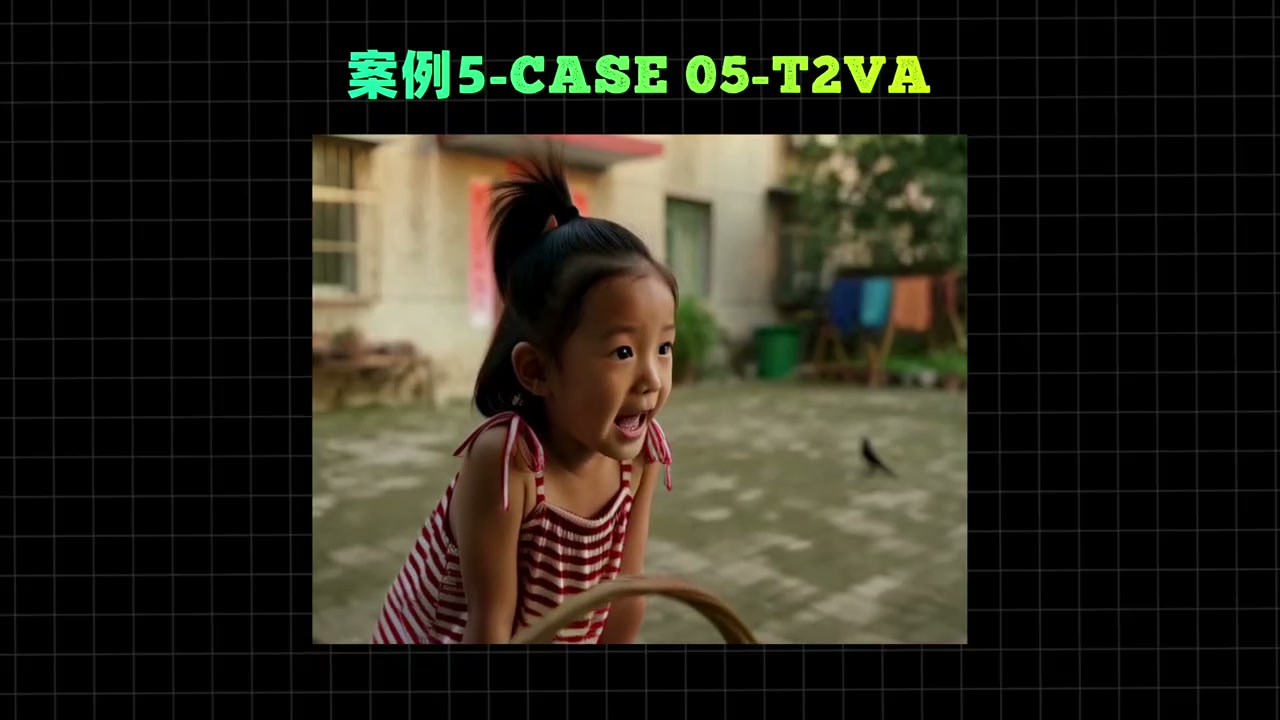
The most impressive example is the opening “H3 Grandpa on DrawThings” shot, which was generated with FL2VA on an M4 iPad Pro with only 16 GB of memory. Apple users finally no longer need to save up for an NVIDIA GPU just to generate video.
6. Can Your Device Run It? Memory, Runtime, and Starting Parameters
This is the question most people ask. The conclusion is simple: starting with M1 Ultra, many Apple Silicon devices can run H3 locally. The more memory your device has, the greater the advantage.
| Device tier | Recommendation |
|---|---|
| M4 or later + ≥32 GB RAM | Recommended configuration; supports higher resolutions and longer clips |
| M1 / M2 / M3 + 16 GB | Can run H3, but resolution and frame count need to be kept under control |
| Lower-end devices / <16 GB RAM | Use the cloud instead; see the next section |
The community has produced one particularly useful benchmark. It uses ComfyUI rather than Draw Things, but it still provides a good sense of the performance involved:
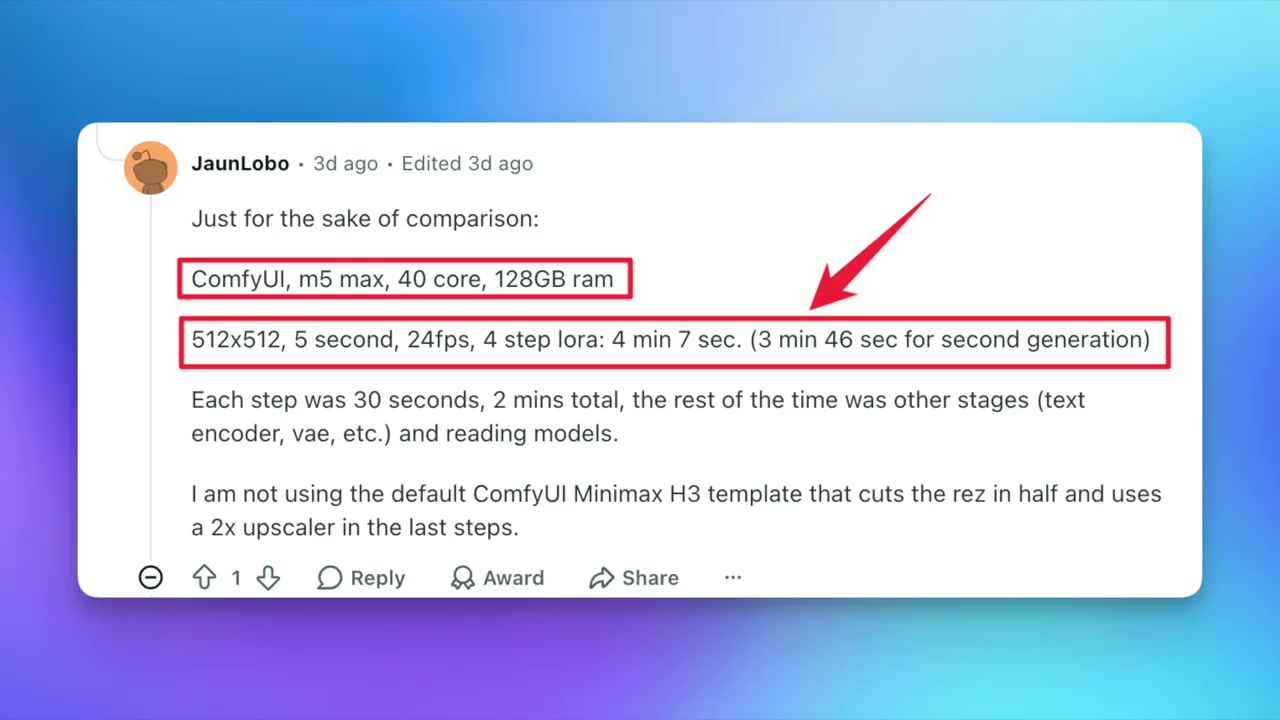
ComfyUI · M5 Max (40 cores, 128 GB RAM) · 512×512, 5 seconds, 24 fps, 4-step LoRA: first run, 4 minutes 7 seconds; second run, 3 minutes 46 seconds. Each step takes about 30 seconds, sampling accounts for 2 minutes, and all the remaining time goes to loading the text encoder, VAE, and model files.
The most important takeaway from this data is actually the final point: sampling is not the only bottleneck. Beyond the main model, loading and decoding the 26.55 GB text encoder and VAE creates a fixed overhead. The weaker the device, the larger that overhead becomes as a share of the total runtime.
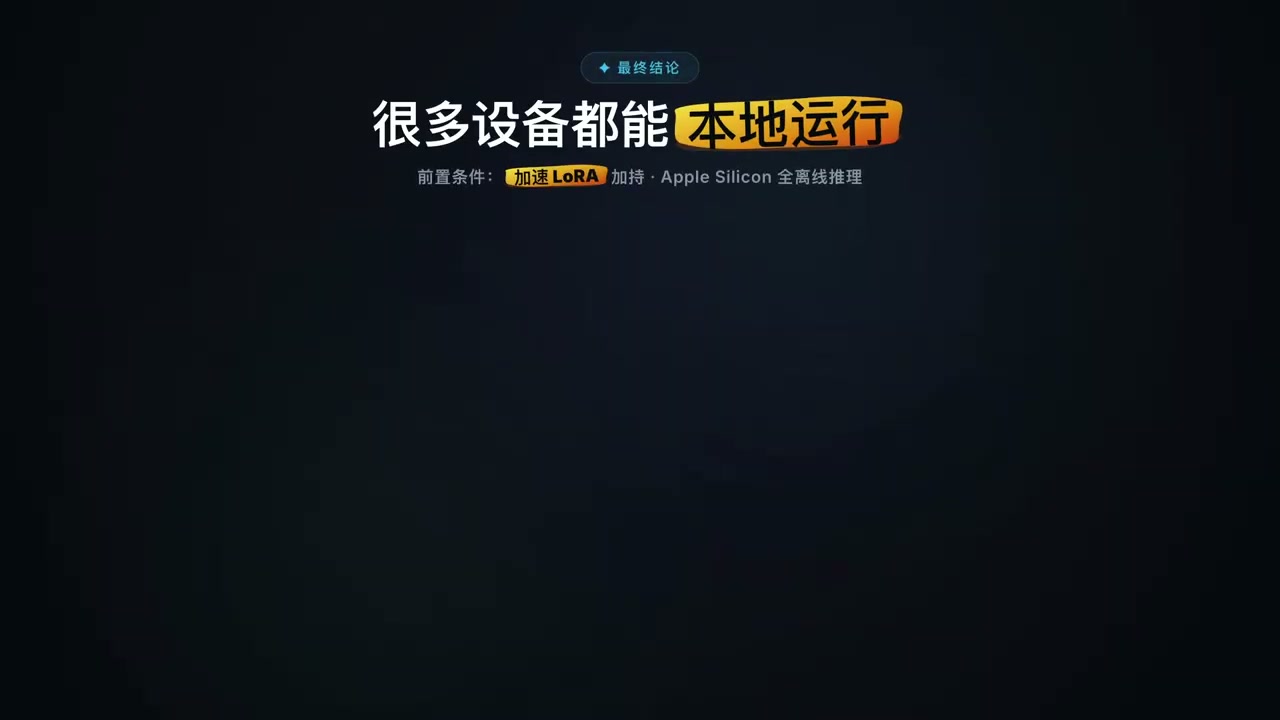
There is a pragmatic way to choose starting parameters: do not max everything out from the beginning.
- Start at a low resolution, such as 576×384.
- Keep the frame count to around 107 frames, or roughly 4.5 seconds.
- Run it once and record the elapsed time.
- Gradually increase the resolution and frame count.
This approach makes every increase predictable and prevents you from discovering that your settings were too ambitious only after an hour of generation. If you want high-resolution output, you will need more capable hardware.
7. When Hardware Falls Short: Draw Things+ Cloud Computing
If your machine cannot handle the workload, Draw Things provides a cloud fallback. You upload the job to a cloud compute node, while your local device only handles uploading and downloading.
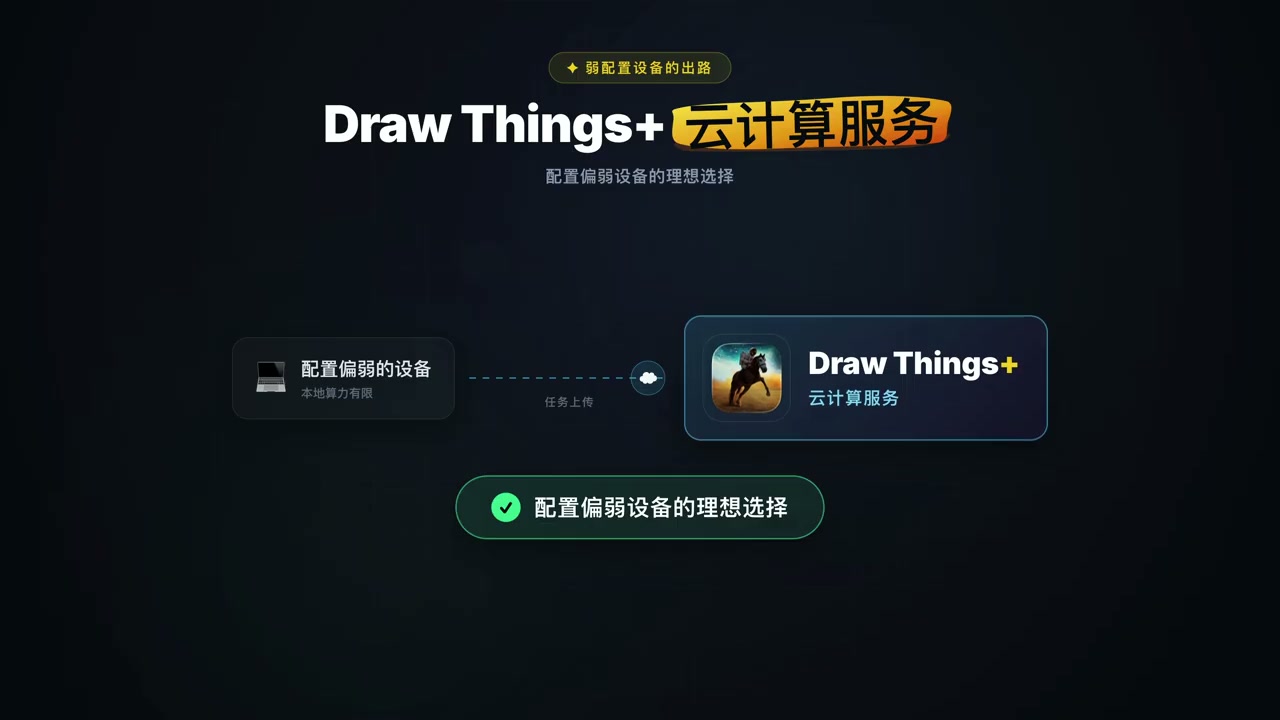
This route is especially useful for two groups of users. First, those who want to test H3 at a low cost before deciding whether to buy more powerful hardware. Second, those who only occasionally need a high-resolution final video and would not justify building a dedicated workstation.
8. Prompting Is the Deciding Factor: An LLM + Agent Skill Workflow
This is the most useful part of the entire guide. H3 has enormous potential, but without a good prompt, it cannot come close to reaching that potential.
The current workflow is to have an LLM plan every video prompt, allowing you to begin with a simple instruction. The official team also provides a prompt-writing Skill, which you can install with:
1 | npx skills add https://github.com/MiniMax-AI/MiniMax-H3 --skill h3-prompt-writing |
The Skill consists of plain Markdown and reference files and does not call any external APIs. It can therefore be used in Claude Code, Cursor, Codex, LangChain, or any other Agent environment that can read SKILL.md and local files. It includes two prompt guides:
base-en.txt— Text-to-video and first-and-last-frame modesref-en.txt— Full reference mode for Ref2VA
A more advanced workflow is to give both guides to an LLM and have the Agent create a Skill called “MiniMax H3 Prompt Generator.” You can then invoke it through a slash command whenever you need to create something new.
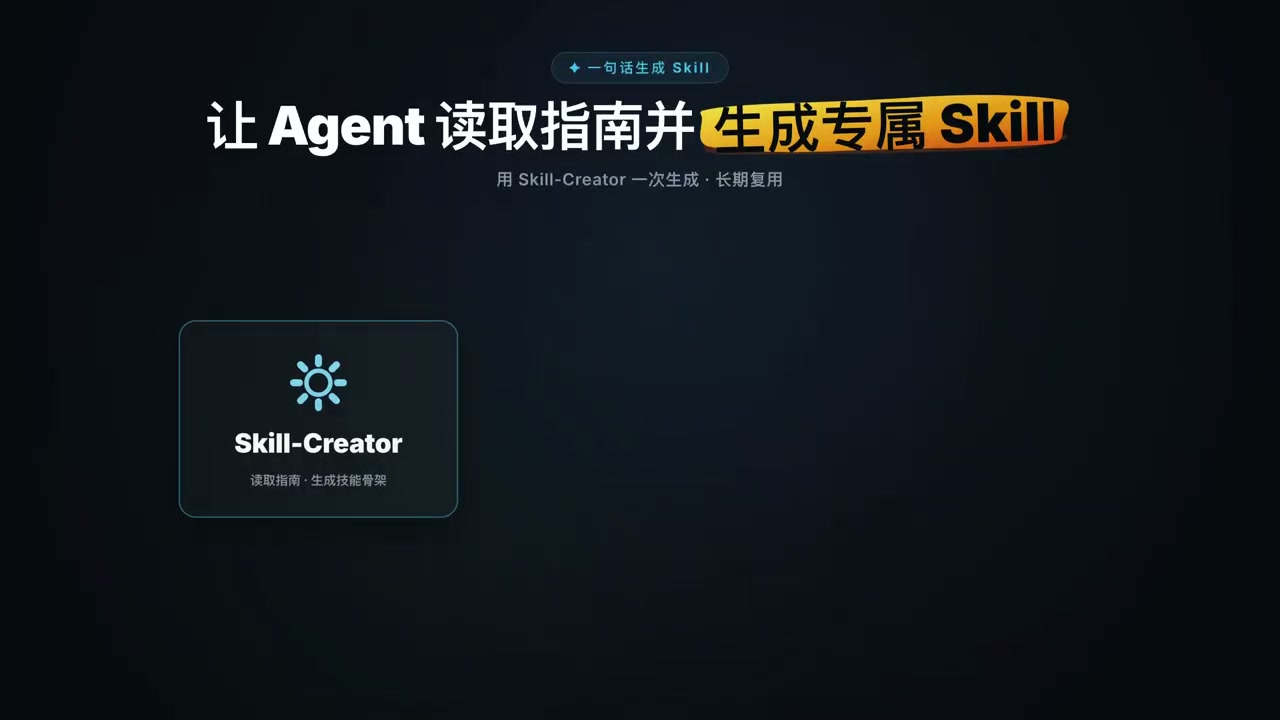
A typical request looks like this:
“I want to make an image-to-video right now. Please design a prompt for me.”
Current scene: paste in a reference image.I need a violent volcanic eruption accompanied by the sound of flowing lava, while a drone dives in first-person view beneath giant MiniMax lettering—the feeling of the text beginning to collapse is absolutely thrilling.
You can then paste the prompt planned by the LLM into Draw Things, and the results are excellent.
Both official guides can also be downloaded directly from Hugging Face:
VIDEO_PROMPT_WRITING_GUIDE_base_en.md(text-to-video and first-and-last-frame modes)VIDEO_PROMPT_WRITING_GUIDE_ref_en.md(reference generation)
9. Three Unresolved Problems
After putting H3 through its paces, three shortcomings remain clear:
- Audio-visual conditioning is only half implemented. Draw Things currently relies mainly on text and images as conditioning inputs. Using audio and images together as input conditions, such as providing audio and having the visuals react to it, has not yet been implemented. This is the capability I most want the official team to add.
- Audio-visual consistency in long videos. A single H3 generation can produce up to 15 seconds. Anything longer requires splitting the video into segments and matching frames across cuts, while audio continuity is more difficult to preserve than visual continuity.
- 2K remains in the cloud. H3-Regenerate-2K has not been open-sourced, so local generation is limited to 768 px on the short side.
The community is already working to fill these gaps. ComfyUI integrated H3 support on the day of its release. antirez/h3.c is a native Metal implementation for Apple Silicon with performance optimizations for the M3 Max and M5 Max. Other approaches, such as Motion-Context, feed the previous segment’s final frame and audio into the next segment to preserve continuity in the direction and speed of motion.
10. My Recommendation: Who Should Bother?
Not everyone needs to invest time in this workflow. Here is a direct way to decide:
- Worth the effort: You own a Mac or iPad and want to batch-produce short videos with sound without relying on cloud services. You need characters to remain consistent across multiple clips, and you are willing to wait tens of minutes per generation.
- Not worth it yet: You only need an AI-generated video from time to time. The metered cost of the official API or Hailuo AI will probably be lower than your electricity bill. You also do not have an Apple Silicon device with at least 16 GB of memory.
If you decide to try H3, this is my recommended order:
- Install Draw Things, search for
minimax, and download only the 6-bit version to minimize disk usage and download time. - Download only the TaoMate 3-step LoRA. Do not spend time on the other acceleration options; it remains the best all-around choice.
- Start at 576×384 / 107 frames, establish a runtime baseline, and then increase the settings.
- Delegate prompt planning to an LLM and use the official
h3-prompt-writingSkill instead of trying to write everything yourself.
Summary
MiniMax H3 has turned local video generation with synchronized sound from an impossible task into a practical reality, while Draw Things has brought that capability to Mac and iPad. A 33B single-stream Transformer, simultaneous visual and stereo audio generation in a single sampling pass, two control workflows through FL2VA and Ref2VA, and an official prompt-writing Skill—all of these combine to form a complete and usable end-to-end workflow.
Keep your expectations realistic, however: local generation requires 60 GB of storage, 32 GB of memory, and a wait of several minutes per clip. Its value is not replacing cloud services, but making “my footage never leaves my machine” possible. For anyone with strict privacy requirements or a need to process their own footage in batches, that is worth every bit of the cost.
The community’s complete resource index is available in MiniMax-AI/awesome-minimax-h3-integration. It covers everything from VRAM-tier recommendations to quantized builds from different providers, making it a good starting point for deeper exploration.
What is the longest clip you have generated with H3? How long does a typical generation take on an M-series device? Share your results in the comments, or tell us about any pitfalls you have encountered.
Further reading:
MOSS-Image: An All-in-One Image Generator—Hands-On Testing of a LoRA + Prompt Template Workflow ·
Fisher Pose Ultimate: Hands-On Testing of the Qwen2.1 Pose and Camera Position Editor, Runnable with 8 GB of VRAM ·
MiniMax M3.1 Flash Hands-On Test: A 7-Billion-Parameter Main Model and Agent-Based Automatic Editing