
GitHub Open-Source Trending Top 5 for the Fourth Week of October: MCP Reverse Engineering, a Multi-Agent Orchestration Console, and an Open-Source Coding Agent
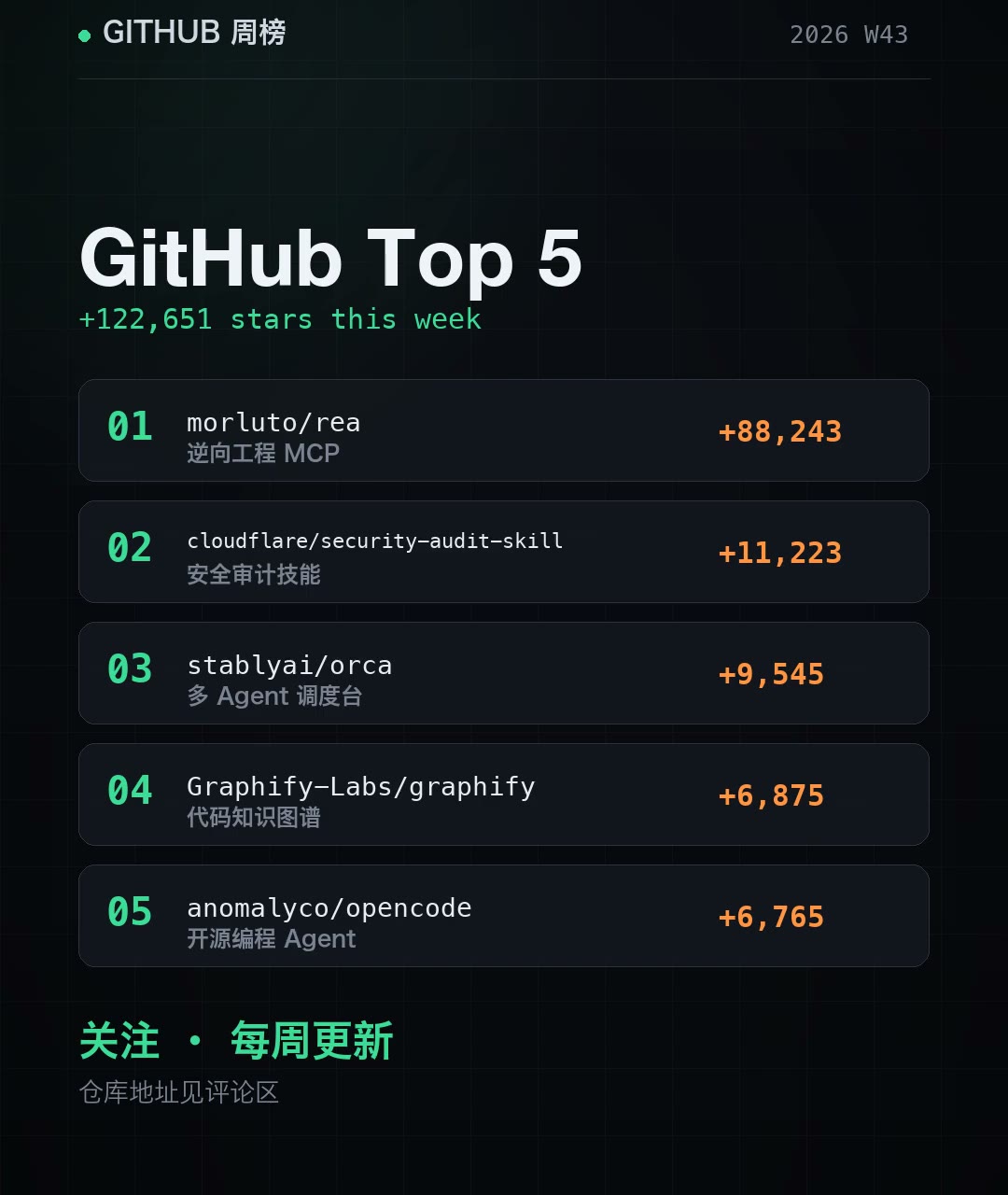
GitHub’s open-source trending list has a new set of headliners this week. The measurement window is 2026-10-17 to 10-24, and this week’s Top 5 gained 122,651 stars in total. The #1 project alone accounted for 88,243 of them, or 72% of the total. At first glance, the five projects in this week’s GitHub open-source trending list appear to have little in common—reverse engineering, security auditing, multi-agent orchestration, code knowledge graphs, and a terminal-based coding agent—but underneath, they are all working on the same thing: moving AI from “able to chat” to “able to get work done.” Let’s break them down one by one and see which is worth trying first.
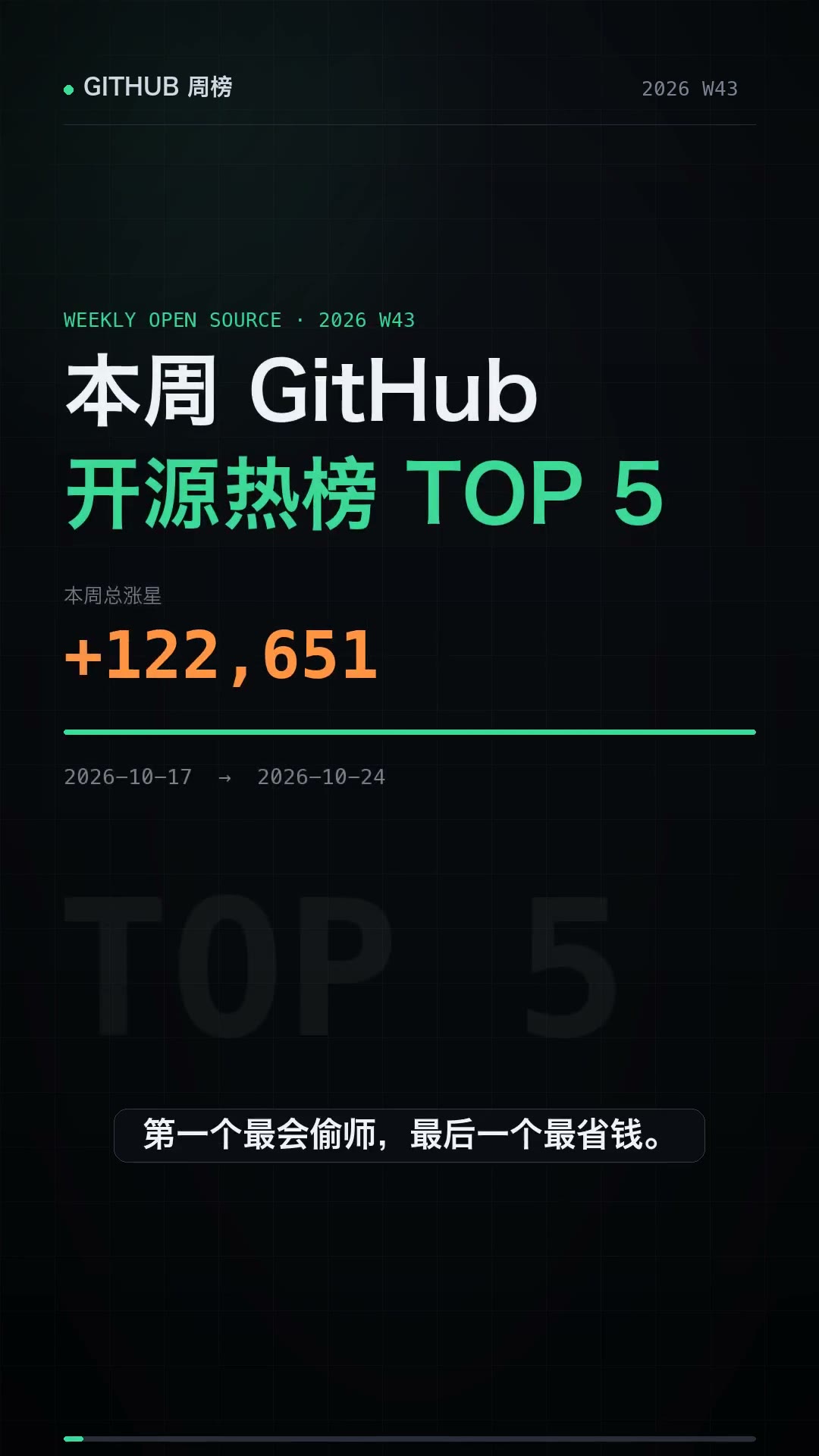
I. This Week at a Glance: How the 122K Stars Break Down
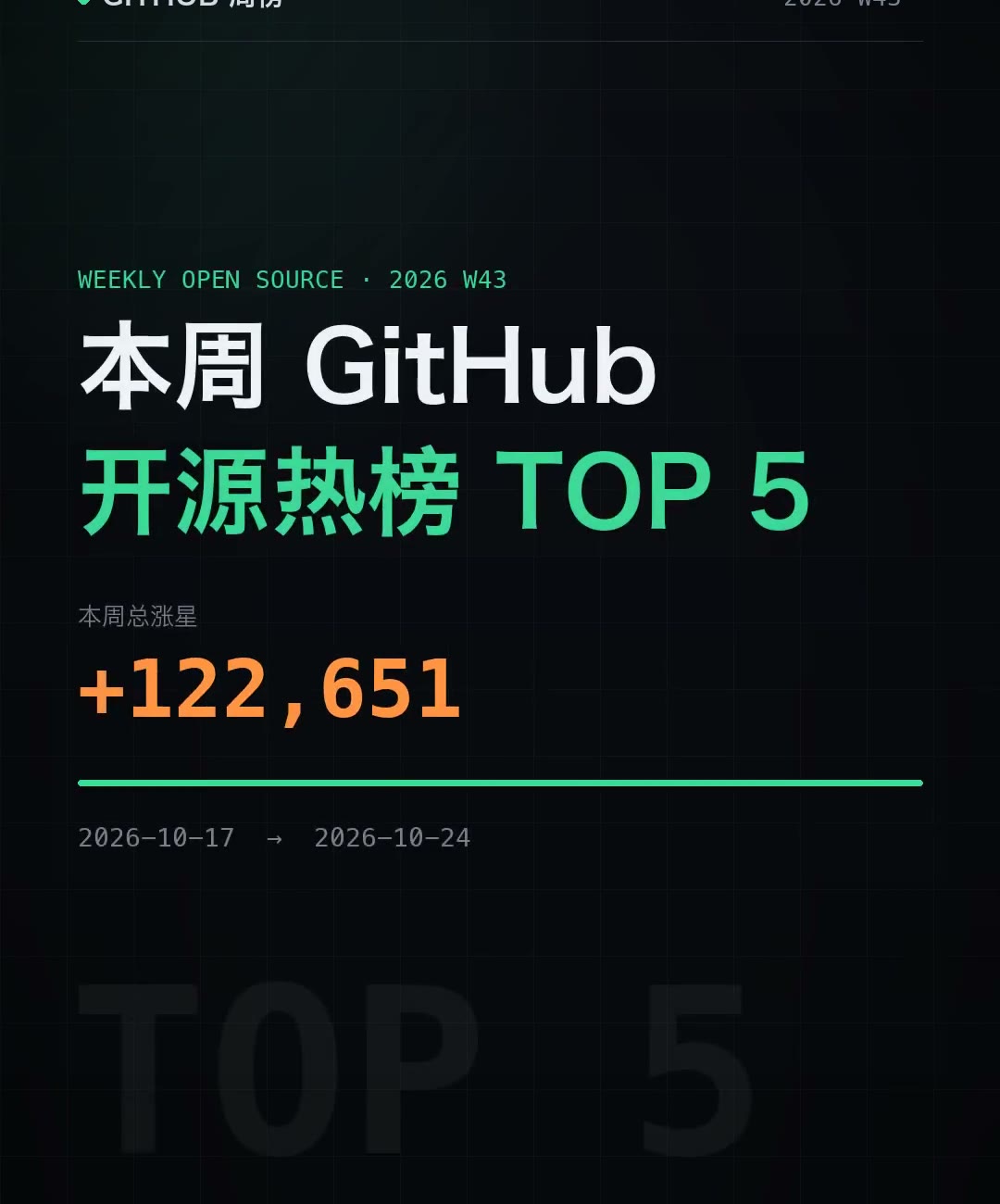
First, here’s the leaderboard, based on a data snapshot taken at 2026-10-25:
| Rank | Project | Language | One-line summary | New this week | Total stars | Forks | Relative growth |
|---|---|---|---|---|---|---|---|
| 01 | morluto/rea | TypeScript | Reverse-engineering MCP | +88,243 | 376,117 | 94,009 | 100% |
| 02 | cloudflare/security-audit-skill | JavaScript | Security audit skill | +11,223 | 43,171 | 2,696 | 13% |
| 03 | stabbyai/orca | TypeScript | Multi-agent orchestration console | +9,545 | 104,501 | 6,601 | 11% |
| 04 | Graphify-Labs/graphify | Python | Code knowledge graph | +6,875 | 134,177 | 12,811 | 8% |
| 05 | anomalyco/opencode | TypeScript | Open-source coding agent | +6,765 | 220,923 | 29,535 | 8% |
Three details deserve a closer look:
First, the runaway leader is far ahead, but not absurdly so. The top two added 99,466 stars between them, accounting for 81% of this week’s Top 5 total; the bottom three added 23,185 combined, which puts them in roughly the same order of magnitude. In other words, this wasn’t “one breakout hit and four supporting acts,” but one blockbuster hit plus four tools that each stand on their own merits.
Second, the fork count tells us more than the star count. rea’s fork-to-star ratio is 25% (94,009 / 376,117), far above the 6%-13% range of the other four. Starring a repository is free; forking one takes action. This ratio suggests that a large number of users are actually installing and running it rather than clicking the star button and watching from the sidelines. The 88,000 stars it gained in one week equal nearly one-quarter of its existing total, so its momentum has yet to peak.
Third, the list mixes two very different types of project. orca and opencode are long-running projects with established footprints; this week, they simply posted normal growth. rea and security-audit-skill, by contrast, are newly emerged tools. When reading a trending chart, separate “how much it gained this week” from “how large its overall base is,” or a single week’s numbers can throw you off.
II. morluto/rea: Turning Reverse Engineering into an MCP Service
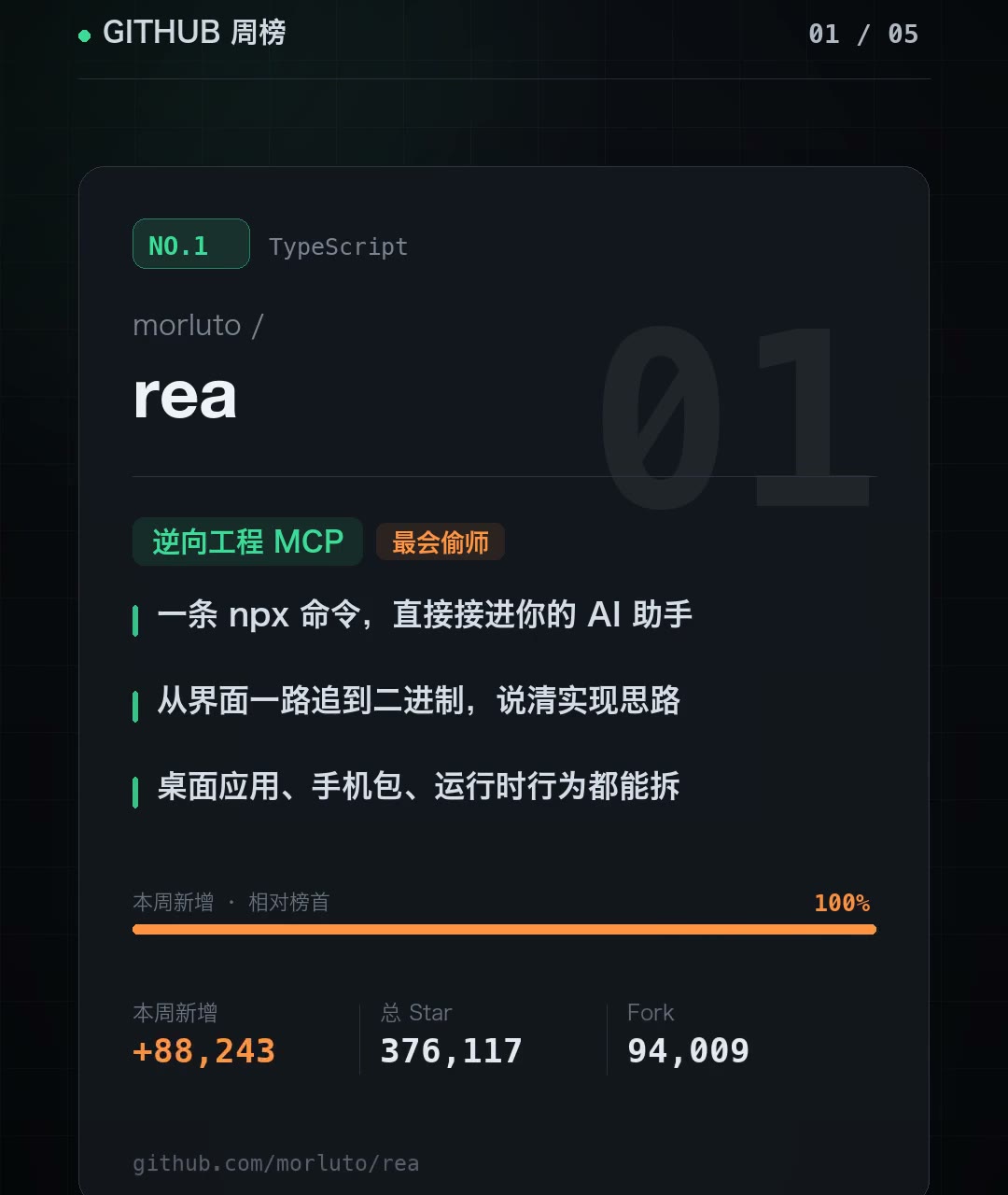
This week’s fastest riser is tied directly to “reverse engineering.” Its approach is straightforward: it turns reverse engineering into an MCP service. Once installed, your AI assistant can immediately take apart other people’s programs, following the trail from the UI all the way down to the binary and explaining how a feature actually works.
The project card lists three concrete capabilities:
- A single npx command connects directly to your AI assistant
- Trace from the UI all the way down to the binary and explain the implementation
- Reverse engineer desktop apps, mobile packages, and runtime behavior
Verdict: Its value lies not in “yet another decompiler interface,” but in giving agents a pair of eyes that can see through black boxes. Traditional reverse engineering involves a human clicking through a GUI. This workflow hooks tools such as Hopper and Ghidra into an agent’s toolchain, letting the model decide when to open a decompiler, which section of assembly to inspect, and which call path to compare. That is precisely the dividing line between agents and scripts: scripts can only follow preset steps, while an agent can adjust its strategy based on intermediate results.
Best for: independent developers who want to recreate a feature but cannot access the source code, as well as teams that need cross-version comparative analysis, such as running old and new versions of the same app to compare their code paths. The October 19 article REA Hands-On Test: The MCP Tool That Reverse-Engineers Everything has already walked through the complete workflow, including creating a hybrid Minecraft + Naruto game from a single prompt and dissecting the offline search implementation in macOS Notes. If you want to see how far it can go, start there.
One important caveat: reverse engineering is all about reading other people’s work, so you have to understand your authorization boundaries. Analyzing assets you own, learning and research, and interoperability use cases are safe. Cracking or cloning unauthorized commercial software carries legal risk, and that risk lies with you, not with the tool.
III. cloudflare/security-audit-skill: Every Conclusion Needs Someone to Try to Refute It
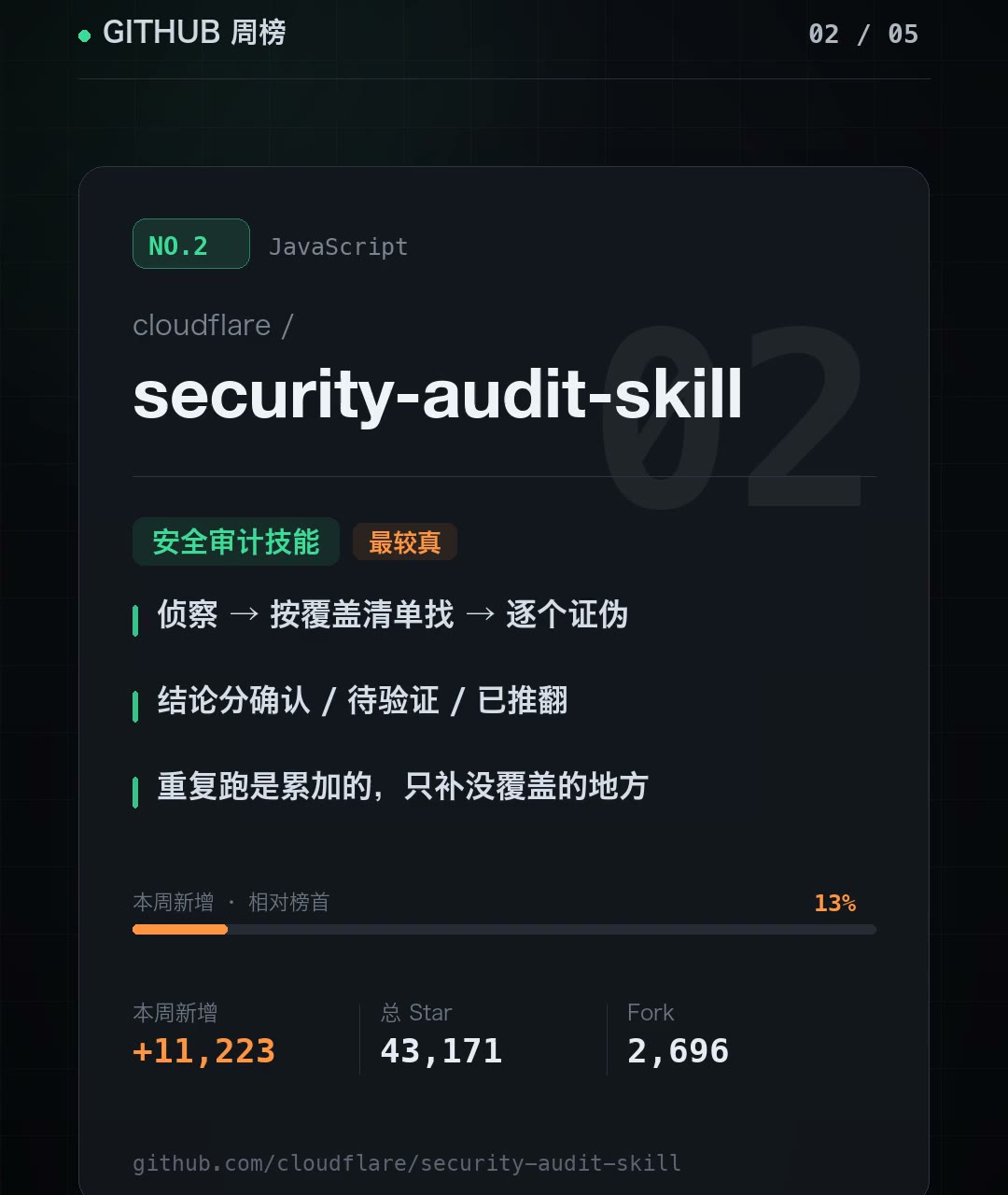
The second project comes from Cloudflare itself: a security audit skill. The interesting part isn’t that it “can scan for vulnerabilities,” but that it decomposes the audit workflow. It first maps the architecture and trust boundaries, then sends independent Hunters to look for potential issues according to a coverage checklist, and finally hands every potential issue to a brand-new Validator whose only job is to falsify it. The complete pipeline has six steps, although the project card condenses them into three phases:
- Recon → find according to the coverage checklist → falsify each finding
- Conclusions are classified as confirmed / pending verification / refuted
- Repeated runs are cumulative and only fill in areas not yet covered
Verdict: This splits “finding vulnerabilities” and “validating vulnerabilities” into two roles that do not contaminate each other; fundamentally, it is a way to reduce false positives. Most automated scanners’ problem has never been that they find too little; it is that they hand you 200 alerts, 190 of which are noise, leaving you to eliminate them one by one. Here, the independent falsification pass can also write “refuted” items into the Findings file as formal conclusions, after which everything still has to pass schema validation. A conclusion that can be falsified is still a conclusion, and this design is highly useful for teams that deliver security work.
And this is the skill used by Cloudflare’s own vulnerability-hunting pipeline—not a concept demo.
Best for: teams running a pre-release health check on their own repositories, or anyone who wants to run a baseline security check in CI. Do not point it at targets you are not authorized to test—that applies to every security tool, and putting it on the first line of the README is not just courtesy.
IV. stabbyai/orca: Four Agents Running Side by Side, Each in Its Own Worktree
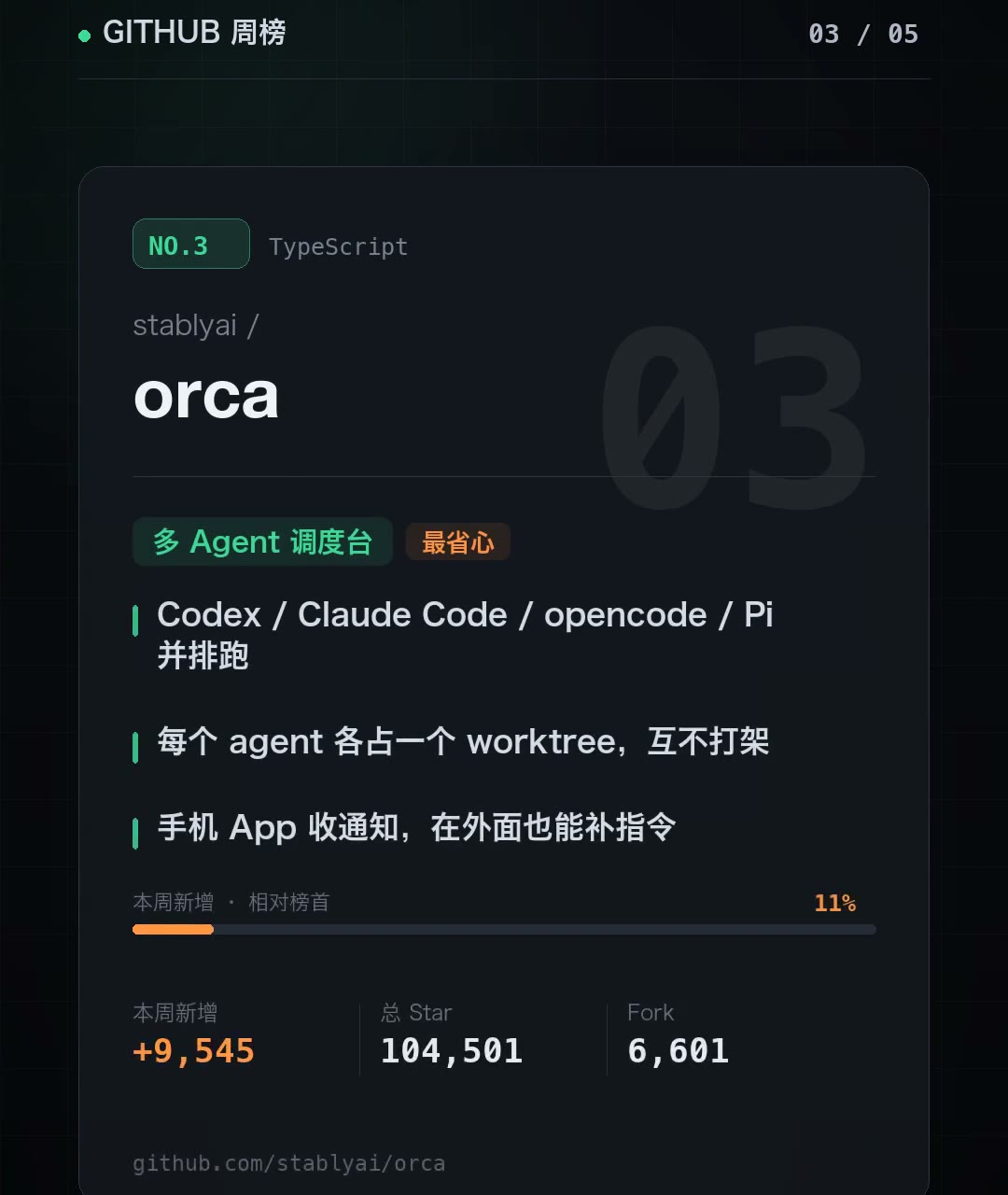
The third project makes “running four AI coders at once” an everyday operation. The project card lists these points:
- Codex / Claude Code / opencode / Pi run side by side
- Each agent gets its own worktree, with no interference
- A mobile app sends notifications, so you can send additional instructions while out of the office
Verdict: The real challenge with multi-agent systems has never been “whether you can launch four processes,” but isolation and observability. If four agents edit the same repository, they will step on one another. orca’s solution is to assign each agent an independent git worktree—physical isolation with no interference—and to consolidate the changes from every worktree into one view, making it easy to see at a glance “who changed what.” These are precisely the two areas most likely to go wrong in multi-agent collaboration. The mobile app is the bonus: agents send a notification when they finish, and you can add an instruction from elsewhere, so long-running tasks don’t require you to sit in front of the computer.
Best for: anyone treating themselves like a full team, such as developers advancing three feature tracks simultaneously. If you’re only using one agent, orca is an unnecessary middle layer—the payoff comes from parallelism, not from looking professional. To see multi-agent collaboration in a real project, check out Herdr Multi-Agent in Action: Five Parallel Tasks Build a Subscription Management Web App. It supports Pi as well; 8 Essential Pi Agent Plugins: Hands-On Test covers how to configure Pi’s plugin ecosystem.
V. Graphify-Labs/graphify: From Grepping the Entire Repository to Querying a Graph
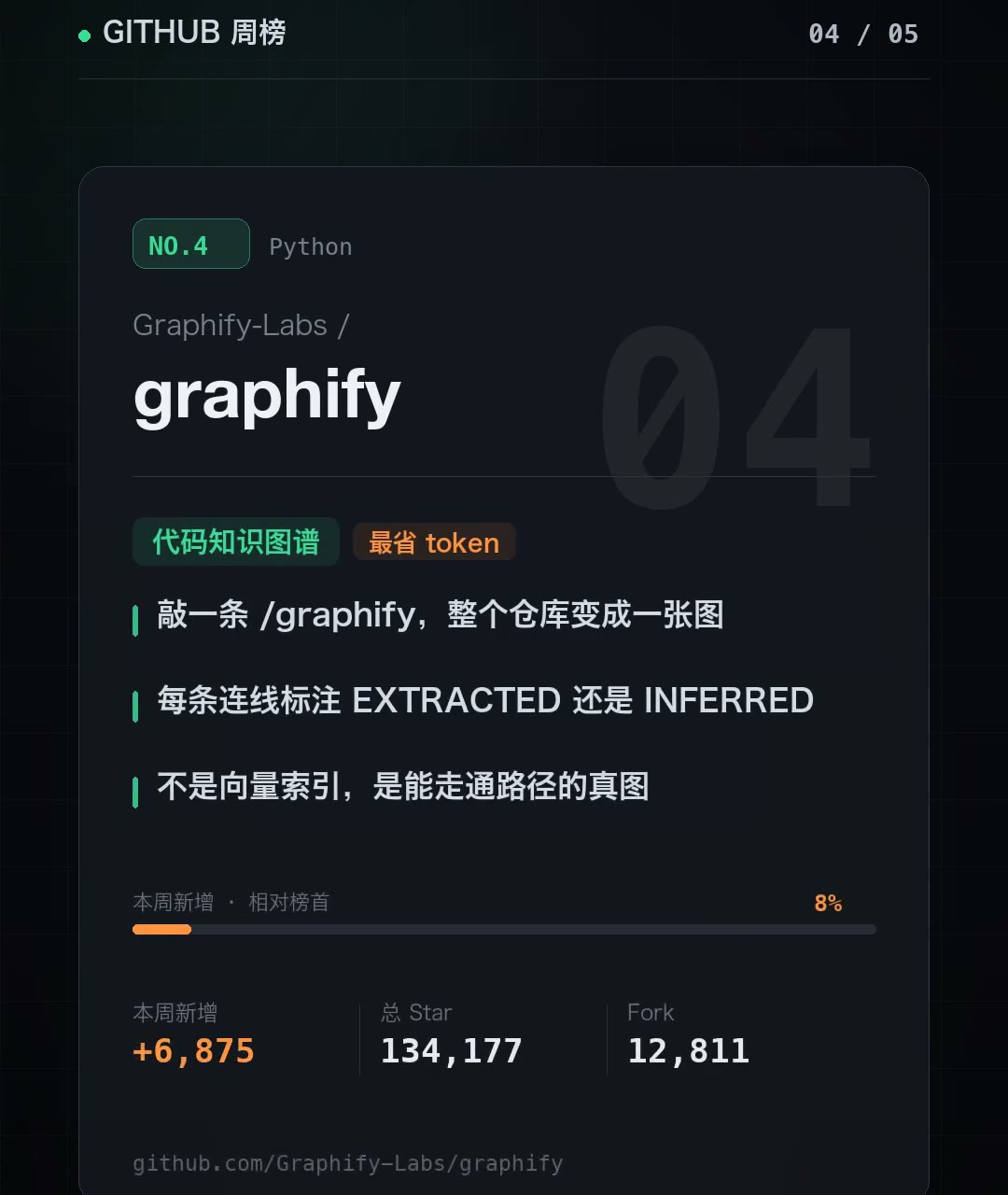
The fourth project changes the shape of AI-assisted code lookup: type a single /graphify, and the entire repository—code, docs, PDFs, images—is mapped into one knowledge graph. After that, AI looks things up by querying the graph instead of grepping the entire repository.
Every edge is labeled with its provenance:
- Every edge is marked EXTRACTED or INFERRED
- Not a vector index, but a real graph whose paths can be traversed
Verdict: The EXTRACTED / INFERRED labels are its biggest point of difference from RAG vector databases, and also its most valuable feature. Vector retrieval gives you “the semantically closest snippet,” but it cannot tell you whether a statement was explicitly written in the source code or imagined by the model. The graph labels every edge with its provenance: EXTRACTED means the dependency truly exists in the code, while INFERRED means the relationship was inferred. Whether you can trust what you find depends on whether its source is clearly marked—and that is decisive when troubleshooting cases where “what the AI said doesn’t match the code.” It does not use embeddings, which means you have to bear the cost of building the graph yourself.
Best for: teams with repositories large enough that AI keeps opening the wrong files. Don’t bother with small projects; the cost of building the graph is higher than the number of tokens you save—a line worth copying verbatim into your own tool-selection checklist.
VI. anomalyco/opencode: Get the Work Done in One Window, With All the Code in Your Repository
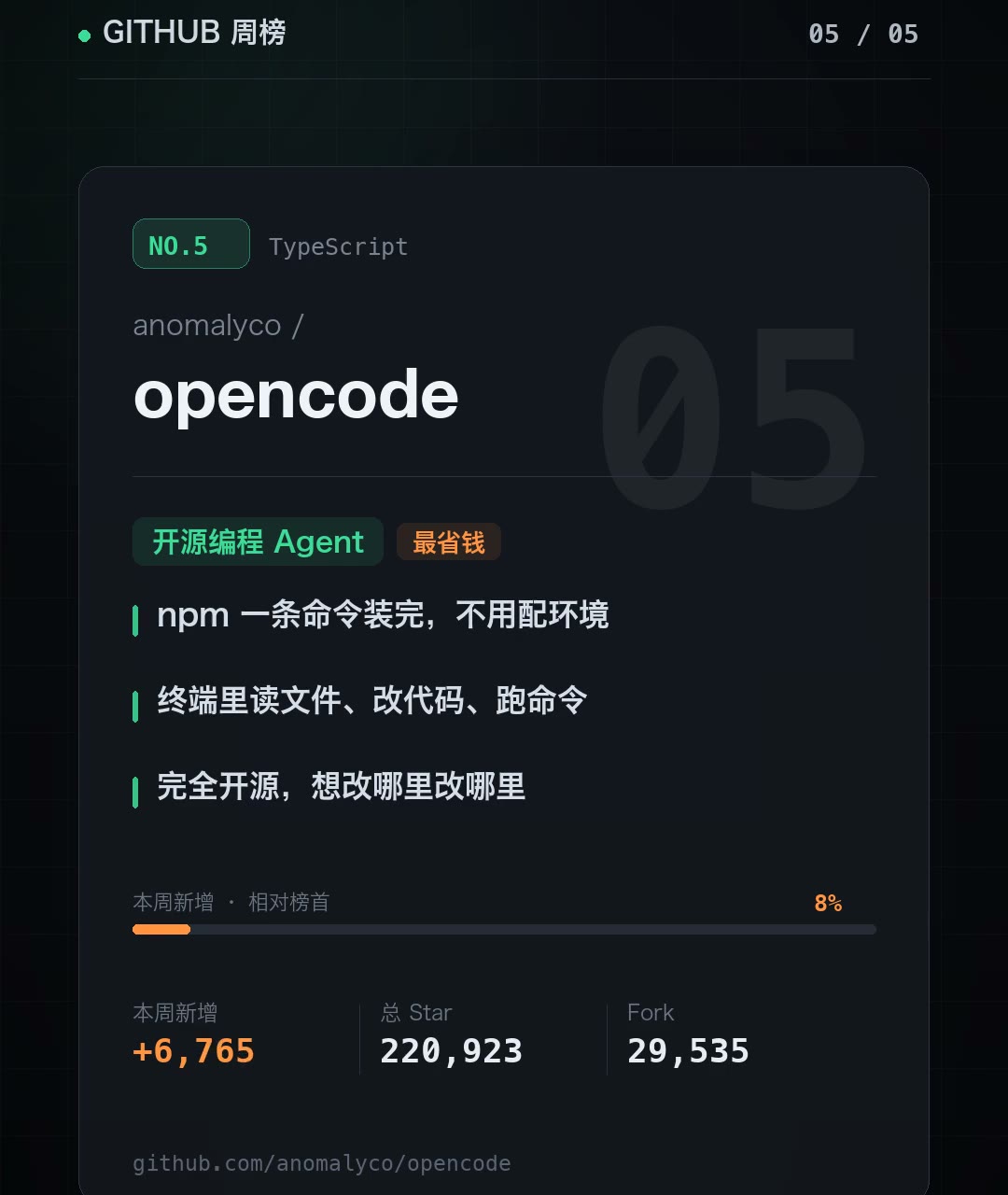
The fifth project is an old familiar: an open-source AI coding agent that runs directly in the terminal. The project card lists three points:
- Install it with a single npm command, with no environment setup
- Read files, edit code, and run commands in the terminal
- Fully open source; change whatever you need
Verdict: Its real selling point is “getting the work done in one window”—no more switching back and forth between your editor and the terminal. After you enter the requirement, it reads files, edits code, and runs commands on its own, closing the loop inside one terminal. For people who already live in the terminal, that difference in feel is far more significant than the feature list suggests. With 220,000 total stars and nearly 30,000 forks, this week’s +6,765 is steady growth rather than a breakout.
Another layer of value is no subscription fee: all the code is in the repository, and you can connect whichever model you want or change any part of the logic yourself. Compare that with the subscription-based tools covered in Codex Six-Month Update Roundup: Four Practical Ways to Save Tokens. opencode’s model fundamentally separates “using it” from “paying for it.”
Best for: people who like to work in the terminal. People who rely on a graphical interface will find it too bare-bones—the terminal is the product, not a watered-down compromise.
VII. Where to Start: Ordered by the Lowest Barrier to Entry
You don’t need to install all five at once. Here’s how they rank by the cost of getting started:
| Order | Project | Barrier to entry | Why it sits here |
|---|---|---|---|
| 1 | opencode | A single npm command | Ready to use as soon as it’s installed, with zero configuration; use it to find out whether a terminal-first workflow suits you |
| 2 | rea | A single npx command + an authorized target | You need something worthwhile to reverse-engineer; start with your own assets or a learning project |
| 3 | graphify | Graph-building cost | It only pays off for medium-sized or larger repositories; on a small repo, building the graph takes longer than the tokens it saves |
| 4 | orca | A multi-agent mindset | You only benefit if you’re managing multiple agents at once; a solo developer handling one task is just adding complexity |
| 5 | security-audit-skill | Process + authorization | The most rigorous and heaviest option; best suited to teams institutionalizing it as a CI check before release |
My practical advice is this: spend ten minutes installing opencode and running a real, small task, then decide whether orca’s complexity is worth taking on. Install rea and graphify when you have a specific pain point that clearly calls for them; add security-audit-skill directly to your team’s workflow rather than trying it as a solo side project.
VIII. Three Signals Emerging from This List
Looking at all five together, the common thread is clear:
- From “Q&A” to “executable workflows” — MCP services, audit skills, orchestration consoles, and knowledge graphs. None is meant to let you ask a few more questions; they are all designed to carry work through to completion, step by step.
- Multi-agent collaboration is moving from a slogan to engineering details — worktree isolation, falsification roles, and provenance labels are the unglamorous details that determine whether multi-agent systems are actually usable, and they are where this week’s projects focus most of their efforts.
- Open source + self-hosting = no subscription fees — rea, orca, and opencode can all connect to your own models, keeping your data local. The cost structure of the toolchain is shifting from “pay by the month” to “pay for compute.”
This isn’t an isolated example. Elsewhere in October, Paperclip in Action: GitHub’s 98K-Star AI Company Control Plane follows the same path—turning the complexity of managing an AI organization from “assembling prompts yourself” into “an off-the-shelf control plane.” What is emerging on GitHub is an entire layer of AI engineering infrastructure, not a pile of one-off tools.
IX. Summary
This week’s GitHub open-source trending list is most interesting not because of how many stars any one project gained, but because five projects moving in different directions arrived at the same conclusion: the competitive focus of AI tools has shifted from “how smart is the model?” to “how solid is the engineering?”
rea turns reverse engineering into tools that agents can invoke; security-audit-skill subjects the correctness of its conclusions to an independent role; orca makes isolation real for parallel collaboration; graphify makes the provenance of AI-assisted code lookups explicit; and opencode brings the workflow into a single terminal window. On the surface, these are five projects. Underneath, they are all doing the same thing—turning AI from something that can chat into something that can do the work.
The leaderboard is refreshed every week; projects change, and so does the #1. But your selection criteria shouldn’t change with it: identify the specific pain point you have, then decide whether a tool is worth installing. opencode has the lowest barrier to entry and is the best candidate for a quick trial, while rea and graphify target the clearest pain points and are worth scheduling dedicated time for.
Data notes: The measurement window is 2026-10-17 to 2026-10-24, with the snapshot taken at 2026-10-25. Star and fork counts are as of that snapshot and will continue to change; “Relative growth” is the weekly relative growth baseline reported by the ranking. An open-source project’s star count can fluctuate due to authors artificially boosting their numbers, merged repositories, or changes in the platform’s counting methodology. Treat these numbers as a trend reference, not an absolute basis for ranking.
Want to see the previous issue? Take a look at GitHub Open-Source Trending Top 5 for the First Week of September: AI Rebuilds Frontend, Maps, Classrooms, Research, and Job Hunting. To see how a multi-agent framework coordinates in the real world, read Herdr Multi-Agent in Action.
What was the most striking project you came across on GitHub last week? Share it in the comments, or tell us what it’s actually like to put these five tools to work.