
GitHub Trending Top 5 — First Week of September: AI Rebuilds Frontend, Maps, Classrooms, Research, and Job Hunting
I. What This Week’s Trending Projects Are Solving
The first week of September on GitHub’s trending list pushed AI into five entirely different work scenarios: turning screenshots into front-end code, overlaying public data onto a 3D Earth, running a classroom as an interactive discussion, wrapping research tools as agent-ready SOPs, and moving the job-hunt pipeline back to your local machine. What these five projects share is this: they’re no longer just “Q&A.” They break workflows into composable, reusable steps that leave a process trail.
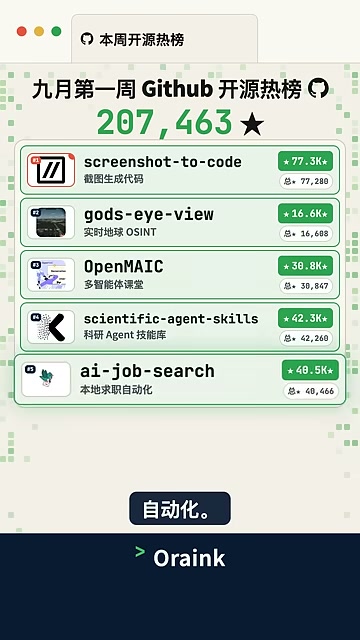
Below I’ll walk through them in this order: work scenario → how AI lands → real-world usefulness.
II. Screenshot to Code: Turn Screenshots, Figma Files, and Screen Recordings into Front-End Code
The first project is all about interface replication. Drop in a screenshot, a Figma file, or even a screen recording, and the system automatically breaks the visual down into front-end components and styled code.
The workspace is straightforward — input assets (screenshot / recording / Figma) on the left, a live preview and code panel on the right. Once you have a first version, you can keep prompting to refine specific regions:
- “Switch this hero section to a dark background.”
- “Make the button corners rounder and the spacing wider.”
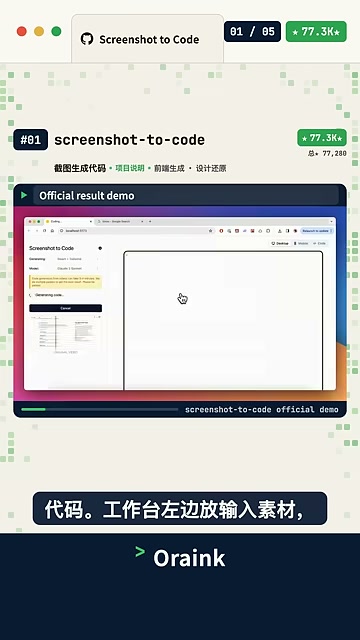
The standout feature in testing is its video-to-code support — feed it a screen recording of an app in action, and it can directly generate a front-end page that replicates the flow. That’s useful for product managers who need to spin up a quick demo, and for any situation where a design file has already gone through several revisions.
Verdict: For front-end engineers, this is a “save-your-keyboard” tool, not a “skip-the-design” tool. It replicates the visual layer; interaction logic and business code still need to be wired up by hand. Best for removing the mechanical labor of “turn a Figma frame into a static page” from the workflow.
III. Realtime Earth OSINT: Layering Public Data into a 3D Earth Presentation Platform
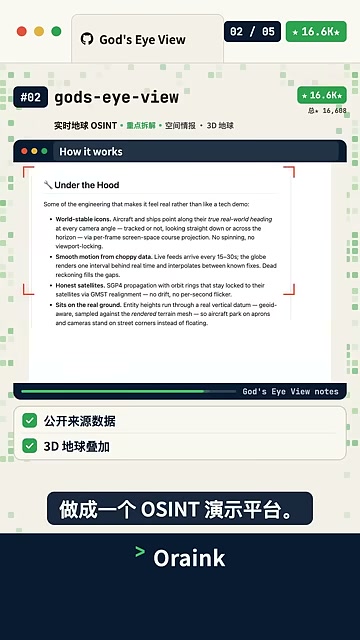
The second project has the strongest visual punch. It combines public data, a 3D globe, and real-time cinematic camera language into an OSINT presentation platform:
- The default view is a real-time Earth, with clickable targets you can track continuously
- Three camera modes: night vision, thermal imaging, and HUD overlay
- Information layers (target markers, trajectories, events) update with the view
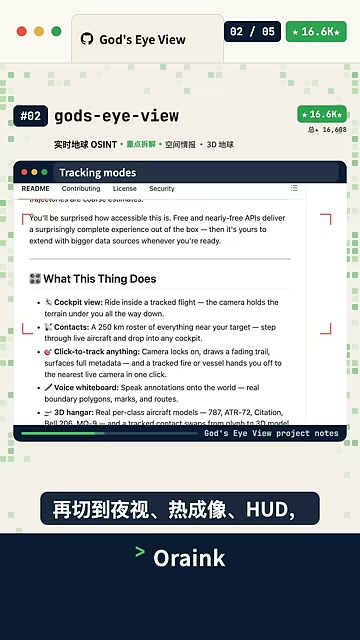
Its core value isn’t “how flashy the demo looks” — it’s using cinematic camera language to make the relationship between information layers and geography obvious, which fits narrative-driven work like intelligence briefings and security situational-awareness visualization better than a traditional GIS system.
Verdict: This isn’t the kind of “engineering-first” open-source project you usually see; it’s more of a visualization framework aimed at OSINT presentation scenarios. Using it as a plain 3D map is a waste — for incident reconstruction, security training, or geography lesson videos, it sits an order of magnitude above PowerPoint.
IV. OpenMIC: Turning a Classroom into a Runnable Multi-Agent Discussion
The third project is OpenMIC (Open Multi-agent Interactive Classroom), positioned as a multi-agent interactive classroom. Give it a topic, and the system generates:
- A teacher (delivers the explanation)
- Students (ask questions, follow up)
- A whiteboard (formula derivations, diagram demos)
- Quizzes and classroom scripts
Under the hood, the syllabus, materials, media generation, and classroom state are handed off to different agents.
The most interesting design is the discussion scenario — multiple roles push a single question forward, breaking complex concepts into stages like “lecture, follow-up, summary”:
- The teacher opens with the topic and core conclusion
- Students ask about anything they don’t follow
- The teacher derives it live on the whiteboard
- The system auto-generates a short quiz for in-class verification
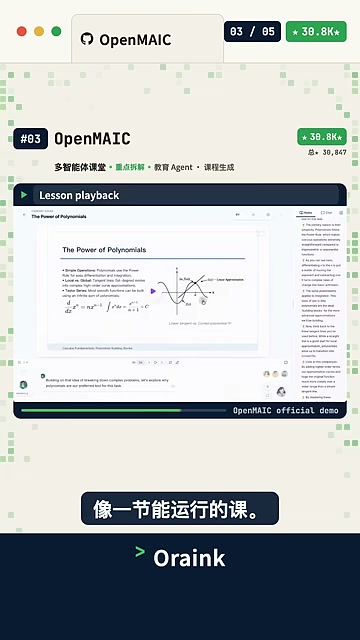
At the end, you can export a webpage, a PPTX, or a course page — effectively wiring up the entire chain of “prep + teach + materials.”
Verdict: For individual learners, you can “act out” a concept you want to learn in front of yourself. For teachers, it’s scaffolding for quickly generating lecture scripts. Where it beats “just ask an AI to explain a concept” is that it performs, it asks, it corrects — the process itself is the learning.
V. Scientific Agent Skills: Wrapping RDKit, Scanpy, and Friends into Reusable SOPs
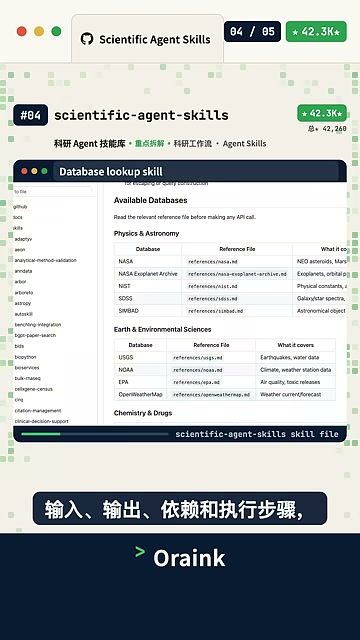
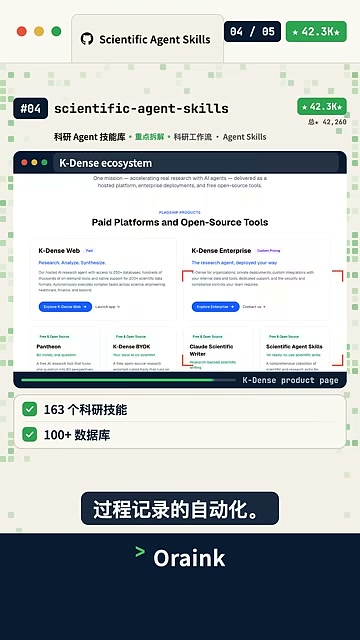
The fourth project, Scientific Agent Skills, is a skill library for research agents. It codifies common research operations into steps an agent can call, covering:
- Database queries (PubChem, ChEMBL, UniProt)
- Molecular handling (RDKit)
- Single-cell analysis (Scanpy)
- Literature search (PubMed, arXiv)
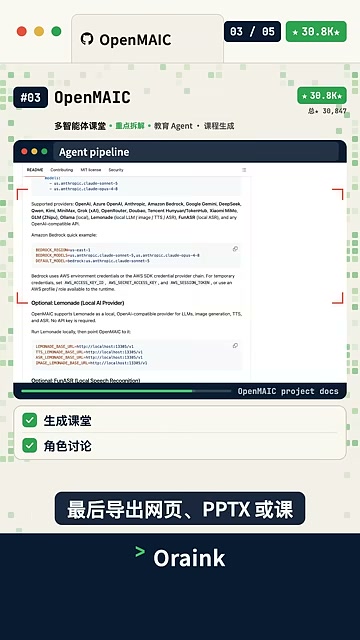
Its core value is turning the way you use tools like RDKit, Scanpy, PyMOL, and ChEMBL into reusable Agent Skills. For example, a “database query” skill spells out exactly: what the input is, what the output is, what the dependencies are, and what the execution steps look like. When an agent calls it, the workflow feels more like following an experimental SOP than improvising prompts on the fly.
Verdict: This project pushes research automation from “Q&A” into “process.” Previously, the most you could do with an LLM in research was have it explain a result; now you can have it walk through an entire experimental procedure by SOP and log the process along the way. For teams doing computational biology or drug screening, this is the kind of foundation that directly lifts output.
VI. AI Job Search: Moving the Job-Hunt Pipeline Back to Your Local Terminal
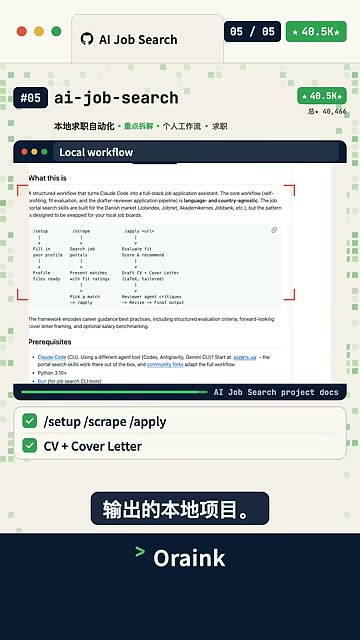
The fifth project, AI Job Search, is a local job-hunt automation pipeline. You hand your profile, job search, and application-material generation over to Claude Code, and the whole flow runs in three steps:
| Step | Role |
|---|---|
| Setup | Fill in your info (resume, projects, target roles) |
| Scrape | Find jobs (filter by keyword, location, salary) |
| Apply | Score match + auto-generate application materials |
The Apply step also has multiple agents splitting the work: one drafts, another checks for issues, the output is compiled into a PDF, and finally it confirms that the text layer is readable by ATS (applicant tracking systems) — which is where a lot of AI-generated resumes go wrong, because text embedded in scanned PDFs or images is invisible to ATS and gets filtered out immediately.
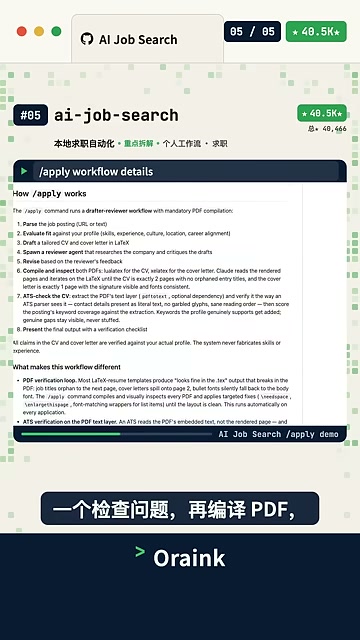
What’s appealing here is that scattered tasks like resume writing, cover letters, job matching, and PDF validation are pulled into a single terminal workflow. It suits AI coding-tool users who want to treat job hunting as a “rerunnable, auditable-output local project” instead of “refreshing 50 job boards every day.”
Verdict: The essence of this project is letting AI coding users apply a familiar tool stack to an unfamiliar task. Job hunting is a textbook “long process, slow payoff, easy to burn out” workflow — exactly the kind of scenario a CLI pipeline is built for.
VII. Three Common Signals from This Week’s Trending List
Looking at all five projects together, three signals stand out:
- From Q&A to process — SOPs, skill libraries, pipelines: all of them are essentially upgrading “ask one question, get one answer” to “run through the steps and leave a process trail.”
- Multi-agent division of labor is now the default — whether it’s the teacher / student / whiteboard split in a classroom, or the draft / review / ATS-check split in a job application, single-agent handling of everything is increasingly rare.
- A return to local execution and auditability — the job-hunt pipeline, the research skills library, and AI coding workflows all emphasize “runs locally, produces auditable output.”
VIII. Getting-Started Recommendations
Ranked by entry barrier, from low to high:
- Start with Screenshot to Code — zero setup, drop a screenshot and see the result, and you’ll instantly know whether it fits your workflow.
- Then try OpenMIC — install it locally, “act out” a concept you’ve been wanting to learn, and experience a multi-agent classroom for yourself.
- Next, look at AI Job Search — if you’re job hunting right now, this is a direct productivity boost.
- Keep an eye on Scientific Agent Skills over the long term — research automation is a slow lane with a high barrier; the earlier you get in, the more you accumulate.
- Realtime Earth OSINT is for specific scenarios — not a daily-driver tool. Come back to it when you hit an OSINT or geo-visualization project.
If you want to keep tracking each week’s open-source trending picks, consider adding AI Daily · 2026-10-04 to your feed. To see multi-agent frameworks in action, check out Herdr Multi-Agent in Practice: 5 Parallel Agents for Custom Subscription Management. For tips on saving tokens with AI coding toolchains, see Codex Half-Year Update Roundup: Token-Saving Tricks. For a recent model-side comparison, see GPT-6.1 Sol Hands-On vs. Opus 5.5.
IX. Wrap-Up
The signal from GitHub’s first week of September trending list is clear: AI is no longer just “something you can chat with” — it’s starting to seep into the specific steps of every concrete work scenario. Front-end engineers no longer hand-code static pages, intelligence analysts have a new presentation tool, teachers and students can self-study with multi-agent setups, researchers can run experiments by SOP, and job hunters can move the pipeline to the CLI. These five projects aren’t the destination; they’re slices of the larger thread of “AI rebuilding everyday software from the ground up.”
Drop a comment with the GitHub AI open-source projects you’ve been using lately — let’s see whether this week’s trending list missed anyone’s personal Top 5.