
Pi or Oh My Pi: Minimalist Core vs. Batteries-Included Fork
Having AI handle an entire workflow for you—not just one task at a time—has gone from a nice-to-have to the first question you should ask when choosing a tool. I have used Claude Code, Codex, and Pi Agent for a long time, and the one I kept was Oh My Pi (OMP), a fork of the original Pi.
But the reason wasn’t simply “more features.” Pi and Oh My Pi sit on opposite sides of a philosophical divide: the original says, “I won’t build what I don’t need,” while OMP says, “Everything you need is already installed.” This post lays out the logic, trade-offs, and benchmark data behind both approaches before offering three practical criteria you can use right away.
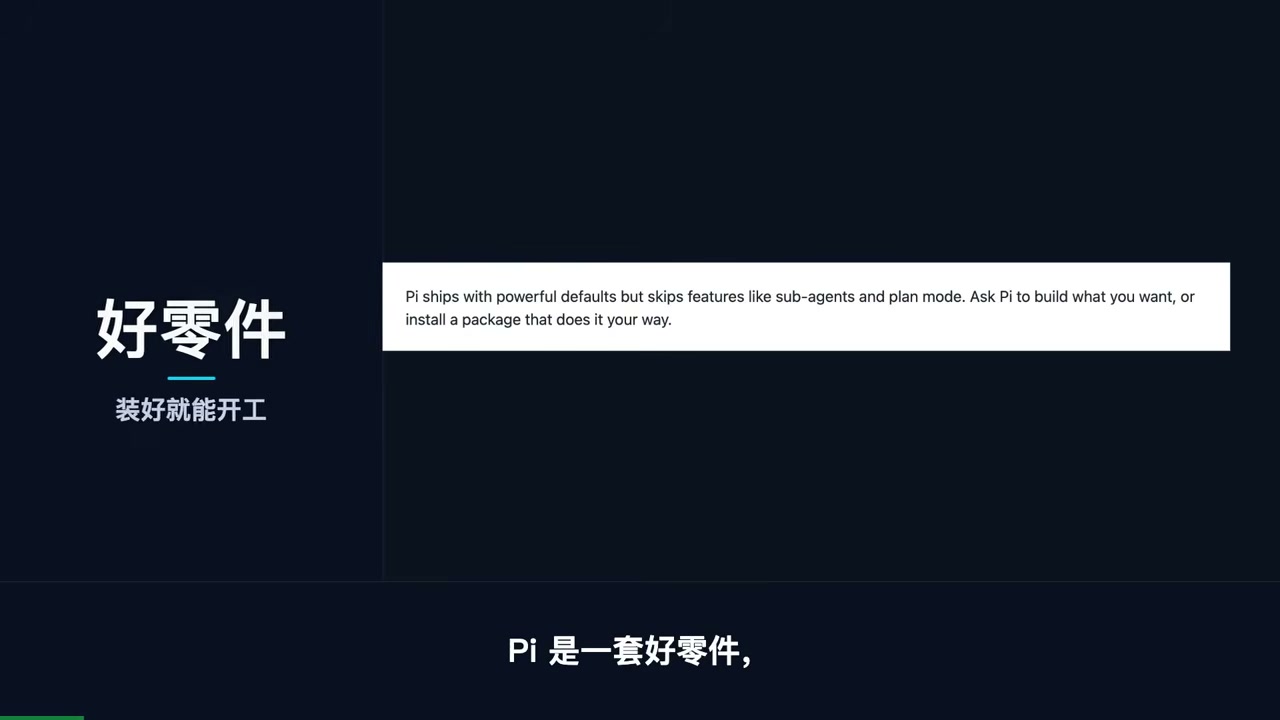
I. The Original Pi’s Trade-Off: “If I Don’t Need It, It Won’t Be Built”
Mario Zechner didn’t build Pi because he couldn’t. He deliberately chose not to build certain features.
The motivation was specific. Claude Code became his primary tool in April 2025, but by August he was complaining that it had “become a spaceship, and 80 percent of what it does I simply never use.” Worse, its system prompt and tool definitions changed with every release, constantly interrupting his workflow. In “What I learned building an opinionated and minimal coding agent”, he distilled his philosophy into one line: If I don’t need it, it won’t be built.
Put that into numbers, and the approach becomes immediately clear:
| Item | Pi |
|---|---|
| System prompt + tool definitions | Fewer than 1,000 tokens combined |
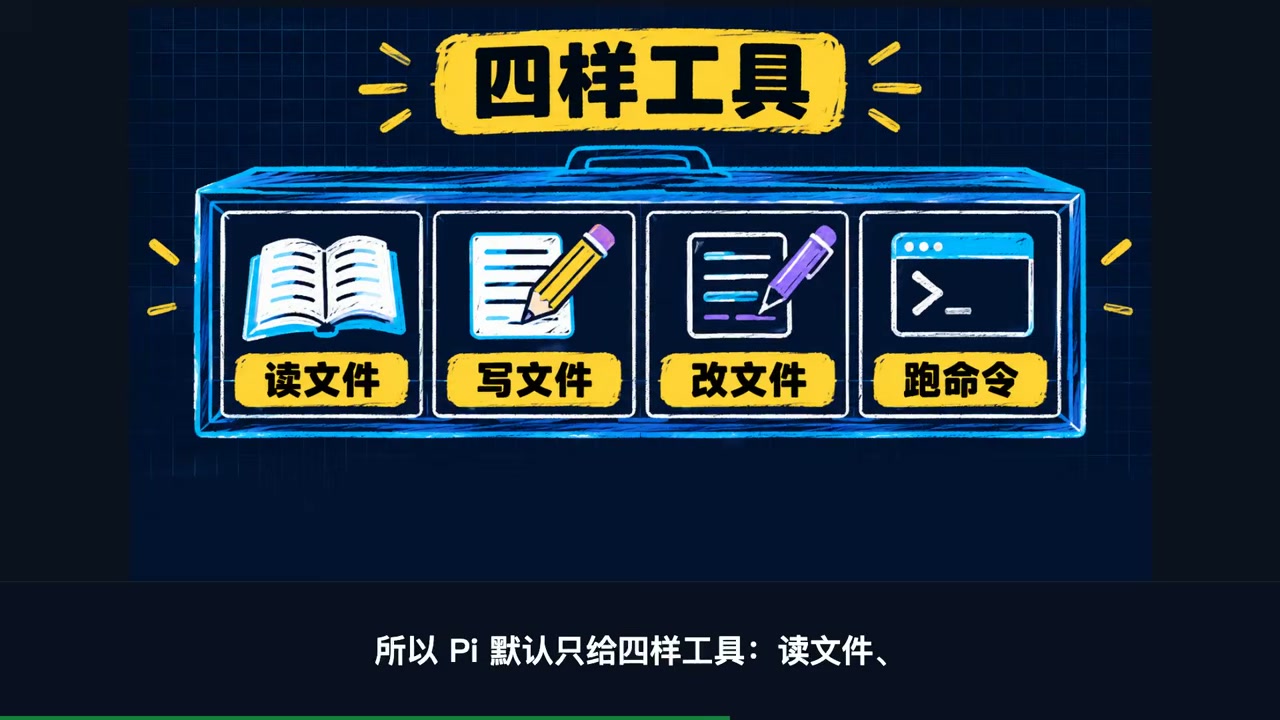
| Default tools | 4: read / write / edit / bash |
| Extension mechanism | TypeScript extensions loaded in-process |
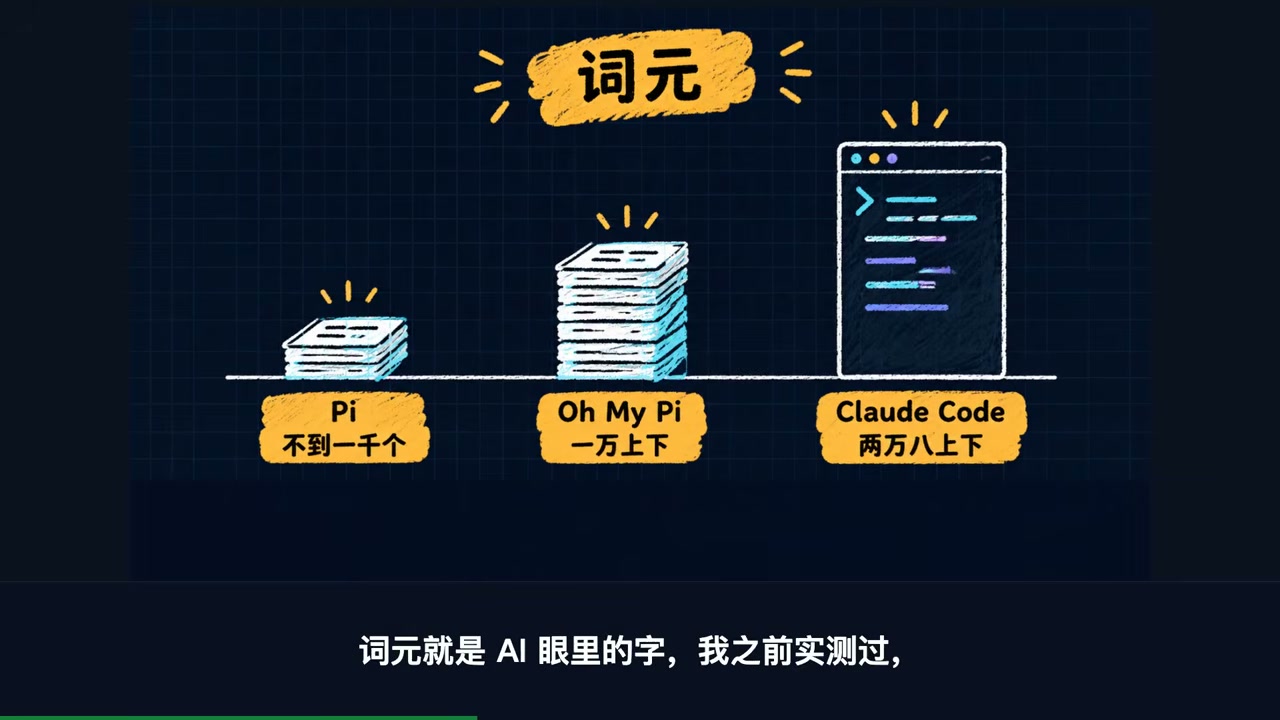
His reasoning was that today’s frontier models are trained with reinforcement learning and already know how agents should work. There is no need to teach them all over again with a 10,000-word manual. There is supporting evidence, too: on the Terminal-Bench 2.0 leaderboard, Pi reached sixth place (on the October 2025 leaderboard), even though it did not yet have context compaction.
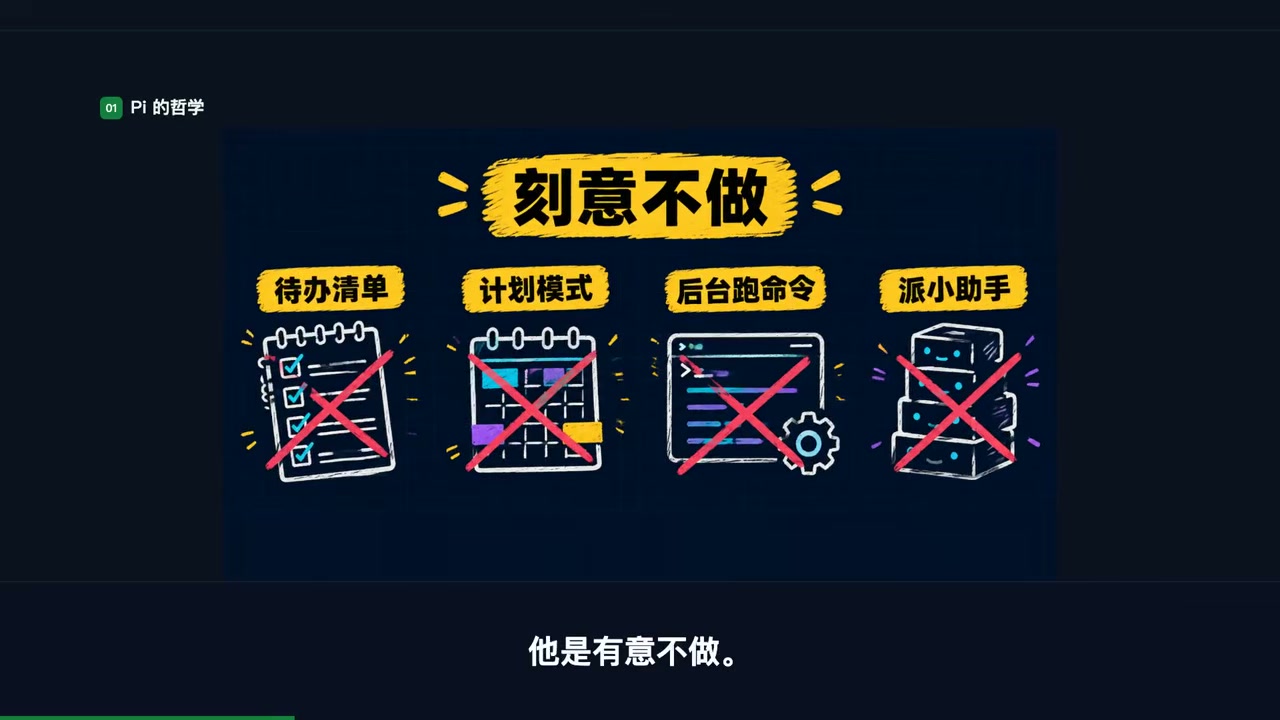
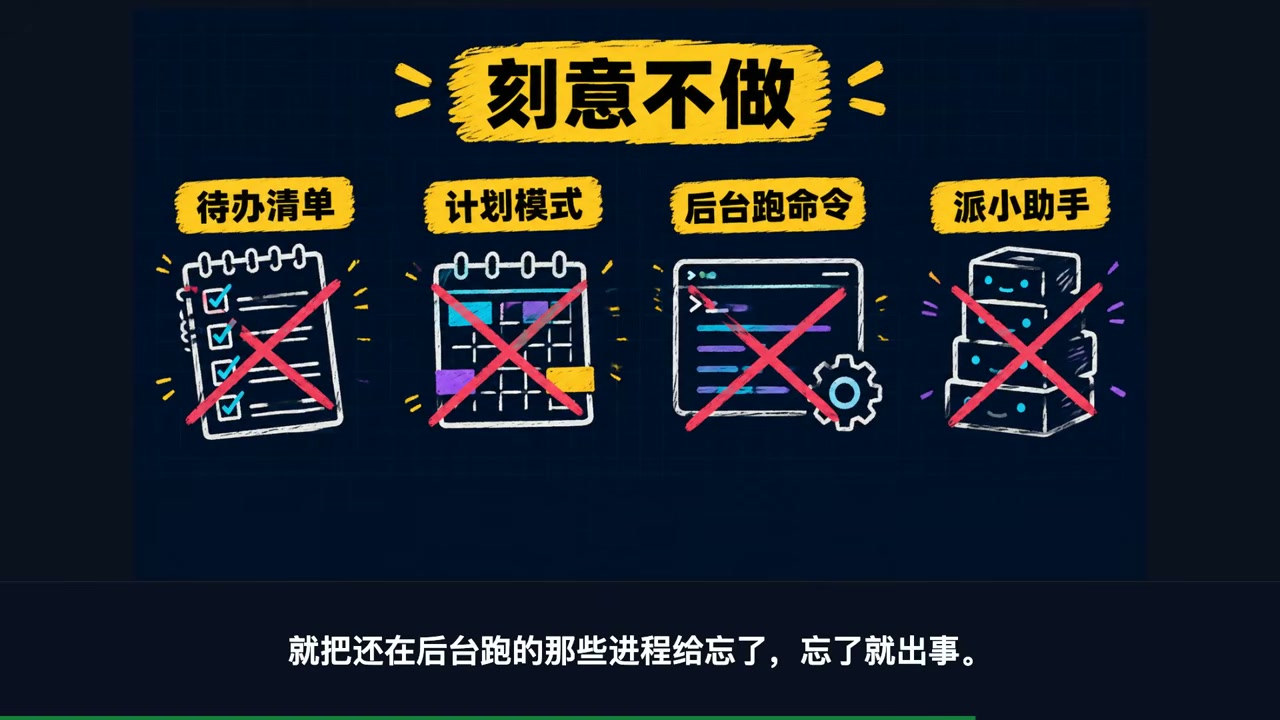
II. Five Things Pi Deliberately Does Not Do
Only once you understand what Pi leaves out do you understand why it saves so much.
1. No to-do list. His exact point was that a to-do list “generally confuses the model more than it helps.” It adds state that the model has to track and update, creating more opportunities for errors. To track progress, write it into a TODO.md: simple, visible, and under your control.
2. No planning mode. What he wants is to “see what every step is doing.” He uses files for this too: PLAN.md can be shared across sessions and versioned alongside your code.
3. No background commands. His example was concrete: early versions of Claude Code forgot processes that were still running in the background after context compaction, leaving users to kill them manually. For long-running tasks, use tmux.
4. No MCP support in the early days. The reason was that most MCP servers put entire tool descriptions into the context: Playwright MCP has 21 tools and 13.7k tokens, while Chrome DevTools MCP has 26 tools and 18k tokens, consuming 7%–9% of the context before work even begins. The alternative is to package each integration as a CLI with a README that the agent reads only when needed—progressive disclosure. To be fair, MCP is now covered in Pi’s official documentation; the old “never support MCP” stance changed later.
5. No subagents—the most harshly criticized omission. His description was blunt: “Subagents are black boxes inside black boxes.” You cannot see what is happening inside, context transfer between agents is poor, and debugging becomes extremely painful when a subagent fails. Following the same logic, he also dismissed parallelism: “Having multiple subagents implement different features in parallel is an anti-pattern for me,” unless you do not mind your code turning into a pile of garbage.
If you want to see how Pi itself works, I previously wrote Pi Agent for Beginners: Set It Up in One Click on Mac and Let It Organize Research and Write Articles, covering everything from installation to connecting a model.
III. The “Please Fork It” Invitation
Pi’s author ended his blog post with this line:
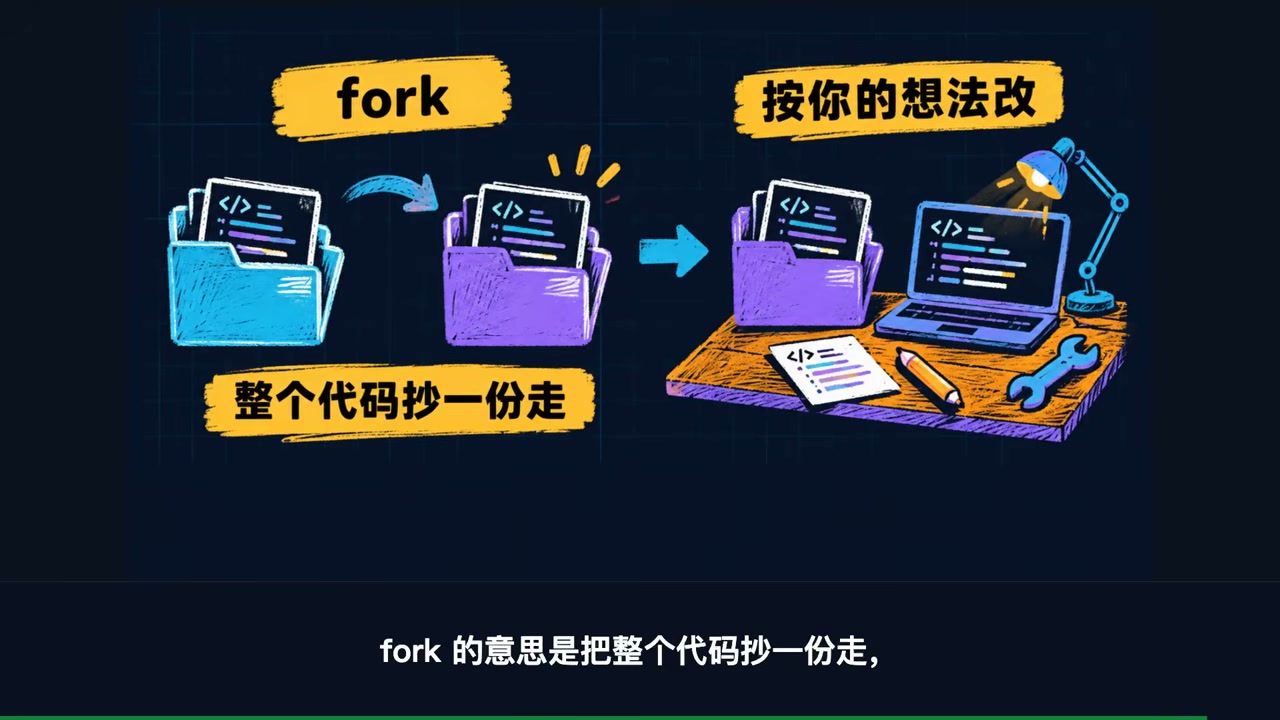
If Pi doesn’t fit your needs, I beg you to fork it. I mean it.
Oh My Pi was the fork that picked up this invitation. Work began on December 31, 2025, and it later became a Stencil Labs product. Its homepage has just one tagline:
The Pi you love, with batteries included.
In other words, “the Pi you love, with the batteries already installed.”
Interestingly, both projects are answering the same question: How much harness does an agent actually need? Zechner’s answer is “almost none,” while Bölük’s is “much more than you think.” He documented his argument in “The Harness Problem”.
IV. The Four Major Additions in Oh My Pi
These are the four additions with the greatest impact on day-to-day use.
1. First-Class Subagents
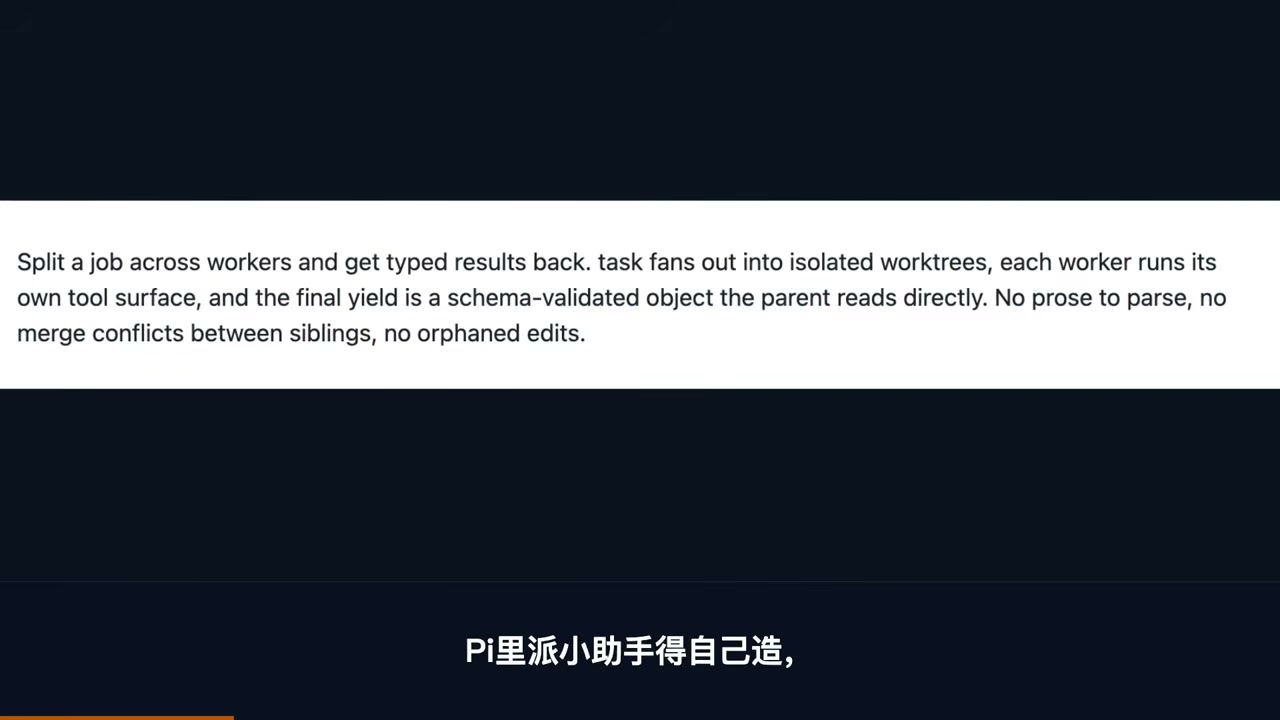
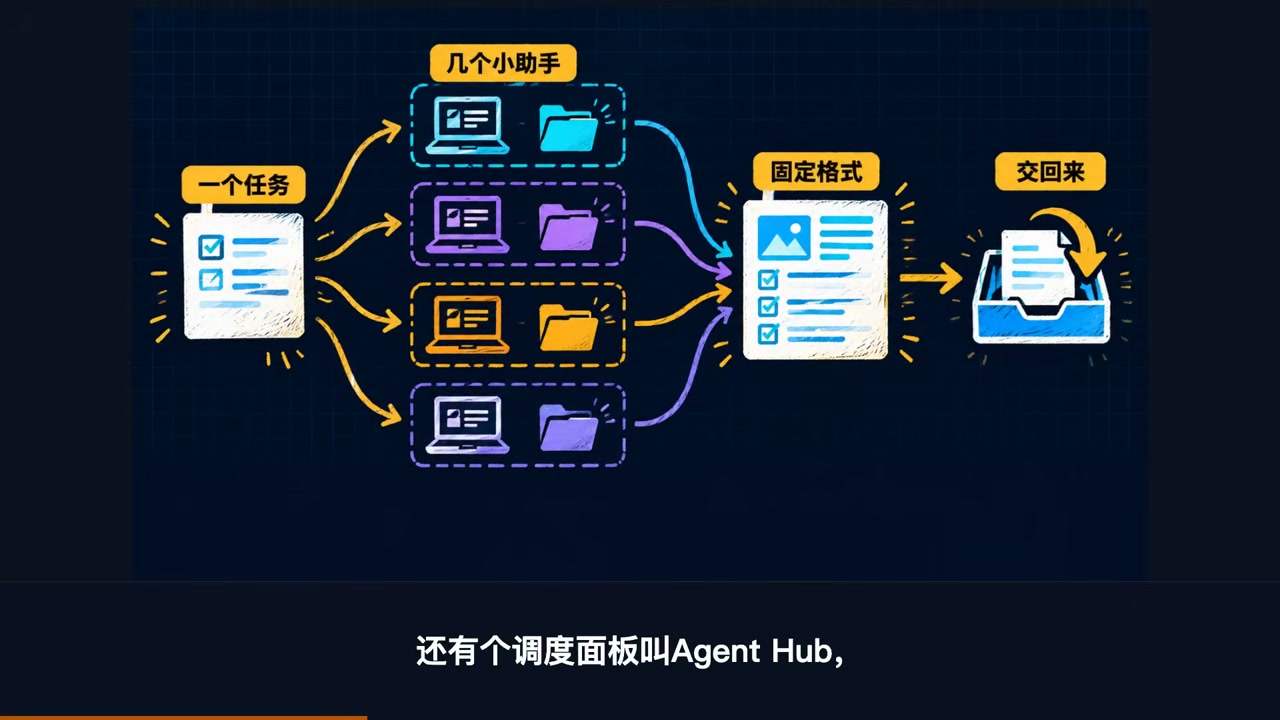
A single task can be divided among several workers that run in parallel. Each worker receives an isolated workspace with its own worktree and its own tool surface. When it finishes, it returns not a chunk of chat text but a schema-validated structured object. The parent agent can read fields directly without parsing prose, and sibling workers will not step on one another’s files.
There is also an orchestration dashboard called Agent Hub (Alt+A to open). You can see how far each subagent has progressed and how many tokens it has used. Open one to read its live transcript, send it a message to correct its course, revive a stopped worker, or kill a single stuck worker without affecting the main session.
2. Hash Anchors (Hashline) for File Edits
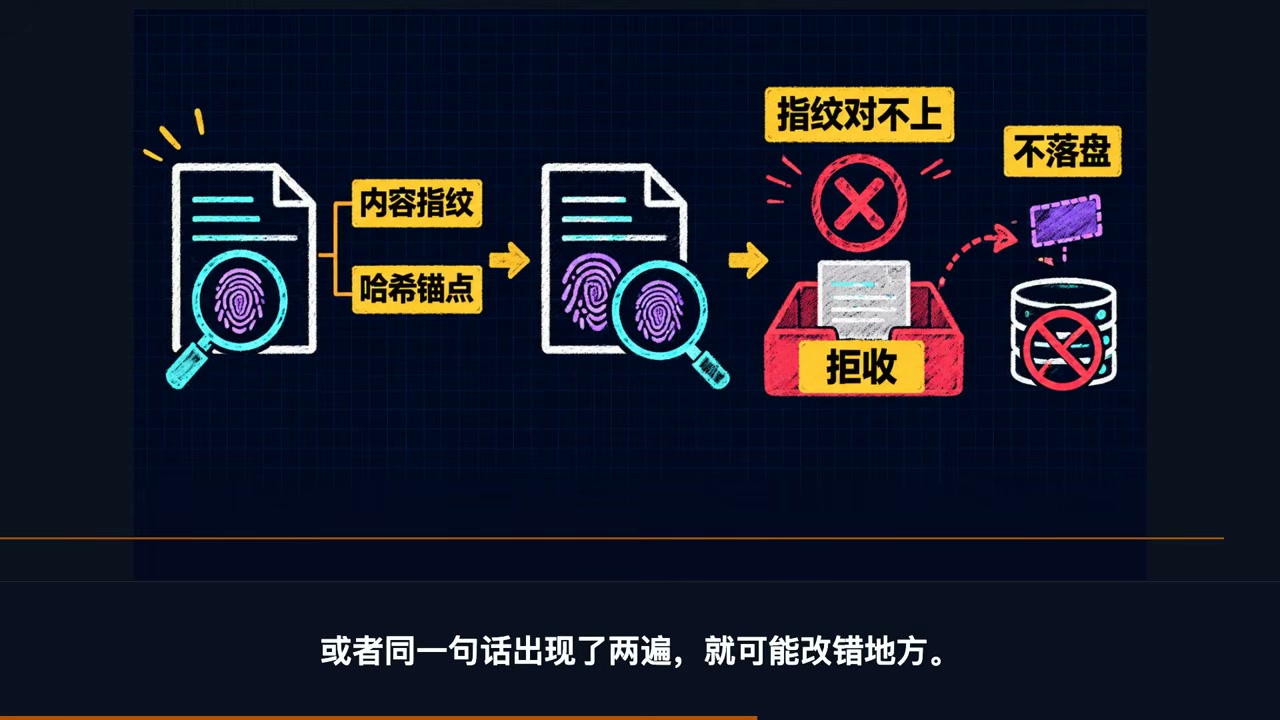
Other AI tools typically edit your draft by “copying the original text back and modifying it.” If another program changes the file midway—or the same sentence appears more than once—the edit can land in the wrong place.
OMP calculates a short hash for the content of each line, allowing the model to point directly to an anchor such as 2:f1 instead of retyping the original text. If the anchor does not match, the edit is rejected outright and never written to disk, so your file cannot be corrupted this way.
3. Model Routing by Role, with Automatic Failover
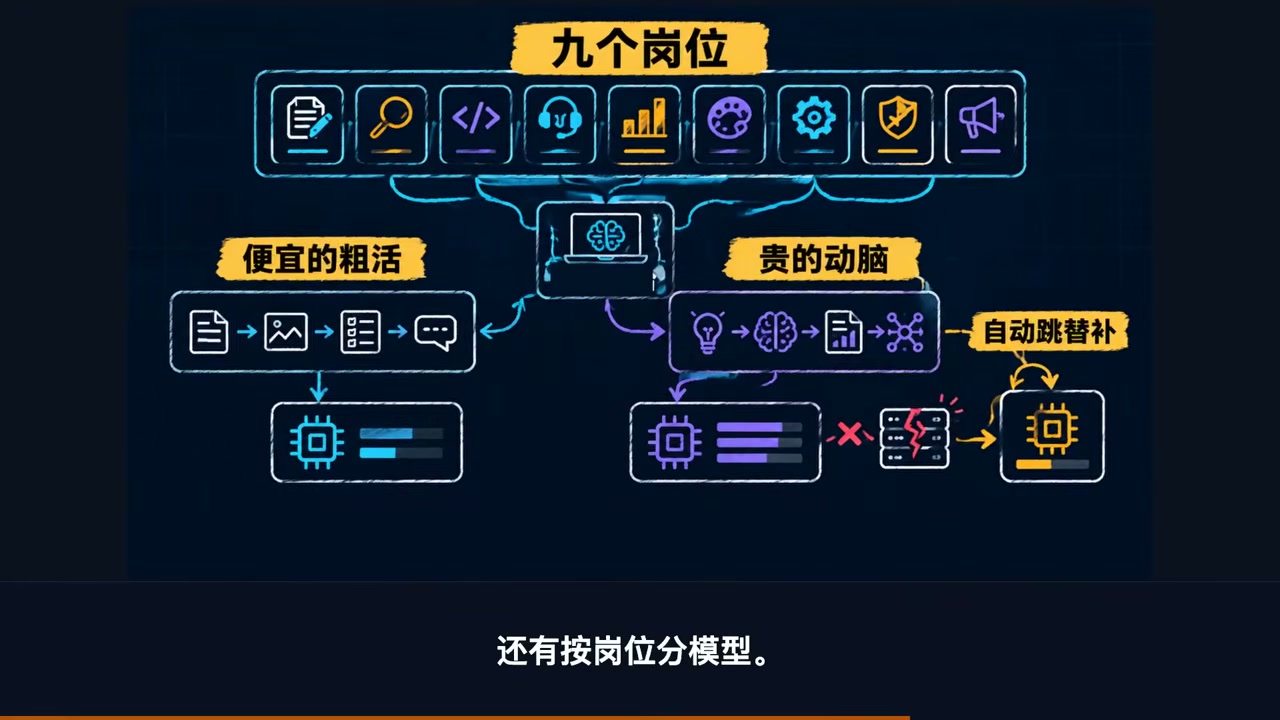
Nine roles each have their own model: default for general work, smol for cheap high-volume subagent workloads, slow for deep reasoning, plan for planning, and commit for writing changelogs, plus vision, task, advisor, and tiny.
Cheap models handle grunt work, while expensive models are reserved for tasks that require more thought. If a provider returns a 429 or exhausts its quota, the next provider in retry.fallbackChains automatically takes over the remaining work. There is no need to get up in the middle of the night to swap API keys. Different roles can also use different models, and path-level enabledModels can even assign one model set to one repository and another to a different repository.
4. Ecosystem Inheritance: Your Existing Configuration Still Works
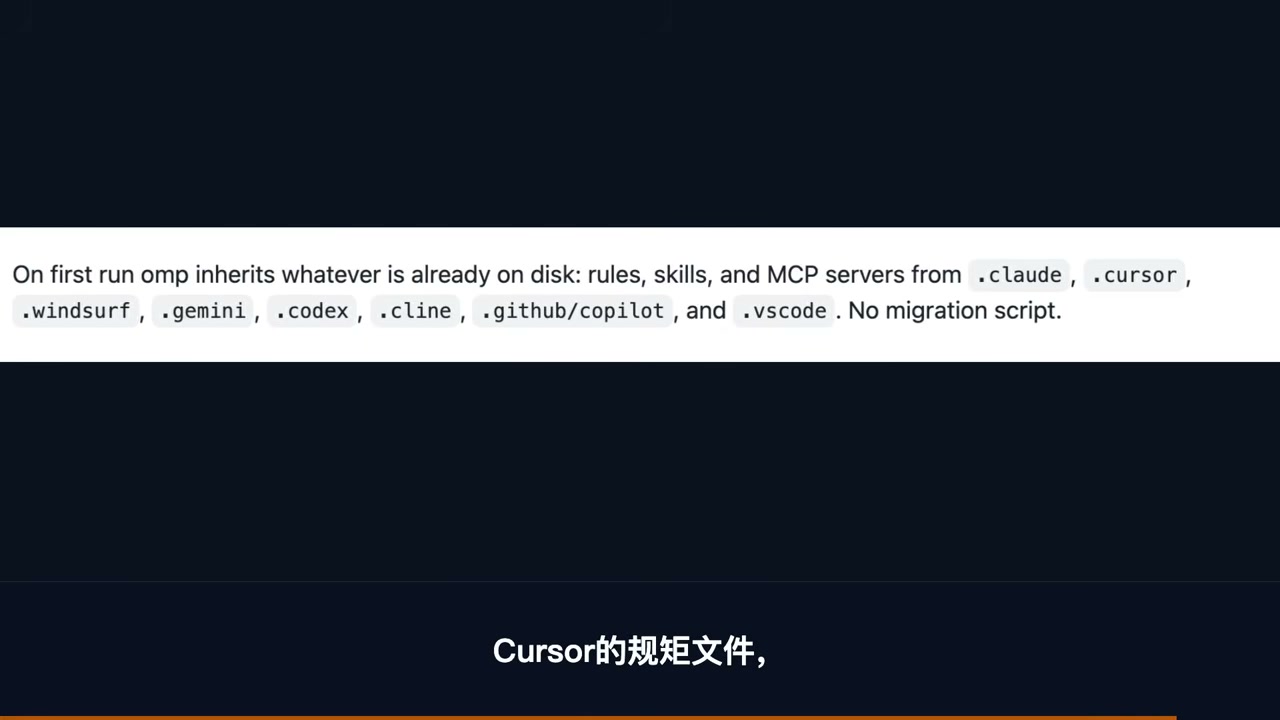
This one is easiest to overlook, but it saves a lot of effort. On its first launch, OMP directly reads the rules files already on your disk: Cursor’s MDC files, Cline’s .clinerules, Codex’s AGENTS.md, and Copilot’s applyTo, across eight formats in total. They are read natively, with no export or import and no YAML-to-TOML conversion. Most plugins written for previous-generation tools can also be loaded through a compatibility shim.
These four additions, together with 31 built-in tools, LSP/DAP debugging, and roughly 80,000 lines of Rust core, are all covered in The Complete Oh-My-Pi (OMP) Guide: 32 Built-in Tools + Multi-Model Routing. I ran through each one there, and you can jump straight to the configuration details.
V. But Is “Batteries Included” Always Better? Here Are the Benchmark Results
This is where a splash of cold water is due. Composio ran 30 real-world tasks with the same model, DeepSeek V4 Flash, pitting eight harnesses against one another. The results were as follows:
| Metric | Pi | Oh My Pi |
|---|---|---|
| Tasks passed | 20 / 30 | 17 / 30 |
| Median completion time | 132.2s | 272.4s |
| Average tokens / task | 558,885 | 742,283 |
| Cost per success | $0.028 | $0.103 |
On this benchmark, the original Pi won. It completed three more tasks, cost less than one-quarter as much per success, and had a median completion time less than half that of OMP. The full benchmark is available here.
But two footnotes must be read alongside those results:
- OMP came in second among the eight harnesses. It outperformed mainstream contenders including Claude Code (16 passed), Codex (16), and OpenCode (14). In other words, it was stronger than the mainstream players—it simply lost to its own upstream project.
- OMP’s additional capabilities have hard evidence behind them. With only the editing format changed and no model switch, Grok Code Fast 1’s success rate jumped from 6.7% to 68.3%. Across 16 models, the average improvement was roughly 15 percentage points, while Grok 4 Fast used 61% fewer output tokens. Weaker models benefit the most from these guardrails.
The conclusion is therefore not “Pi is better” or “OMP is better.” Instead: choose between them according to the type of task. For one-off, narrowly scoped work that needs to be fast and cheap, Pi’s minimalism is the right fit. For multi-file work involving a weaker model, where edits must be precise, OMP’s guardrails earn their keep.
VI. Turning OMP into a Content Production Pipeline
Following on from that, let’s consider a more practical scenario: using AI to run content production.
A mature narrated-content pipeline looks roughly like this:
| Stage | Approach |
|---|---|
| Role briefs | Define how each role writes, researches, combines, and polishes its work; one set of rules per role |
| Research | Dispatch a batch of workers to find source material and verify evidence; no two workers touch the same files |
| Scriptwriting | Divide the script by chapter and run each section independently |
| Storyboarding | Break the script into chapters and shots, then run everything that can run concurrently |
| Review | Have multiple models review simultaneously, followed by a separate final pass from the lead model |
| Polishing / Titles | Gather suggestions from multiple models, then let the lead model synthesize them |
A useful reference point for the scale of a mature pipeline: more than 30 registered role briefs, or skills; more than 300 episodes produced by a single narrated-content pipeline; more than 30 workers running concurrently across the production of each episode; and more than 400 subtasks completed over the past 30 days.
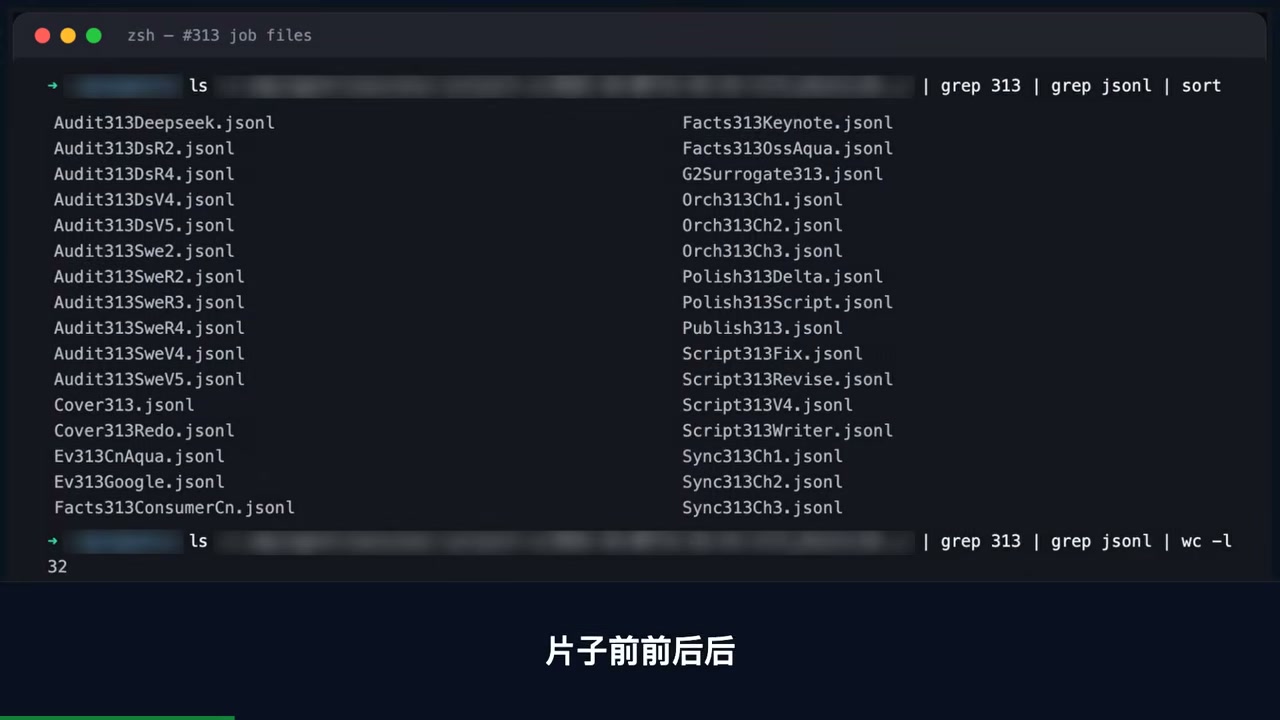
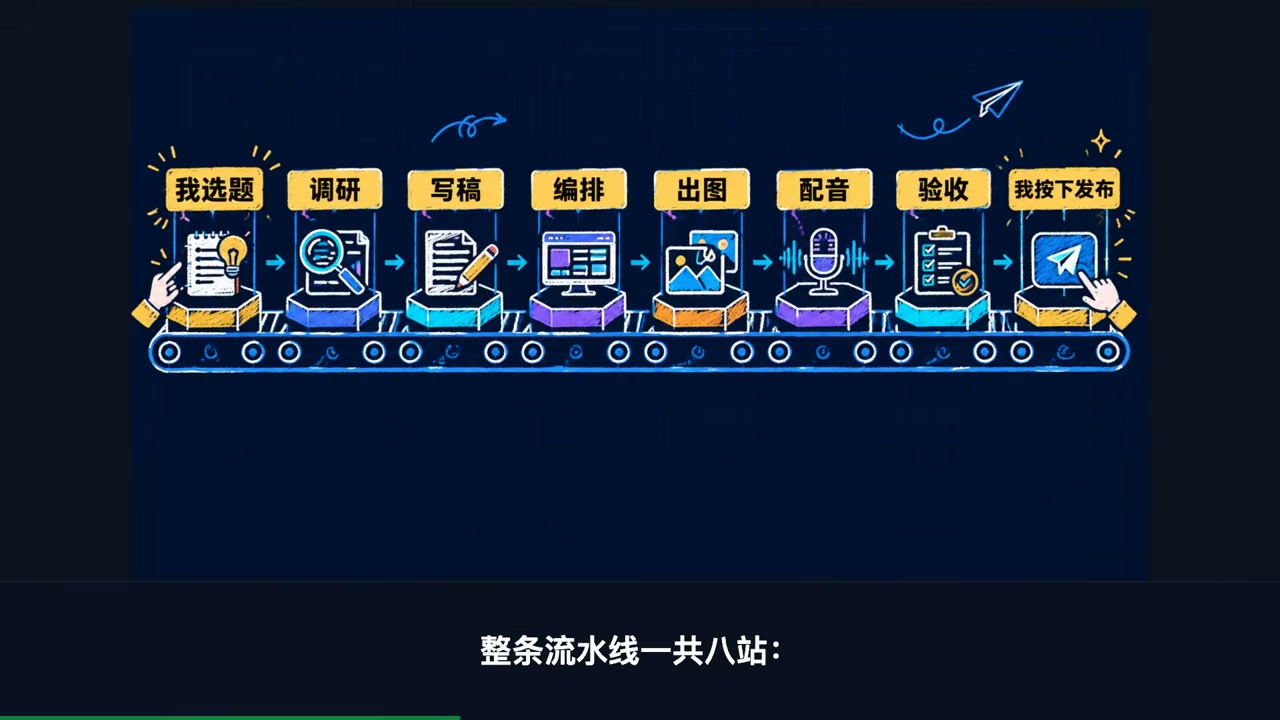
Across the entire eight-stage pipeline—topic selection, research, scripting, storyboarding, image generation, voice-over, review, and publication—only two stages cannot be handed off to AI: choosing the topic and pressing Publish.
The key is the division of labor: Researchers only look up sources, fact-checkers only check against the original, and editors only change the wording—nobody touches anyone else’s files.
This brings us back to the debate in Section II. Mario’s opposition to parallelism concerns writing code: specifically, the fear that two AIs will modify the same code and step on each other. Content production is naturally divisible. Research, fact-checking, and polishing do not depend on one another, so once isolated workspaces are enabled, parallelism becomes viable.
“Independence” is not a figure of speech; it is the only criterion for deciding whether work can be split up and parallelized.
For a look at multiple agents running side by side in a terminal, with each one independently observable, I also wrote Multi-Agent Parallelism: 5 Agents Working Together on One Big Task.
VII. The Drawbacks Need to Be Laid Out Too
1. Weaker protection than a system-level sandbox. OMP’s default tools run with your full user privileges, so they cannot match an OS-level boundary such as Codex’s. For stronger isolation, you would need to wrap OMP in a container and put it in a room of its own. The Pi ecosystem has plugins such as pi-sandbox for this.
2. Heavier than Pi. At startup, Pi injects less than 1,000 tokens into the model. OMP spends around 10,000 on rules and roles, all drawing from the same limited context window. The benchmark table above shows the bill: more than 30% higher token usage and twice the median completion time. It may not be worth it for small projects.
3. Releases are too frequent. More than 40 versions shipped in just the past month. Frequent updates are a good thing, but so are the minor bugs you may encounter along the way. For production, pin a version and run it for a while rather than upgrading with every release.
VIII. Three Steps to Put This into Practice
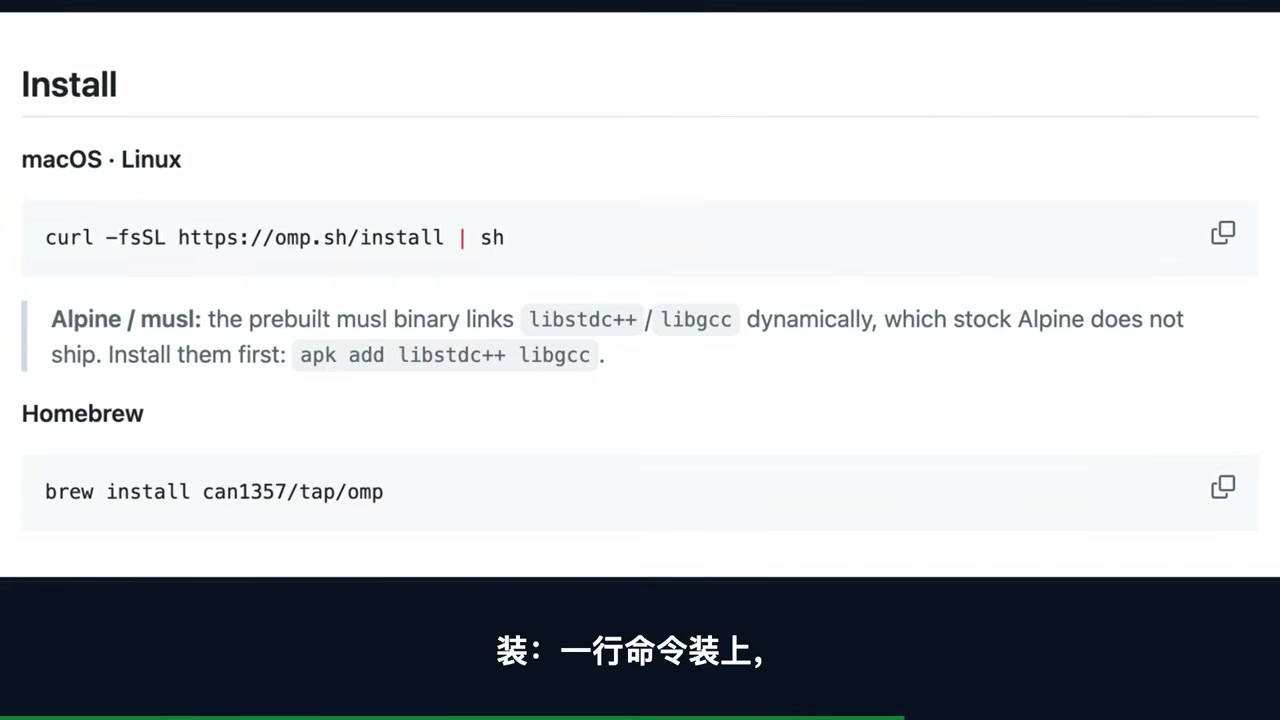
Install
macOS / Linux, one line:
1 | curl -fsSL https://omp.sh/install | sh |
Homebrew:
1 | brew install can1357/tap/omp |
Split the Work
Divide work that will not touch the same files into chunks, then assign those chunks to subagents to run concurrently. There is only one criterion: Will this piece of work and the other pieces modify the same file? If yes, run it serially. If no, run it in parallel.
Assign Roles
Send grunt work to a cheap model (smol), reserve expensive models (slow / plan) for work that requires more thought, and configure a fallback chain for every role.
Finally, Three Criteria for Choosing Your Base
| Criterion | Ask yourself |
|---|---|
| Parallel work | Can the work be spread out and run concurrently, rather than one task at a time? |
| Per-role model switching | Can different roles use models at different price points, with automatic failover when one provider goes down? |
| Edit accuracy | If a file changes midway through the process, will the edit still land in the right place? |
Summary
Pi and Oh My Pi are two answers to the same question: How much harness does an agent actually need?
Zechner’s answer is “almost none,” backed by an instruction manual of fewer than 1,000 tokens and a sixth-place Terminal-Bench finish. Bölük’s answer is “much more than you think,” backed by hash anchors that lift a weak model’s success rate from 6.7% to 68.3%. Both have evidence behind them, and both leave ample room for rebuttal.
My own criteria have narrowed to the three above: Can it distribute work in parallel, switch models by role, and avoid editing the wrong part of a file? If it passes all three, OMP is worth installing. If it does not, Pi’s minimalist approach will be the less troublesome choice.
One final reminder: the tool landscape has changed so quickly over the past two years that it is easy to lose perspective. The Terminal-Bench leaderboard changes every month, and a single model provider’s API specifications can change twice in a week. Rather than chasing leaderboard positions, focus on whether the tool you already have can spread work out. The answer to that question is closer to your actual output than any benchmark score.
The benchmark data cited in this post comes from Composio’s same-model comparison across eight harnesses, with links to the terminal benchmarks and official documentation included. The relative strengths of the two tools can reverse depending on the task type, so test them against your own workload before making a choice.
Which setup are you running right now—the minimalist core or the batteries-included version? Tell us in the comments about your choice and the pitfalls you have encountered. If you found this article useful, bookmark it and share it with a friend who is choosing an AI tool.