
A Long-Term Stable Claude Subscription Guide: Clean IPs, Self-Hosted Relay, and Account Conditioning Workflow
Whether a Claude subscription survives long-term usually isn’t decided at signup — it’s decided by the entire environment stack you present to the risk system every time you log in: whether your egress IP is dedicated, whether timezone/DNS/browser language are internally consistent, whether Claude Code shares a machine with the web client, and whether your usage consistently hits the quota ceiling. This guide breaks “clean IP + self-hosted relay + environment alignment + account conditioning” into six executable steps, with acceptance criteria for each.
First, the conclusion: shared airport nodes’ egress IPs are the largest source of uncertainty. The most balanced combination of cost and stability right now is renting a monthly US-based VPS as a global relay, aligning browser fingerprints and timezone, and following a “free first, then Pro, then Max” usage rhythm.
1. Understand Risk Control First: Bans Rarely Come From a Single Trigger
Claude’s account risk system isn’t a simple on/off switch — it’s a set of weighted signals: egress IP reputation, how many people share that IP, whether registration and login locations match, browser timezone and language, payment channel region, call frequency, and quota curve. Any single anomaly doesn’t necessarily trigger action, but when several stack up, the account gets pushed into a high-risk pool.
The biggest factor is IP, and there’s a linked-ban (guilt-by-association) mechanism: if another account on the same egress IP is flagged for violations, other accounts on that IP may be swept up too. That’s why “can access Claude” and “can access Claude long-term” are two different things — an airport node gets you connected, but you can’t know how many other people share that egress and what they’re doing.
So the core of this whole setup isn’t “find a working node” — it’s making that egress belong only to you, and pointing every environment signal at the same region.
2. General Rule: Turn Every Check Green
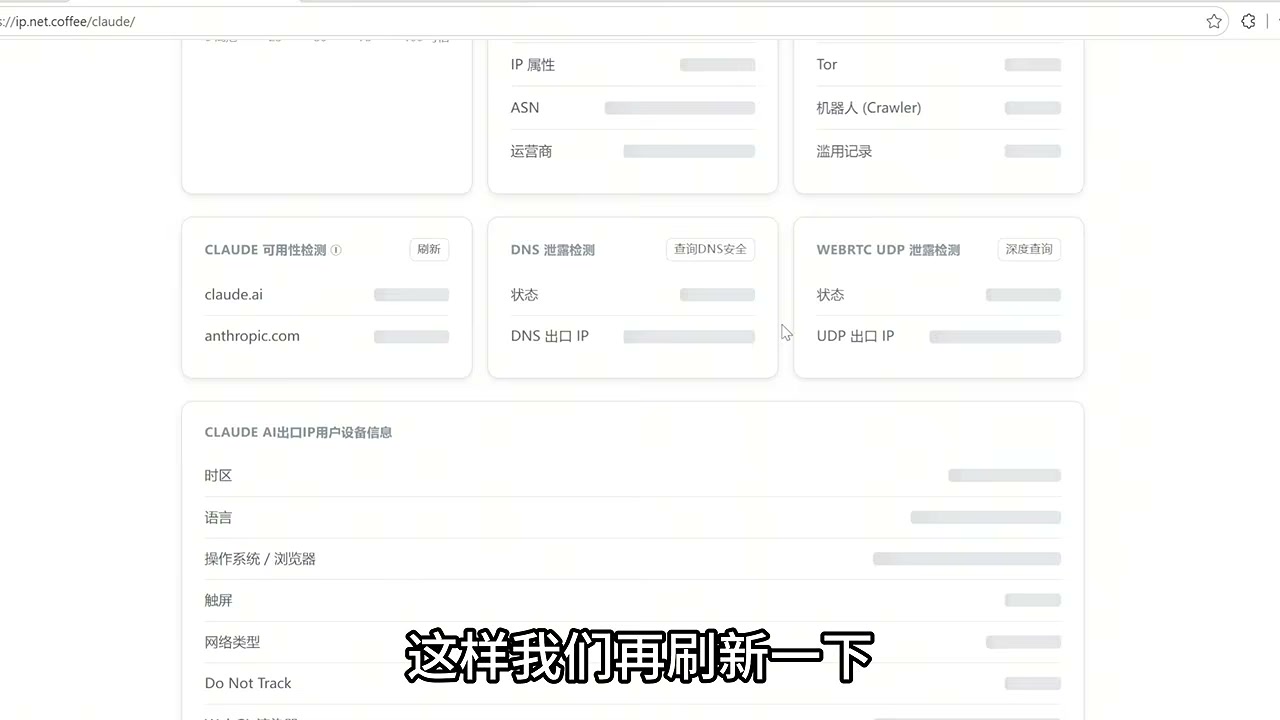
Start by opening a Claude environment-check page and verifying each item — IP, timezone, DNS, language, and so on — one by one. The goal isn’t “can access,” it’s “every color block should be green.”
The verification sequence matters:
- First, confirm all checks on the test page pass;
- Then visit the Claude site and log in;
- Every time you restart your computer, recheck the test page before opening Claude or Claude Code.
This sequence looks redundant, but it prevents a common accident: if the proxy didn’t start or TUN mode failed, the browser hits Claude directly with your real local IP, leaving a region-swap record in the account history.
3. Step One: Swap the Shared Egress for a Dedicated VPS
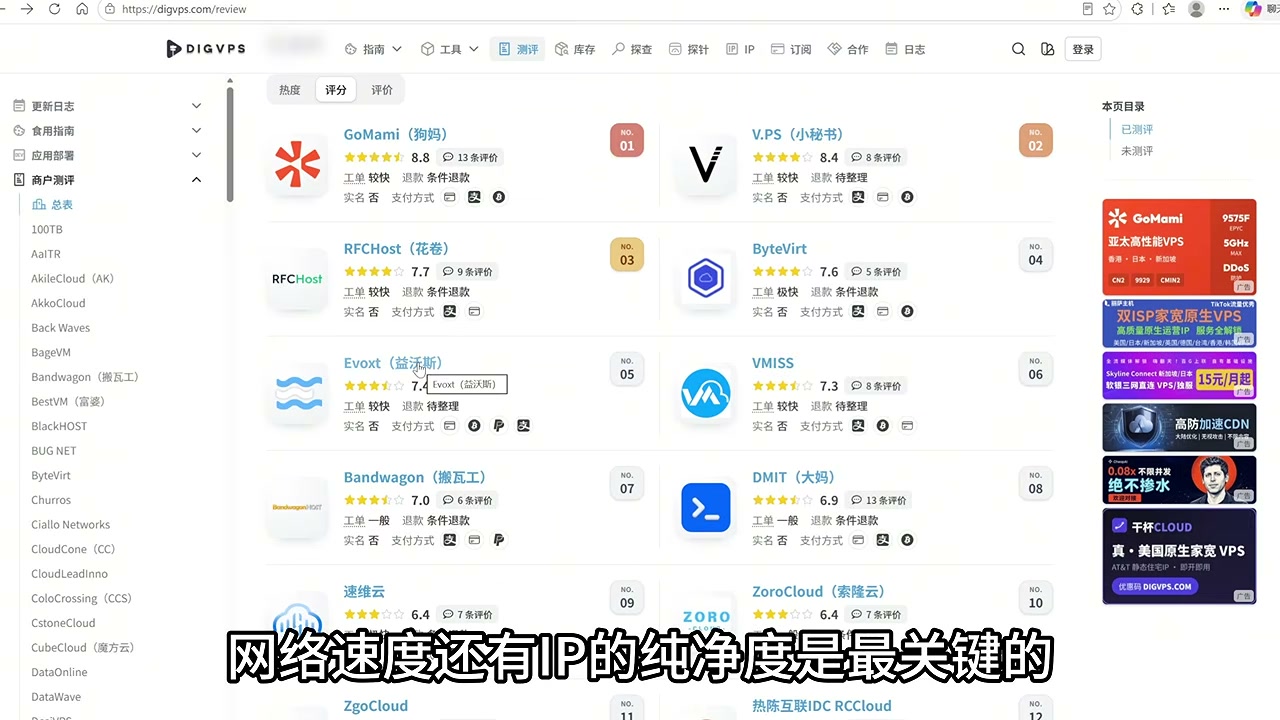
The approach is to rent an overseas VPS and route local traffic through it first, then out to Claude from there. The egress IP becomes yours alone, no longer shared with others, and the linked-ban risk drops significantly.
You don’t need high specs — focus on two things instead: connectivity to mainland China and IP cleanliness. Common practice:
- Prefer US regions (New York, Los Angeles, etc.) to match your registration and payment region;
- The lowest tier is fine — this relay just forwards traffic and doesn’t tax CPU or memory;
- Choose Ubuntu so you can run one-click setup scripts directly;
- Use locally available payment methods like Alipay to lower the subscription barrier.
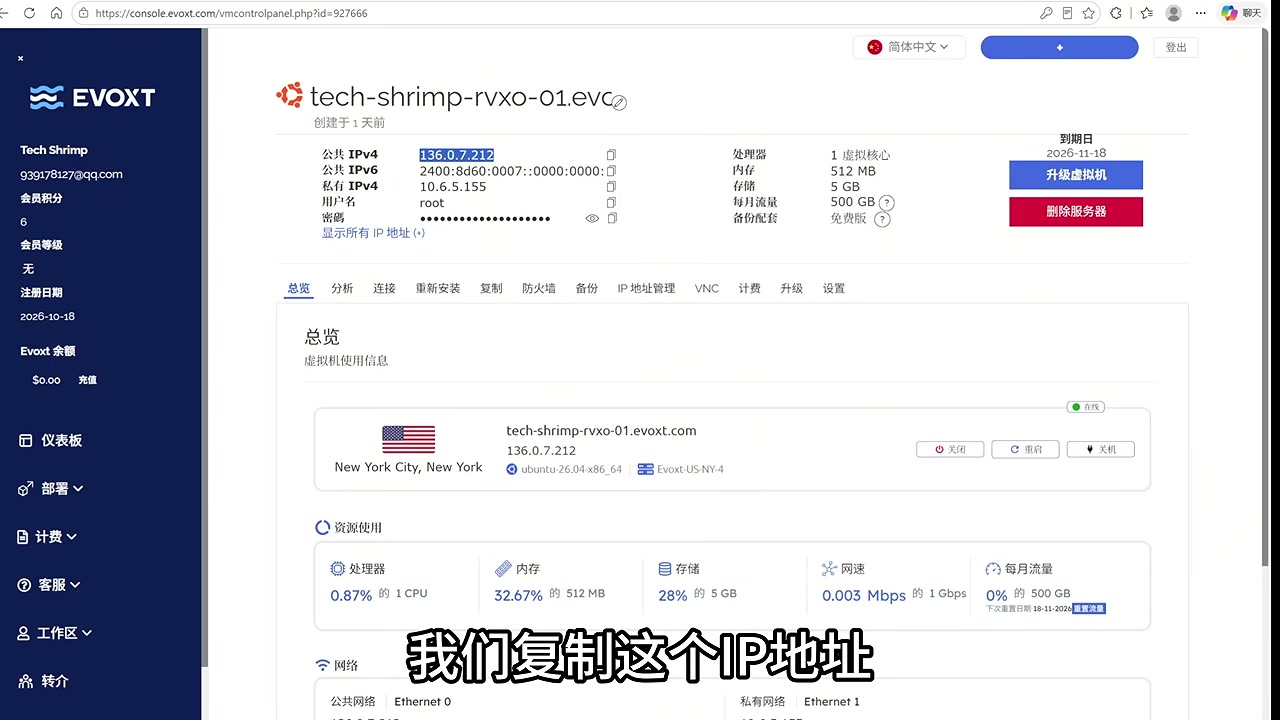
Once you have the IP, do these two things before continuing:
- Use an online Ping/speed test tool to check direct connectivity from major mainland China regions. A direct but slow connection is acceptable; if it won’t connect at all, open a ticket and request an IP change immediately.
- If you’re unhappy with the speed, tear down the instance at one provider and open another elsewhere — don’t keep tweaking on a slow line. Relay latency adds directly onto every Claude Code request.
Free or cheap shared proxies aren’t recommended here: what you save in money, you’ll usually pay back in account stability.
4. Step Two: Turn the VPS Into a Global Relay Node
With a VPS in hand, the next step is to set it up as a node that local clients can consume. Manually configuring Xray/Sing-box often goes wrong on certificates and protocol parameters, so using an actively maintained one-click deployment script is safer.
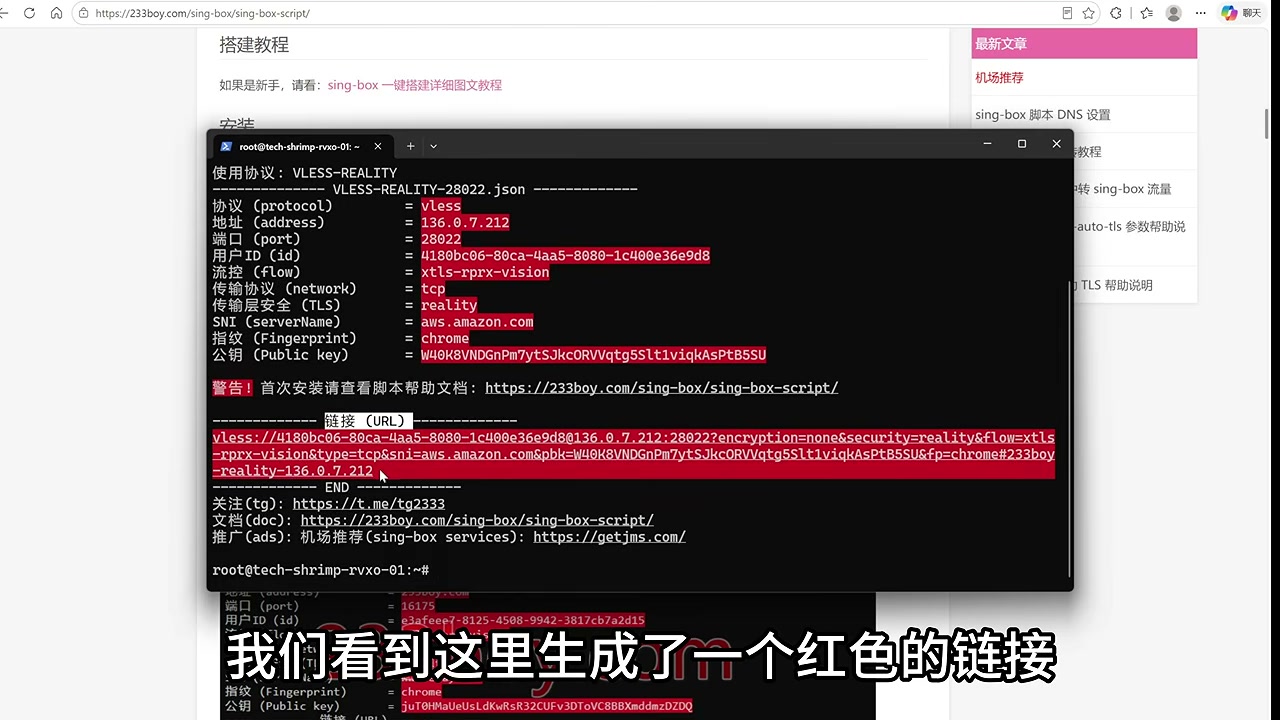
The flow:
- In the local terminal, run
ssh root@<server IP>and enter the password. Note that nothing will display on screen when you paste the password — that’s normal. - Run the one-click script’s install command on the server and wait for it to finish.
- When the script ends, it generates a node link (usually starting with
vless://). Copy it in full and save it. This link is the source of every client config from here on.
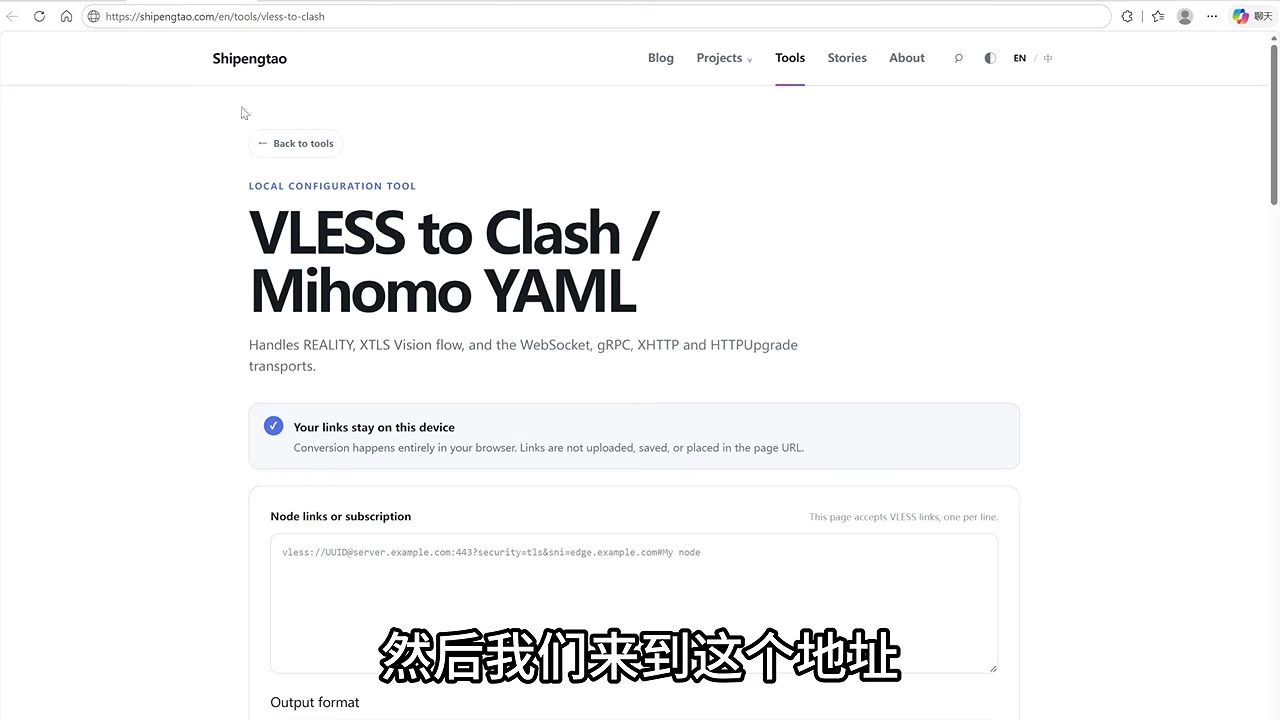
For the local client, using Clash Verge as an example:
- Download the installer for your system from GitHub Releases;
- Use an online conversion tool to turn the
vless://link into a Clash/Mihomo YAML; - In Clash Verge, “Import Subscription → New → Local,” pick the YAML you just downloaded, save, and enable it.
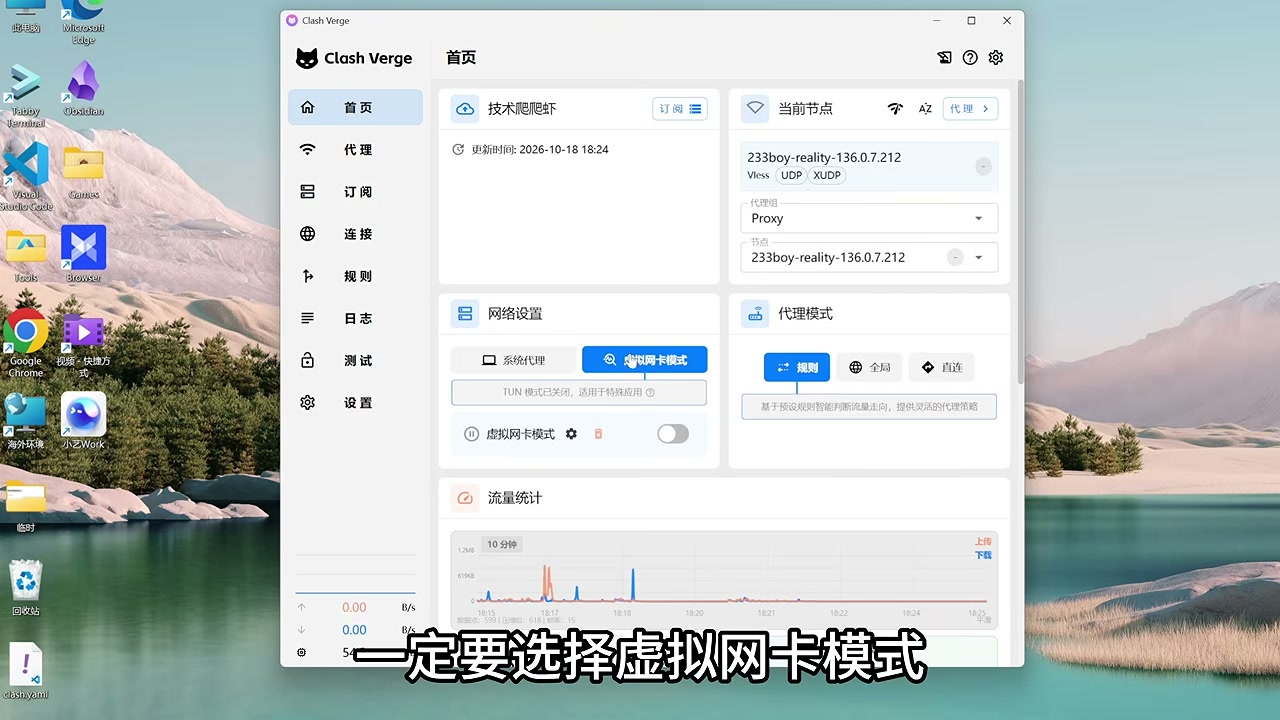
The last step is critical: enable Virtual NIC (TUN) mode. A regular system proxy only covers apps that honor proxy settings, but Claude Code, the desktop client, and some background requests may bypass it. TUN mode takes over all traffic at the NIC layer, so nothing leaks.
Acceptance: the browser opens Google normally, and back on the check page, the IPv4 egress now points at the VPS IP.
5. Step Three: Fill in the Four Environment Fingerprints
Getting the egress IP right is only half the job. The browser and system still leak your real location through four signals — each one must be aligned.
5.1 IPv6: The Most Easily Missed Leak
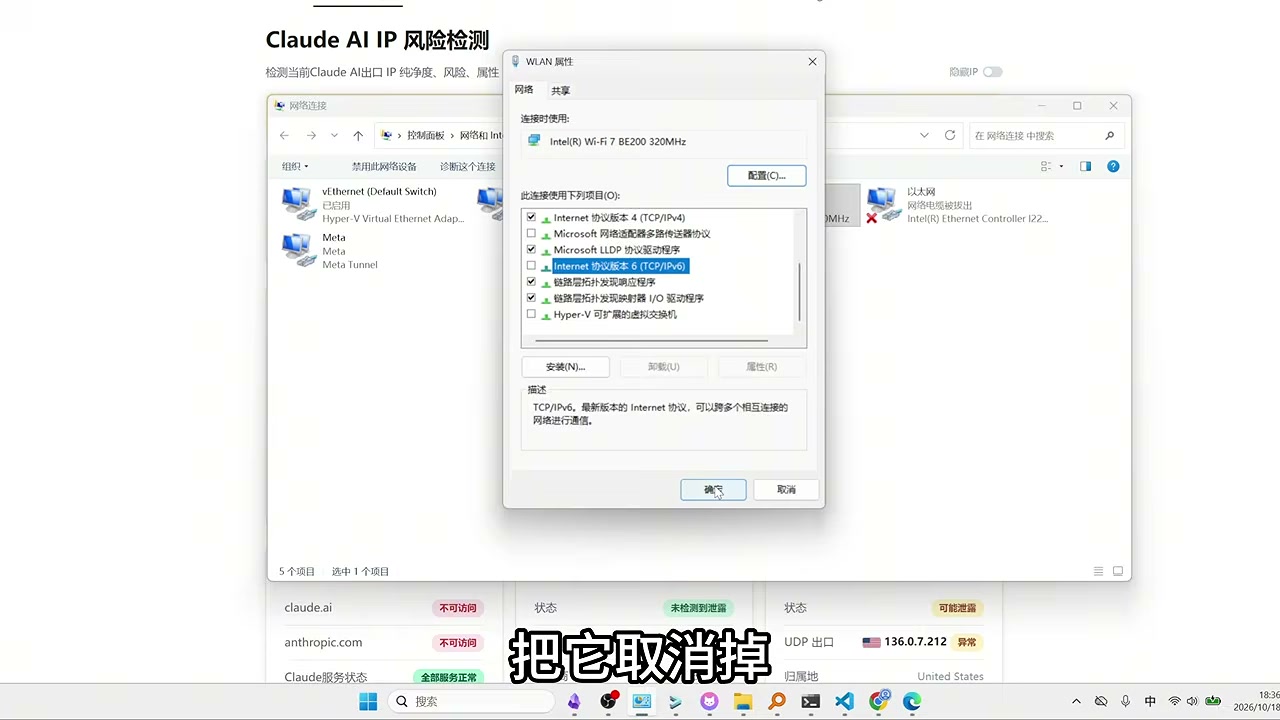
Many proxies only handle IPv4, so the check page shows “IPv4 is the server, IPv6 is still local.” The fix is in the network adapter properties: uncheck Internet Protocol Version 6 (TCP/IPv6), confirm, then refresh the check page. When all three addresses match the server IP, this item is done.
5.2 Timezone: Match the Server’s Timezone
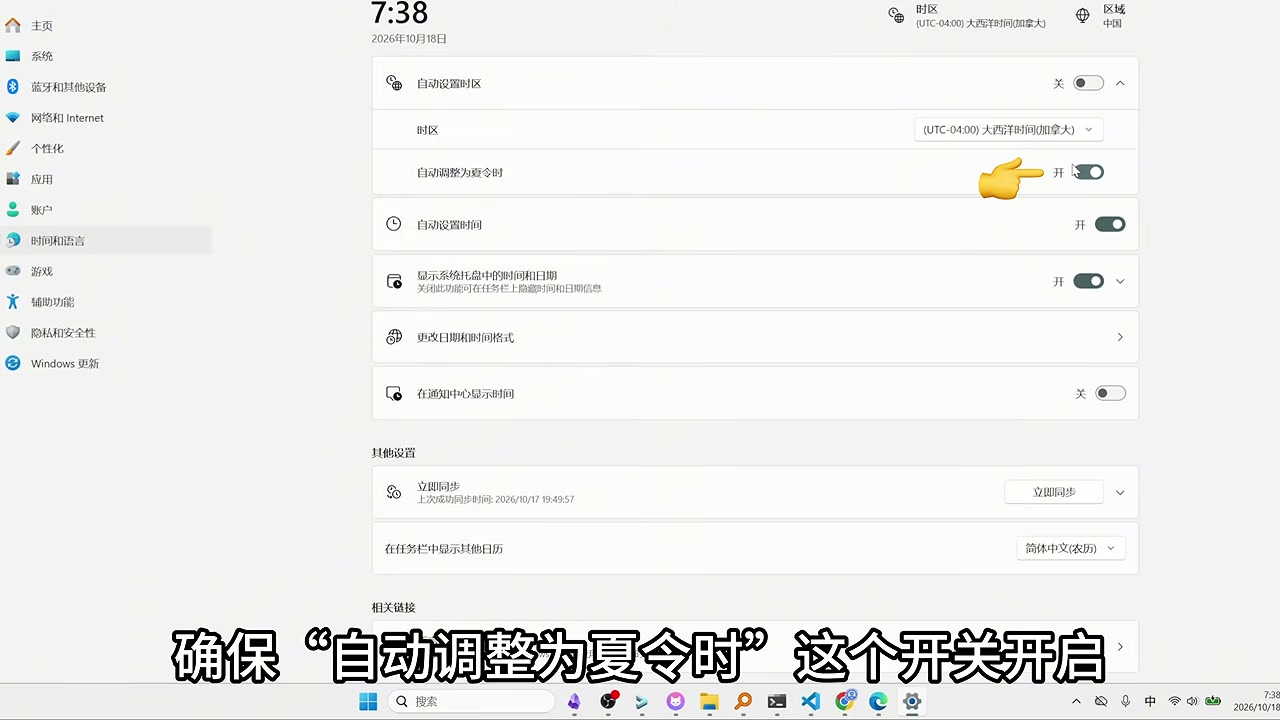
If the VPS is in New York but your machine shows China time, that contradiction surfaces directly in the browser fingerprint. Disable “set timezone automatically” and manually choose the same timezone as the server (e.g., UTC-4 Atlantic Time), and make sure “adjust for daylight saving time automatically” stays on.
5.3 DNS: Don’t Use the Local Carrier’s Resolver
In browser settings, search for DNS and enable “Use secure DNS,” picking Cloudflare as the provider. This sends DNS lookups through an encrypted channel so they don’t reveal your real location via your local carrier’s DNS.
5.4 Language: Keep Only English in the Browser
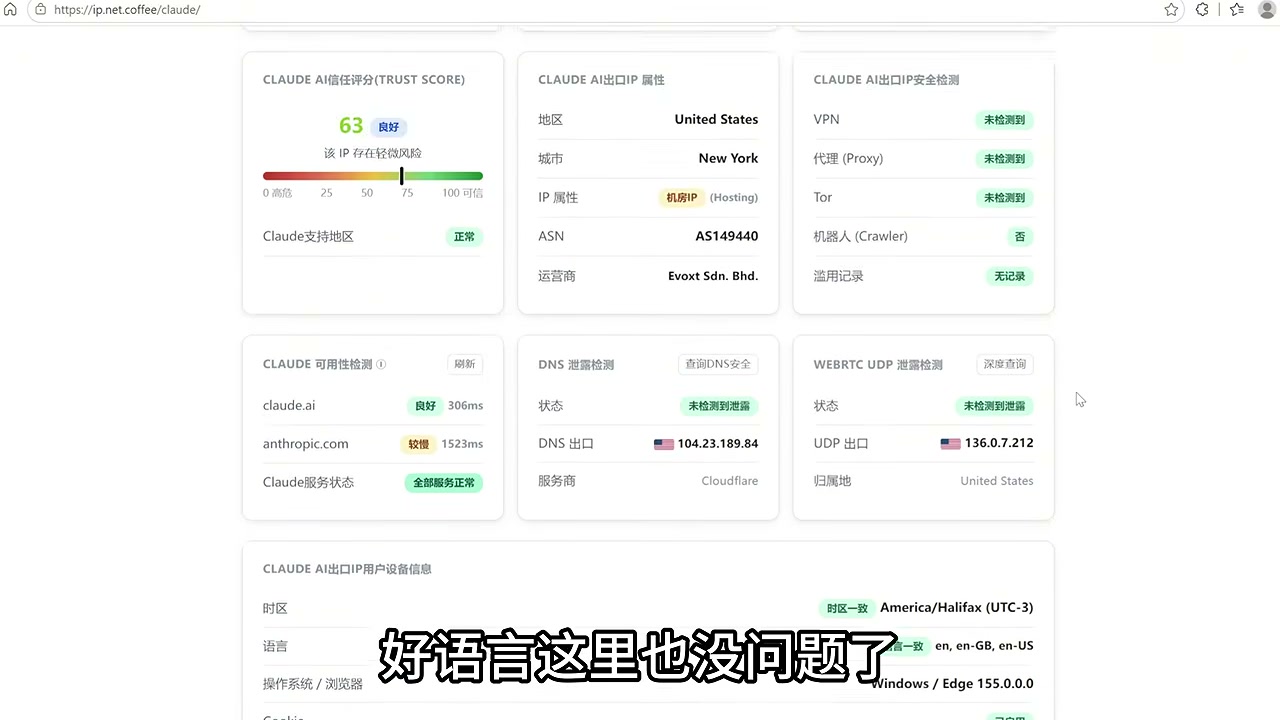
In the browser language settings, move English to the top and remove Chinese. Note that this only affects the browser fingerprint — it doesn’t stop you from typing in Chinese or force you to talk to Claude in English.
Once all four are done, go back to the check page. Ideally, only “datacenter IP rather than residential broadband” remains red. Whether that item matters is covered in Section 9.
6. Step Four: Registration, Subscription, and Payment Path
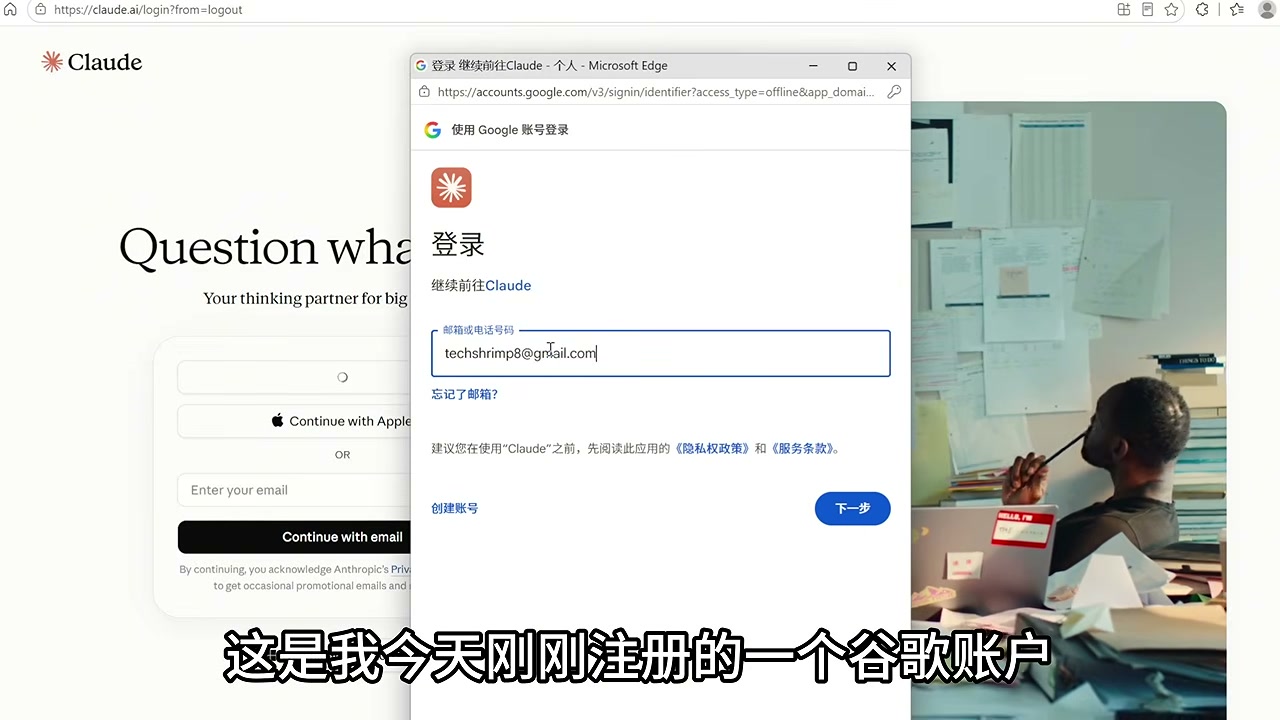
Register only after the environment is ready — don’t reverse the order. Logging into Claude with a Google account is recommended: if the IP is clean enough, it usually skips CAPTCHA and phone verification and gets you straight in.
Two options for the account identity:
- Google account: lowest barrier, good for quick start;
- Custom domain email: use a
.comdomain with catch-all to generate unlimited addresses that look like enterprise domain emails — the registration then resembles a normal corporate user. Setting up a domain mailbox isn’t expensive and is more controllable long-term.
For the subscription, the recommended route is the US Google Play in-app purchase channel:
- Prepare an Android phone and put it under the US network environment too;
- Install the official Claude App and Google Play;
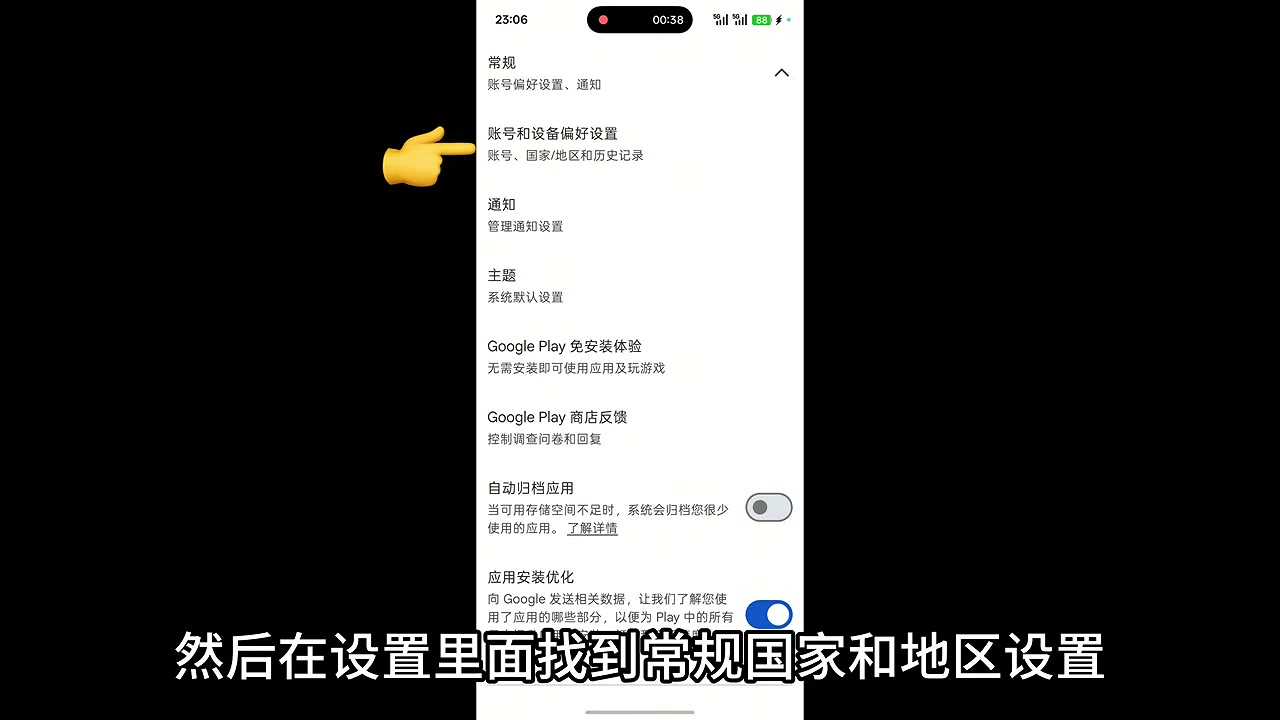
- In Play Store, “Settings → General → Country and Profiles,” switch the country to the United States;
- Add a Mastercard credit card that supports foreign-currency payments as the payment method;
- Open Claude App, log in, go to “Upgrade,” and the Google Play payment channel should appear;
- Subscribe to Pro first — don’t jump straight to Max.
Going Pro first isn’t about saving money — it’s about giving the account a gentle spending curve. A new account that goes straight to Max and runs at high volume looks more like a “bulk account” than a “real user” to risk control.
7. Step Five: One Machine, One Account for Claude Code Isolation
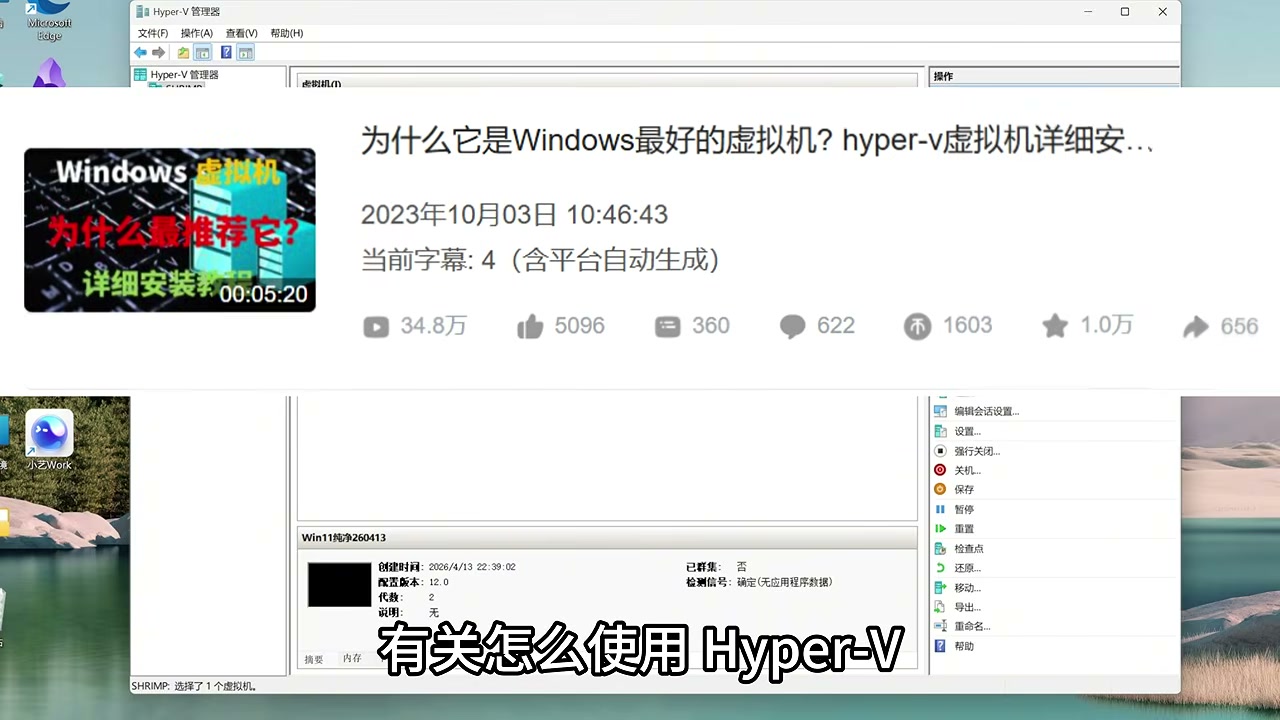
Claude Code’s risk profile differs from the web version: it generates sustained, high-density API calls and reads local project files. The safer approach is to put it in an isolated VM, physically separated from your daily development environment.
A typical Claude Code VM only needs three things installed:
- A browser;
- VS Code;
- The Claude desktop client.
Don’t install domestic model clients, don’t install assorted proxy plugins, and don’t log into multiple Claude accounts on this machine. Inside the VM, also switch the timezone to US time and the system language to English, consistent with the egress IP.
The principle can be summarized as one machine, one account; clean and pure; use quietly:
- Don’t swap between accounts;
- Don’t route Claude Code through domestic models;
- When you want to experiment with other tools or models, go back to the host — or open yet another VM.
The host can be tinkered with freely; the Claude Code machine shouldn’t take on any other role. That way, even if an experiment dirties one environment, it won’t contaminate your main account.
8. Step Six: Account Conditioning Is a Timeline
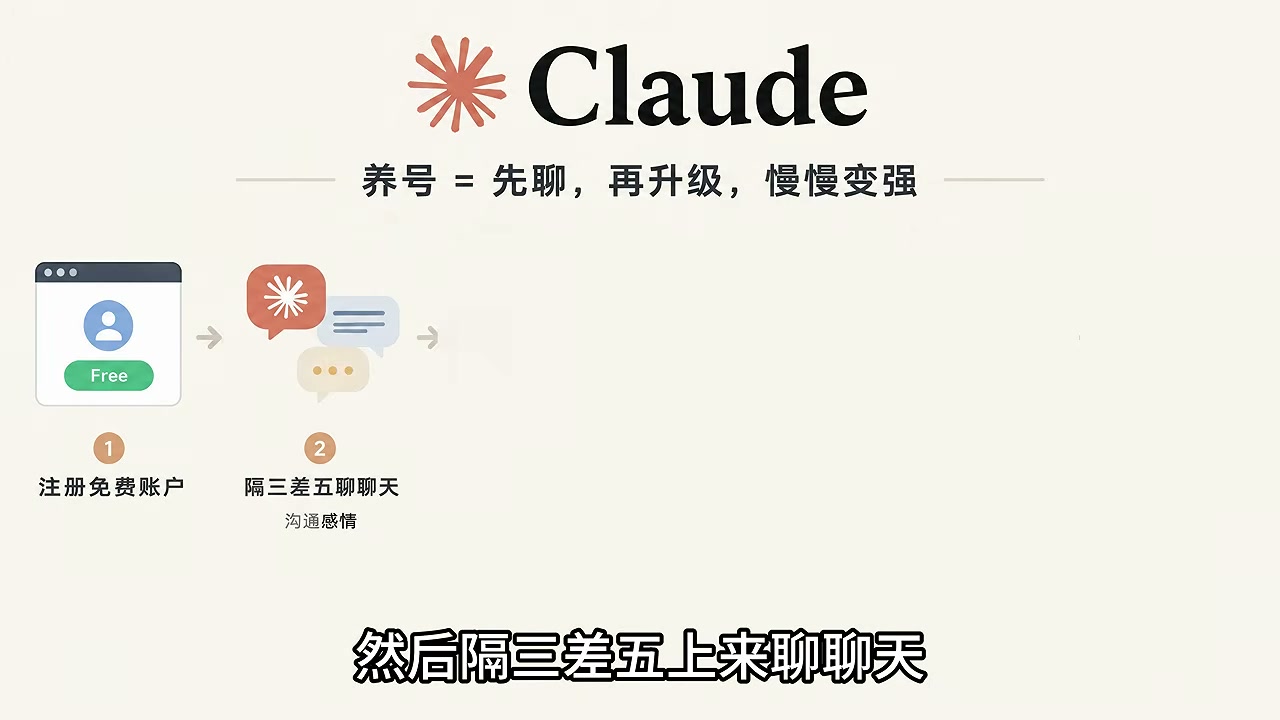
Account stability depends heavily on “how much like a real person it looks.” The essence of conditioning is letting signup time, usage frequency, and paid upgrades form a natural curve — not running Claude Code at full throttle on day one.
A practical rhythm:
- Months 0–3: Register the free account, log in and chat briefly every few days, keeping usage records low-frequency but continuous;
- Around month 3: Upgrade to Pro and start using Claude Code, but cap usage at 70%–80%, leaving 20%–30% headroom each month;
- During Pro: Don’t only run Claude Code — keep using the web version to chat, maintaining behavioral variety;
- A few months later: Once it’s stable, consider upgrading to Max;
- Long term: Beyond the main account, always keep 2–3 smaller accounts being conditioned — a hedge against the unexpected.
“Leaving headroom in your quota” isn’t mysticism. Running at the ceiling long-term looks, to risk control, very similar to the behavior pattern of shared accounts or resold API access, and the cost of leaving headroom is far lower than re-conditioning an account after a ban.
9. Three Over-Emphasized Details
The community circulates some stricter rules that you don’t actually need to follow wholesale:
| Claim | Reality | Recommendation |
|---|---|---|
| Only use during US daytime | Plenty of long-term stable users keep China-time hours | Just keep timezone settings consistent; no need to sync your real作息 |
| Must chat in English the whole time | Long-term Chinese-language use shows no obvious problems | Keep browser language English; conversation language is free |
| Must be a residential IP | Datacenter IPs also work long-term, just weigh slightly less | Prioritize dedicated and clean; residential IP is a bonus |
What you truly can’t compromise on: dedicated IP, internally consistent environment, behavior that looks human. Once you have those three, the marginal return on the details above is minimal.
10. Limits, Costs, and Risks
The cost of this setup has three components: VPS monthly fee (low tier is usually a few to a dozen USD per month), Claude subscription, and a computer capable of running a VM. The time cost is mostly in first-time setup, around an hour; after that, each startup only takes a check-page review.
Boundaries worth stating clearly:
- A self-hosted relay solves “stable egress” — it doesn’t guarantee the account will never be acted on;
- Platform terms of service may restrict access from specific regions; account risk always exists;
- This article discusses environmental consistency from an engineering perspective and isn’t a recommendation to circumvent terms of service;
- Don’t put your entire main workflow on a single account — keep local backups and alternatives for important projects.
Summary
Long-term stable Claude subscription use can be broken into a clear pipeline: dedicated VPS for a clean egress → Clash Verge TUN takes over all traffic → align IPv6/timezone/DNS/language → register and log in once everything’s green → US-region Play subscription, Pro first then Max → one machine, one account Claude Code isolation → condition the account with 20%–30% quota headroom.
The value of this approach isn’t “anti-ban tricks” — it’s replacing an uncontrollable shared environment with a controllable, dedicated one. Configure once, then spend ten seconds per startup checking the test page. That’s far cheaper than re-registering and re-conditioning after a ban.
If you’re wiring Claude subscriptions into automation workflows, continue with these two: Paperclip in Practice: Driving a Claude Subscription Directly From a Control Plane and Herdr Multi-Agent Collaboration: 5 Agents Developing in Parallel. If you have a more stable environment combo or hard-won lessons, feel free to share them in the comments.