
Paperclip hands-on: the 98k-star AI company control plane that burns your Claude subscription directly
Running four or five Claude Code / Cursor / Kimi Code tabs side by side on the desktop has become the daily routine of an AI engineer in late 2026. The problem: each one vanishes on restart, edits don’t sync to the next tab, you forget which terminal is doing what, and the token bill only registers when you’ve already overrun the cap. Paperclip gives a one-shot answer: an open-source AI company control plane (approaching 98k GitHub stars) that puts those agents inside a three-layer console (tasks + org chart + finance), burns Claude Pro / Max subscription quota directly, and self-heartbeats, self-reviews, and self-pauses. This article is a hands-on test — not a README summary. I worked through the official tutorial end-to-end, captured each key screen, and listed the rough edges as well.
All conclusions are based on a hands-on run against the
paperclipai/paperclipmain branch (release v2026.1012.0) as of October 2026. The Claude Code adapter runs throughclaude_local, and subscription login uses the local credentials in~/.claude/.config.json.
1. What Paperclip actually solves: a unified control plane for runaway multi-agent setups
When seven or eight Claude Code terminals run in parallel on your desktop, each session’s context lives in isolation. The minute the system restarts, every session evaporates — and even when every single agent does trivial work, you can’t piece together an audit trail afterwards. Paperclip’s positioning addresses exactly this scenario, and the README states it bluntly: “If OpenClaw is an employee, Paperclip is the company” — lifting each agent from a “session instance” up to a “company employee,” with reporting lines, goals, and budgets all wired in.
After working through it, Paperclip’s product abstraction can be stated in one sentence: it is a tri-system bundle — task system + org-chart view + finance system — where every employee is an AI, it runs on your own machine rather than behind some SaaS, and no data or API key leaves the box. Once those three layers stack together, every pain point of multi-Claude-Code collaboration (invisible sessions, edits that can’t be traced, uncontrollable tokens) is contained in one place.
2. First step: build an “AI company” from zero in 30 seconds
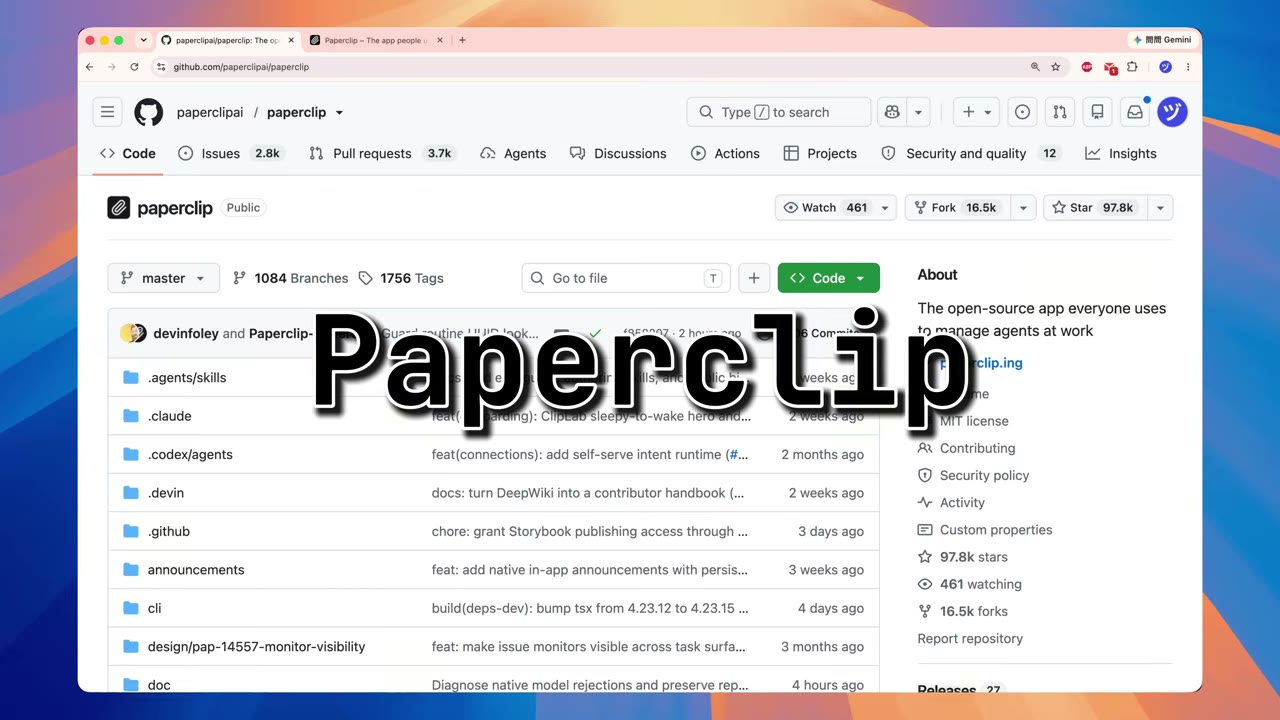
Paperclip offers two deployment forms: an all-in-one single-machine setup, or a systemd service on a VPS. I went with the local single-machine track; with Node 24 ready, a single command boots it:
1 | npx paperclipai onboard --yes |
The first run pulls a ~1.4 GB bundled PostgreSQL package — when the progress bar stalls, don’t panic: the backend is unzipping, running initdb, and configuring pg_hba. One to three minutes is normal. When it finishes, the browser auto-opens http://localhost:3100 and walks you through four steps:
- Fill in a company name (any value is fine; you can rename later). I entered “AI Video Studio.”
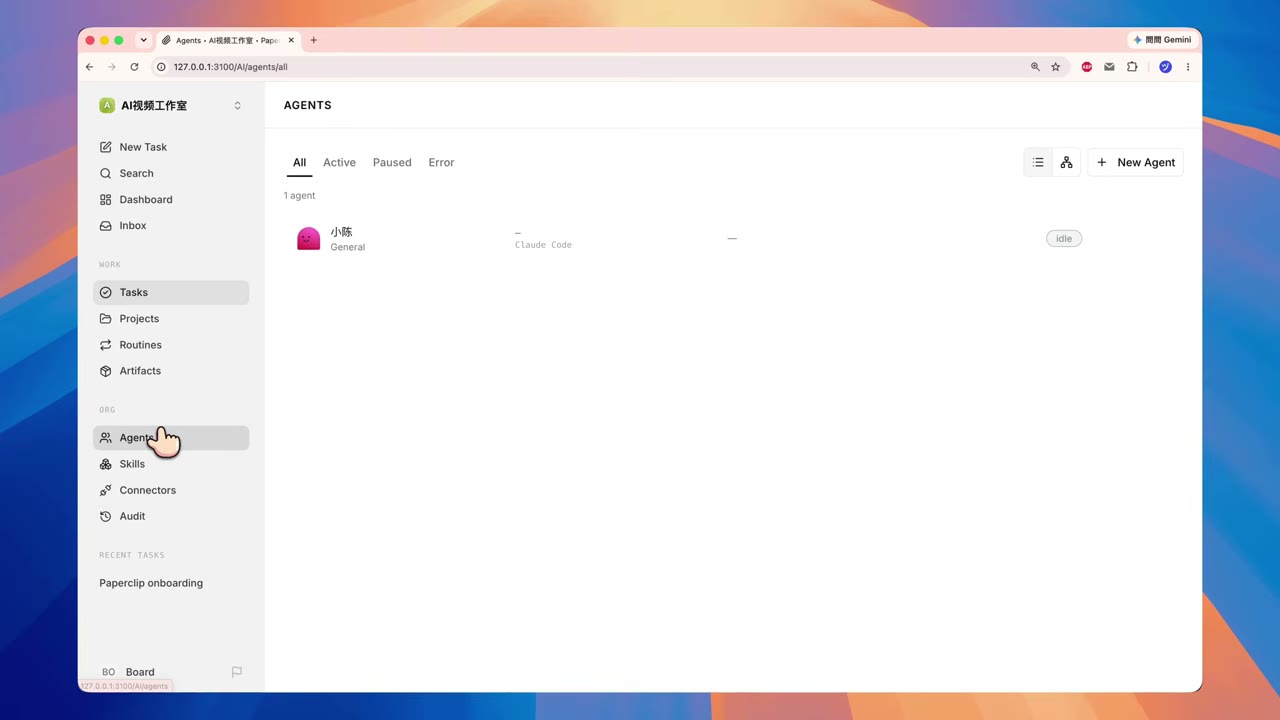
- Fill in the name of your first employee. I entered “Xiao Cheng.”
- Click the Claude Subscription card. Paperclip auto-reads your local login credentials from
~/.claude/.config.json. No need to manually paste a key. - When the green “Xiao Cheng is ready” prompt appears, click into the console.
The instant the company is set up, Paperclip has already done three things for me: it created an AI-1 welcome task in the internal task system, it initialized the “Xiao Cheng” agent, and it built the minimal org structure (CEO = me, CTO = Xiao Cheng). The first screen you see isn’t a blank dashboard — it’s a company that’s already waiting for instructions. That is the most visceral difference between Paperclip and a traditional task-management tool.
3. First employee Xiao Cheng: connected to Claude subscription, burns quota instead of dollars
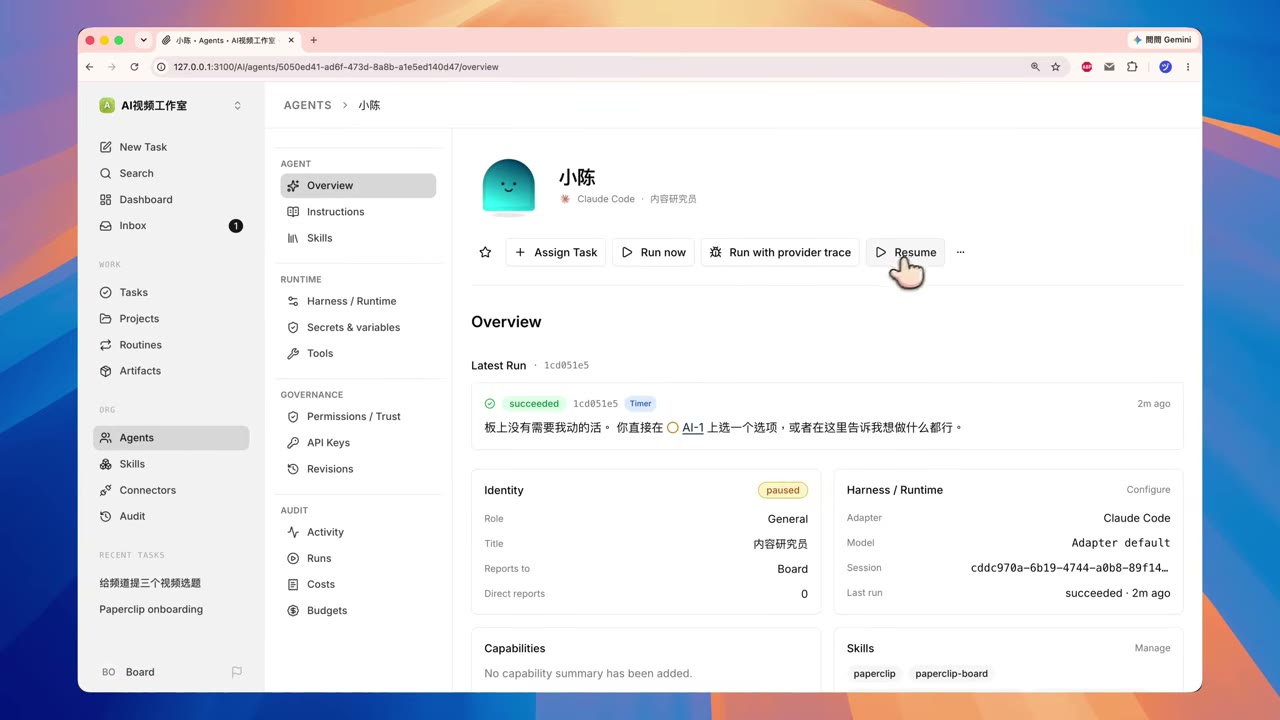
The claude_local adapter is currently Paperclip’s most stable adapter option. From the employee detail page, you can directly see four things: “Reports To = Board (i.e., me)”, “Title = default agent”, “Status = Idle”, and “Subscription Connection = ✓”. That green checkmark is the credential state — as long as .config.json has a valid login, Paperclip does not ask for a new API key. That means:
- Claude Pro / Max subscription quota is consumed directly.
- The company bill shows
$0because it draws from a monthly subscription. - It only prompts you to upgrade when your subscription quota is exceeded; it does not bill per-token — this is the biggest value Paperclip delivers to individuals and small teams.
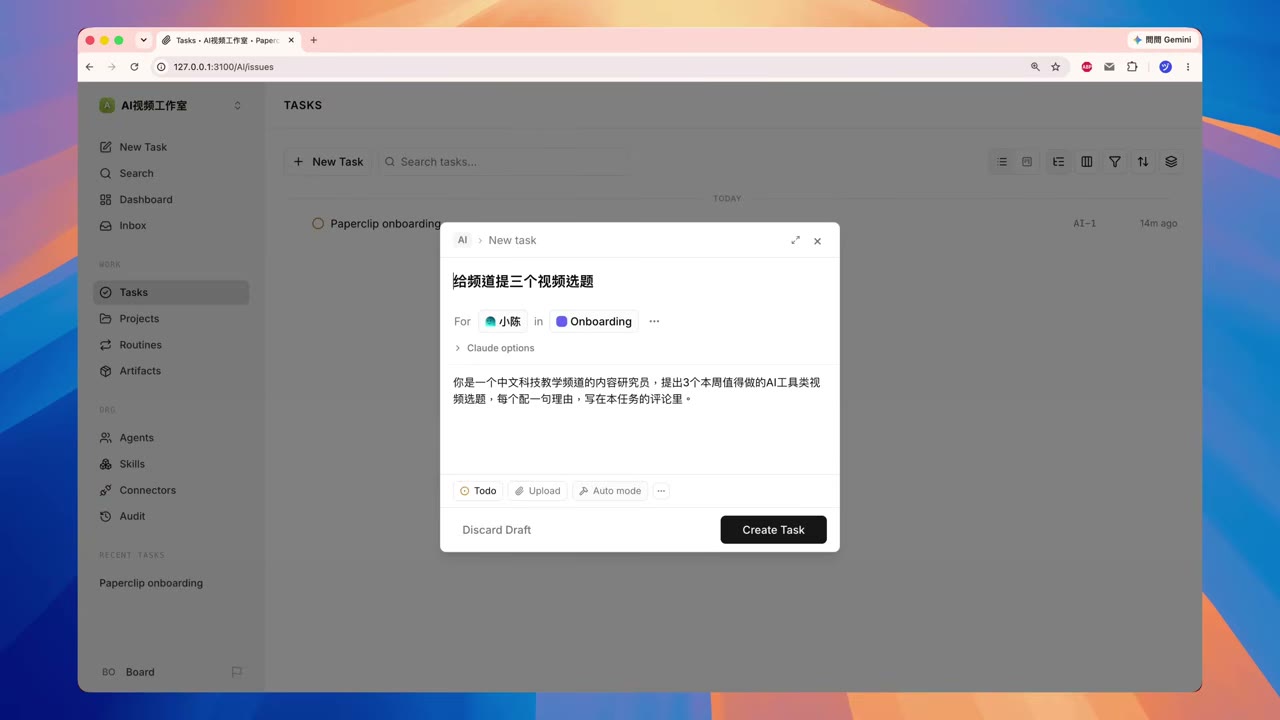
Two ways to wake Xiao Cheng up: assigning a task (pushed / triggered by a comment) and a heartbeat timer (he wakes periodically to check his inbox). I tested the assign-a-task path: fill in the title and description on the task board, assign it to Xiao Cheng, and the AI-2 that pops up after clicking Create is the new task ID he just received. From his perspective, “receiving a work order” means “being woken up.”
If you want him to take an extended vacation — say, you don’t want agents running over the weekend — the Pause button at the top of his detail page halts him entirely. Any task assigned during that window is automatically marked Blocked, and not one token is burned. When you’re ready, click “Resume Agent” on the yellow task banner. I tested this with a “Test Pause” probe task: as soon as Xiao Cheng was paused, the task’s status flipped to Blocked instantly; once I resumed him, the task restarted on its own. This is the same idea as GitHub Actions’ concurrency control, but the trigger lives at the agent dimension — useful for “pause this AI, but leave that one alone” fine-grained control.
4. Budget brake: $10 cap, 80% warning, 100% forced shutdown
If the third highlight is “let employees work longer,” the fourth is “let them not run away.” Paperclip’s README warns over and over: “An out-of-control agent loop can burn hundreds of dollars in tokens before you even notice.” This isn’t scaremongering — anyone who has run a long claude -p loop has been educated the hard way. Paperclip’s counter-medicine is to make the budget a first-class citizen:
| Threshold | Behavior | Best for |
|---|---|---|
| 80% | Yellow warning notification | Those who want to slow spending but not fully halt |
| 100% | Forcefully stop the current run | Those who want a hard backstop against runaway agents |
| Custom | Any amount cap | Per-company, per-agent, per-project budgets, each independent |
In my test I set the company budget to $10. While Xiao Cheng was crunching batches of topic ideas, the UI showed live spend and remaining ratio in real time. Note a counter-intuitive detail: in subscription-direct mode, Xiao Cheng’s spend against the Anthropic console goes to monthly quota, not dollars — so the company bill keeps showing $0. The budget number acts more like a “soft upper-bound indicator”; the real backstop is still the subscription’s quota. But under API-mode adapters (e.g., codex_local with an OpenAI key), that $10 is a real-money hard cap, and Paperclip will force-kill the run at 100%. That’s the design’s “control the API, ride the subscription” compromise.
5. Routines: automatic dispatch at 9 AM every day, no cron needed
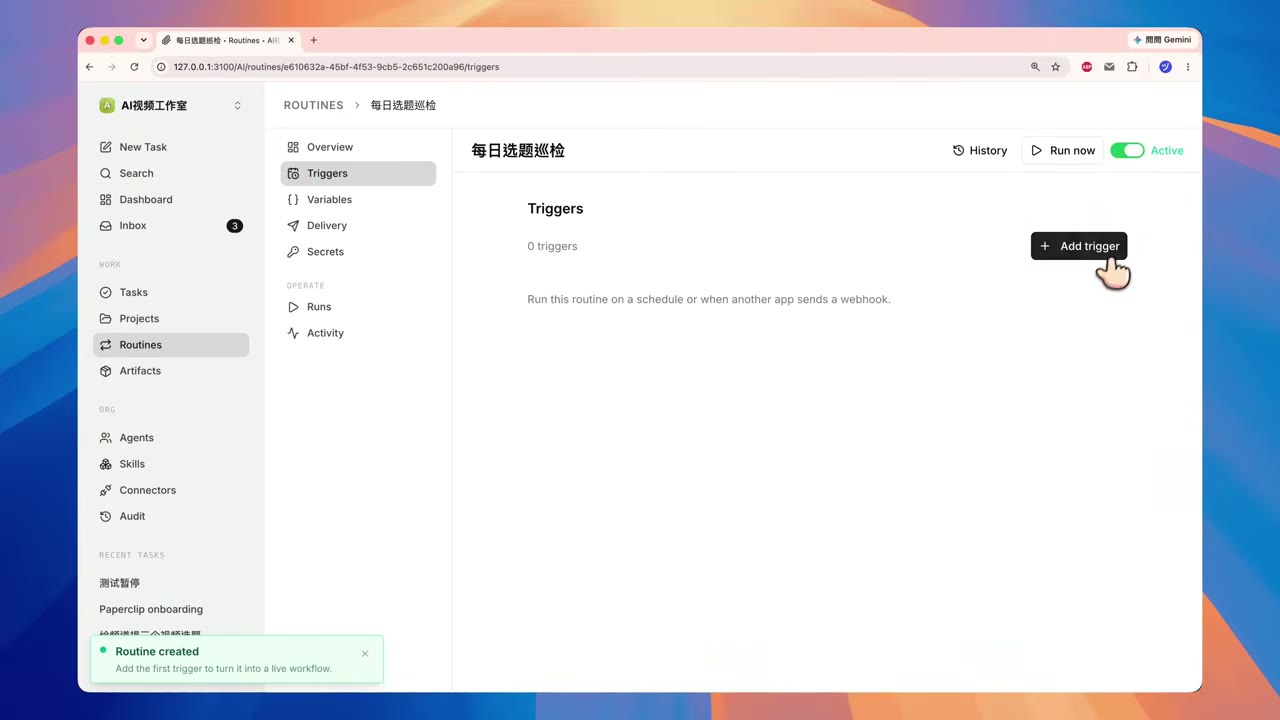
Configuration on paper looks fun, but what really makes an “AI company” run on its own is Routines — a cron with calendar semantics that’s much friendlier than cron. I set up a 9:00 weekday-morning topic picker routine for Xiao Cheng:
- Trigger window: every day at 09:00.
- Target agent: Xiao Cheng (CEO = me, employee = Xiao Cheng).
- Repeat rule:
Weekdays(select from a drop-down — no cron expression syntax needed). - Work order content: auto-generate a “today’s topic shortlist” work order.
- Run history: every execution is recorded in the Runs panel; click through to see exactly what Xiao Cheng did.
Two design details from the test run that convince me the team actually uses this product:
- Overlap skip: if the previous run hasn’t finished, a new one doesn’t pile up — this is mature design born out of the pain of “boot-time pile-up” caused by crons.
- Skip missed slots: missed time slots aren’t re-run. My laptop slept at 9 AM and I opened it at 10 — Paperclip doesn’t retroactively fire a 9 AM task then.
If you want to verify right now instead of waiting until tomorrow, click Run Now on the routine panel to fire it immediately. You can see Xiao Cheng’s comments, deliverables, and cost reconciliation in the run history. That is the most visceral difference between Paperclip and frameworks like LangGraph / CrewAI: Paperclip treats agents as employees, so there is Run history, pause capability, and re-run support — dimensions that the framework perspective doesn’t have.
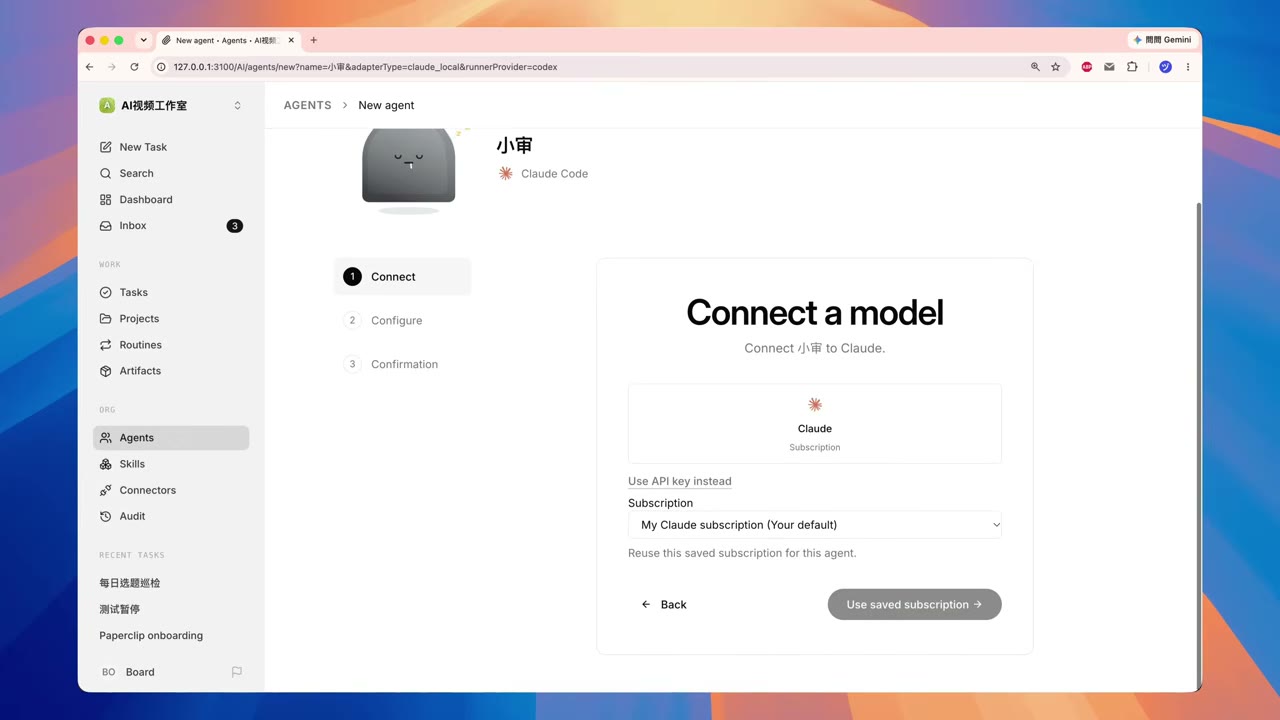
Command-line fans will notice that Paperclip ships a paperclipai CLI mirroring the dev server’s REST surface. Three commands cover the daily management needs:
1 | # List company IDs (each company has a unique ULID) |
On macOS zsh the auto-complete works smoothly, and the JSON output can be piped straight into jq for further processing. The CLI’s real practical value shows up in CI/CD pipelines — wiring it into a GitHub Action to automatically patrol agent health is a natural path.
6. Hiring the second employee Xiao Sheng: org structure + AI peer review, automatic quality gate
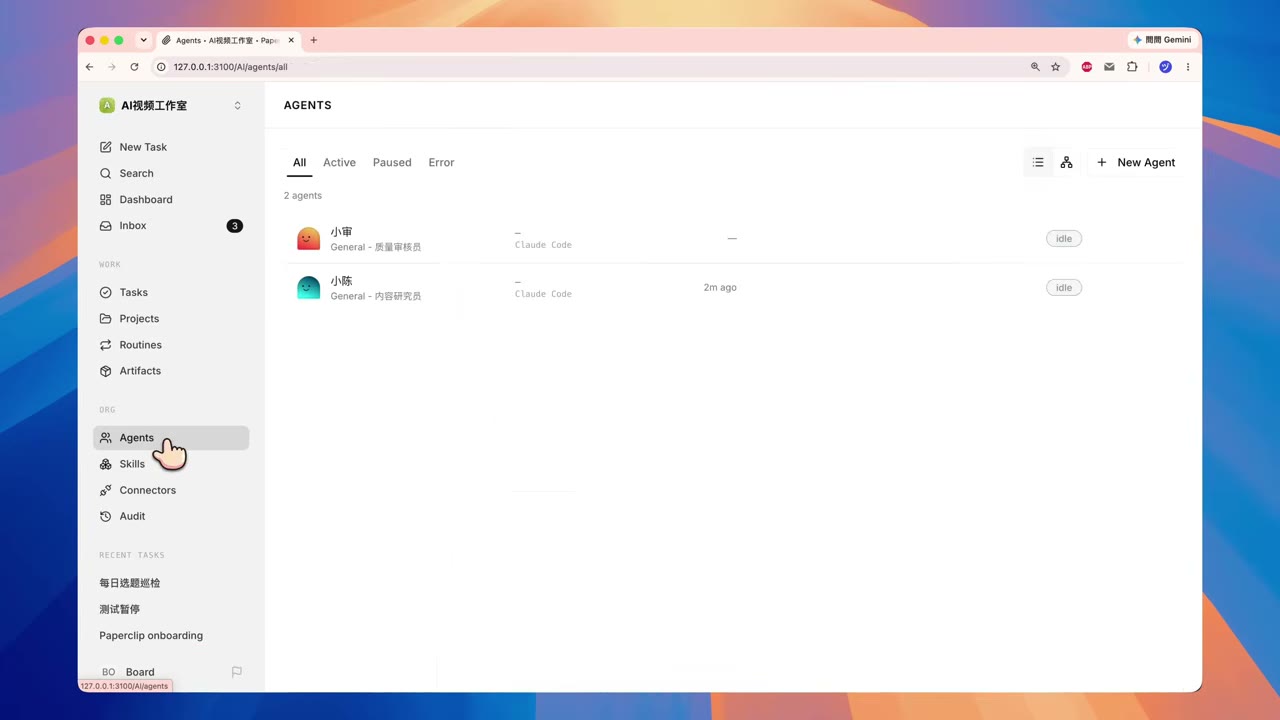
Once the one-person company runs smoothly, it’s time to enter “team collaboration.” I hired a second employee — Xiao Sheng — and assigned him to report to Xiao Cheng. The “Reports To” field is the edge of the org chart: the first employee reports to the board (me); the second employee reports to the first employee — that gives a two-layer management tree. The interface change is one pick from a drop-down; the backend updates the org topology. This is fundamentally different from adding a select field to a Notion database: Paperclip uses reporting relationships as part of the permission model — child agents can see parent agents’ deliverables, but not vice versa.
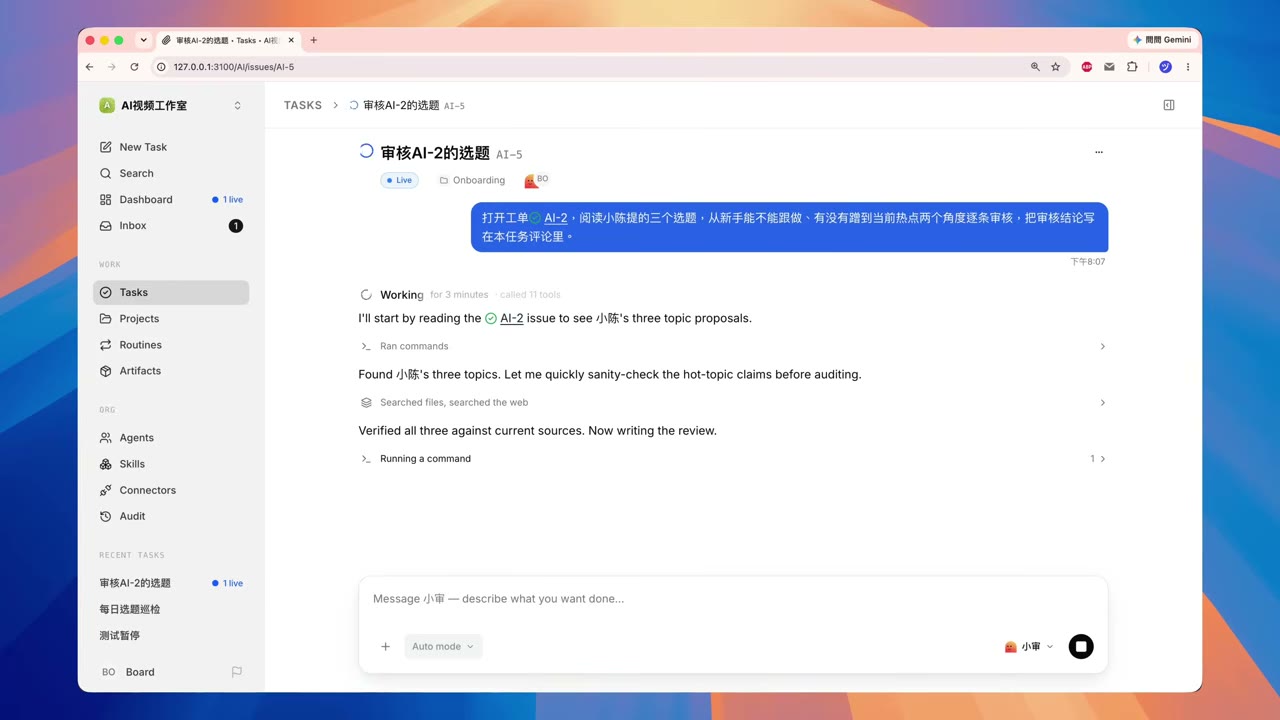
A key experience from the test: I asked Xiao Sheng to review AI-2’s topic shortlist. The task context moves itself. Xiao Sheng reads Xiao Cheng’s comments via Paperclip’s “internal interface” and gives feedback in his own deliverable. This makes the “one agent writes, another reviews” collaboration model actually work:
Xiao Sheng’s review output (excerpted from the Paperclip Runs panel): for each of the three candidate topics he evaluated “✓ approved / ✗ revise”, and gave actionable revision notes in the comments.
This “AI peer review” model is meaningfully better than single-agent mode in three scenarios:
- “Content generation” tasks involving fact-checking and citation verification.
- “Code review” tasks covering PR review / test coverage.
- “Solution selection” tasks that require weighing multiple angles.
Assigning a task to two employees who report to each other lets Paperclip auto-derive a round of review — no extra workflow configuration needed. This is Paperclip’s real moat against AutoGen, CrewAI, and similar “multi-agent frameworks”: Paperclip is not “write code to run agents,” it is “manage a team of agents”.
7. Local vs self-hosted: where the data and credential boundary sits
Walking through the full flow, the last thing worth a beat is the security boundary, the question everyone cares about most. Paperclip’s README and official docs repeat the same message:
- Self-hosted = everything runs on your machine: tasks, threads, documents, and API keys never leave your hardware.
- Adapter isolation: when credentials go through the
claude_localadapter, Paperclip does not write them into its own database; subscription login state is read from~/.claude/.config.jsonand exists only in memory during a session. - Budget hard cap: in API mode, 100% will definitely force-kill the run; it doesn’t rely on the agent knowing to stop itself.
In the test’s subscription mode, Xiao Cheng’s token consumption really comes off Anthropic’s monthly quota — it’s the same as just running claude -p — but the difference is Paperclip records the session, logs, and deliverables for you. So from a security standpoint, Paperclip is a transparent middle layer, not a black-box SaaS. For production-data-sensitive industries (medical / legal / internal codebases), this property is more important than its features themselves.
8. Conclusion: who it’s for, who it’s not for
The hands-on conclusion is simple: if you already use Claude Code, Cursor, or Kimi Code to run long tasks, and you also suffer from multi-terminal collaboration chaos, Paperclip is currently the most complete open-source implementation of the “personal/small-team AI company” abstraction on GitHub. The pain points it solves are real, the docs are real, and the 30-second local boot is real.
But Paperclip isn’t a silver bullet. For the following three scenarios, you should hold off:
| Scenario | Recommendation |
|---|---|
| Personal side projects, single-file rewrites only | Too heavy; just run claude -p directly |
| Multi-SaaS model + MCP full stack requiring sub-second latency | Paperclip is still minute-level task orchestration; not suited for real-time interactive scenarios |
| Wanting multi-user cloud collaboration | Goes through the VPS self-hosted + auth mode; you have to run Nginx / Let’s Encrypt yourself, not turnkey |
Finally, the minimum bar to run it yourself: Node.js 24+ + pnpm + (optional) Claude Pro/Max subscription + any machine that can run Claude Code. You can boot it within ten minutes; anybody with hands can try.
The structure and feature points in this article correspond to Paperclip main-branch v2026.1012.0. Some screenshots come from the official
paperclipai/papercliprepository and the local hands-on interfaces. The step-by-step command demonstrations in the article can be reproduced directly.
Related reading: